
Answered
Photoshop CC2019 zoom in and out problem
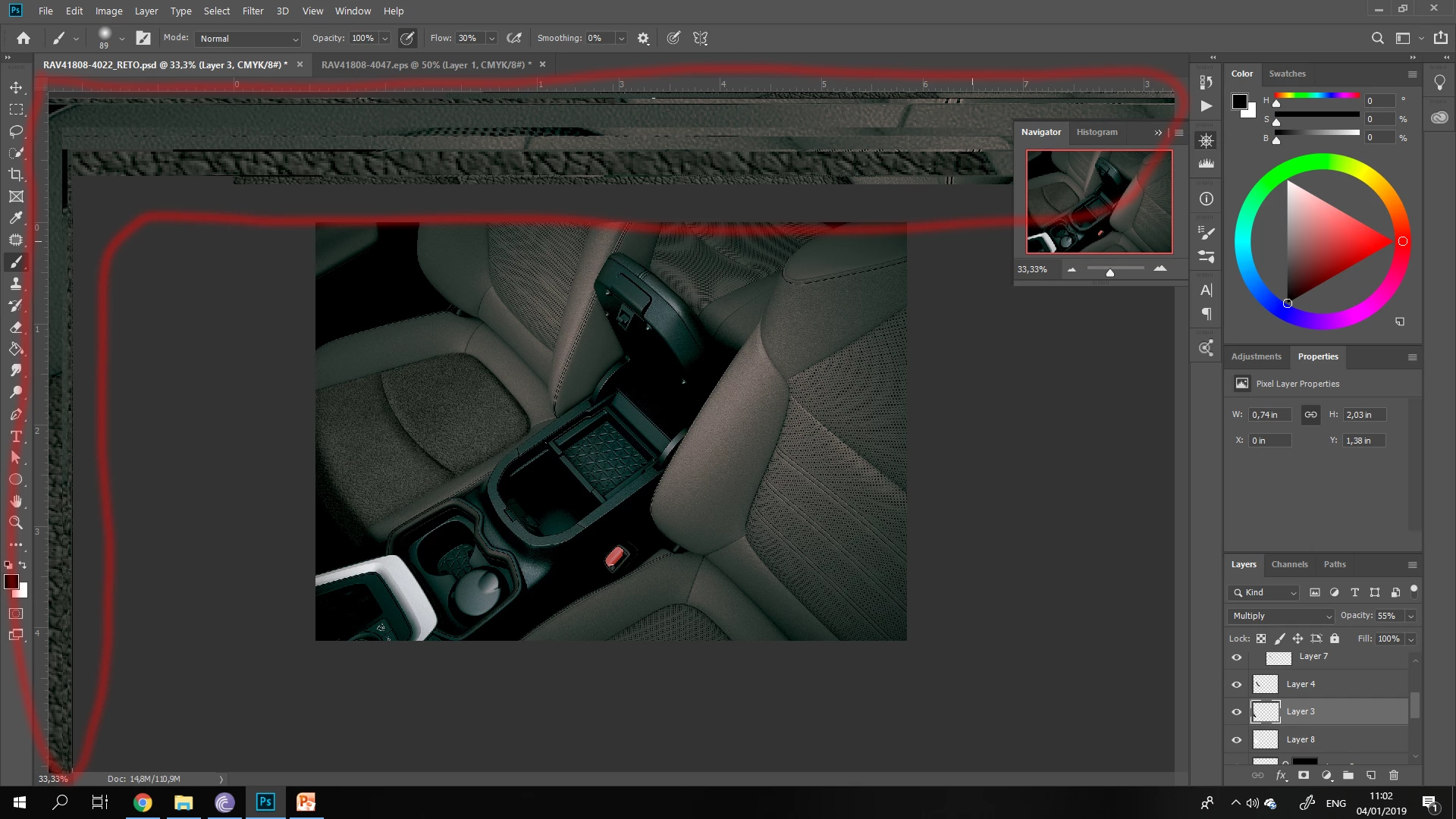
Every time i zoom in, work for a little, then zoom out, a part of the zoomed image remains in the screen (usually at the top and the right of the screen, i marked with red). And if i keep zooming in and out, parts of the image will keep remaining there. Only if i minimize photoshop and maximize it again, the remains go away. This happens to me with photoshop CC2019 only,
Im using windows 10 pro PC, intel i7 950 @3.07GHz, 12GB RAM and a AMD Radeon R7 350 Series, with a Full HD samsung monitor.
This bug isn't fatal but is pretty annoying.
 AdChoices