Inspiring
January 6, 2021
Answered

Photoshop CC2021 layer switch script

  • January 6, 2021
  • 2 replies
  • 507 views
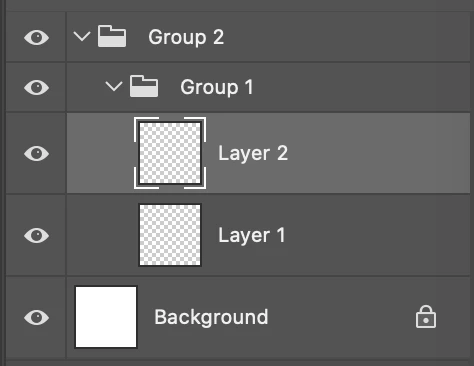
Is there a simple approach to switch between Layer 1 and Layer 2 via a script?
What should take place first, looping through the layer stack to make sure Layer 1 exist?
or making Layer 1 active?
 
 
This topic has been closed for replies.
Correct answer Manan Joshi

See the code I posted on the following thread. I used the getByName method to get the layer we want to select. If the layer does not exist, the method call raises an expectation; hence the code is enclosed in a try-catch block.

How to Select Specific Layer Name

-Manan

2 replies

Manan JoshiCommunity ExpertCorrect answer
Community Expert
January 6, 2021

See the code I posted on the following thread. I used the getByName method to get the layer we want to select. If the layer does not exist, the method call raises an expectation; hence the code is enclosed in a try-catch block.

How to Select Specific Layer Name

-Manan

-Manan
Inspiring
January 14, 2021

Thank you for your suggestion.  I was able to make it work with the sample code.

Balaji Murugesan
Known Participant
January 6, 2021

UnlockLayers(app.activeDocument)

function UnlockLayers(doc) {
     var layers = doc.layers;
     for (var i = 0; i < layers.length; i++) {
          if (layers[i].typename == "LayerSet") {
               if (layers[i].visible == true) {
                    if (layers[i].allLocked == true) {
                         layers[i].allLocked = false;
                    }
               }
          UnlockLayers(layers[i]);
} else if (layers[i].typename == "ArtLayer") {

     if (layers[i].name == "Layer 1") {
          if (layers[i].allLocked == true) {
               layers[i].allLocked = false;
          }
     app.activeDocument.activeLayer = layers[i];
     }
}
If you do not want to UnLock the layers you can comment on the lines.
}
}