Akatser
Participant
November 21, 2018
Question

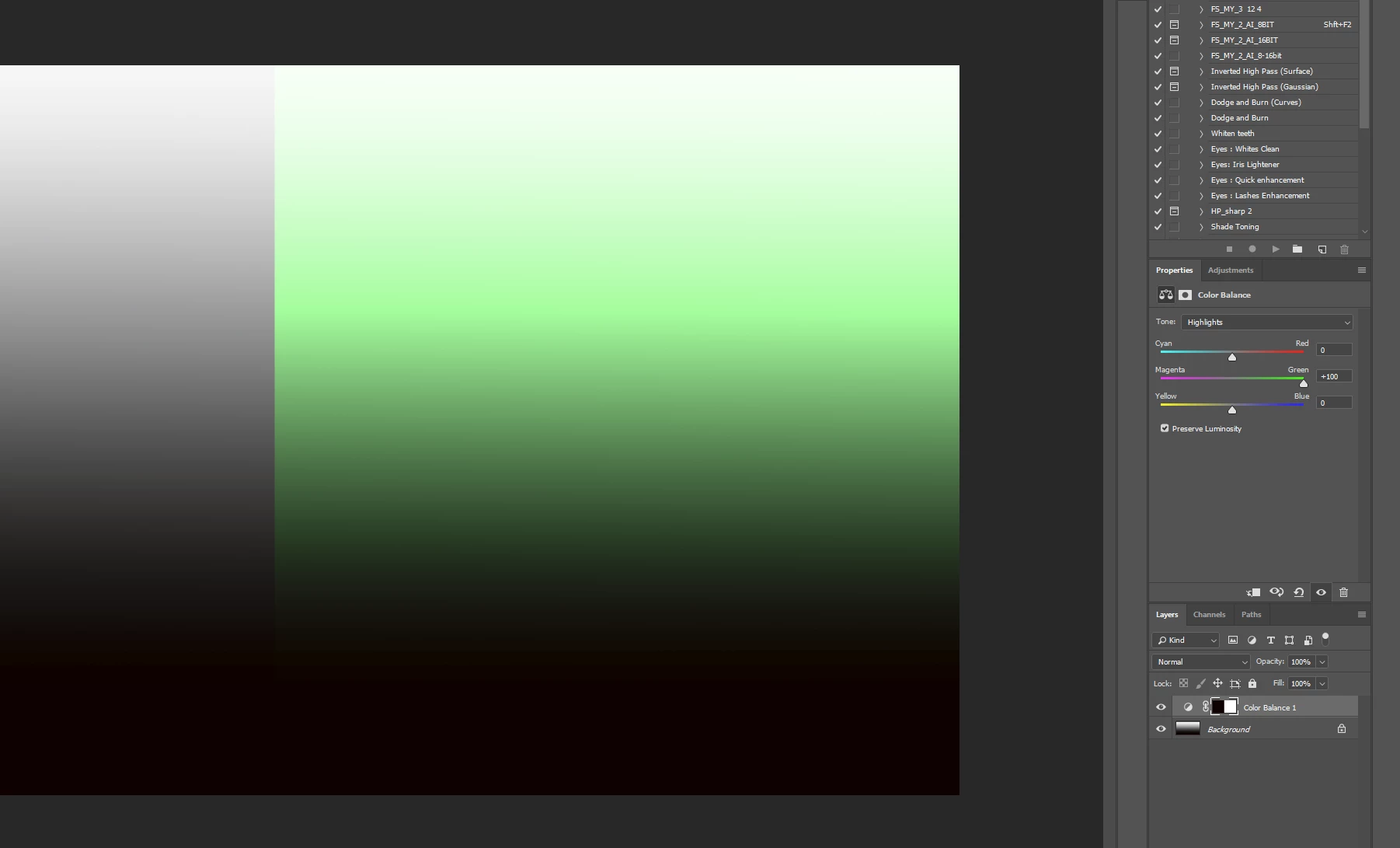
Photoshop Color Balance not working propetly in RGB mode?

  • November 21, 2018
  • 2 replies
  • 1069 views

Adobe Photoshop CC 2019 (v20),  Windows 10.

When i use Color Balance in RGB mode image, it changes color on whole image, no matter shadows, highlight or midtons adjusted.

    This topic has been closed for replies.

    2 replies

    melissapiccone
    Community Expert
    Community Expert
    November 26, 2018

    I get the same results as you do. I don't know much about color balance. If you think it's a bug, you can report it:

    Feature Request/Bug Report Form

    Melissa Piccone | Adobe Trainer | Online Courses Author | Fine Artist
    melissapiccone
    Community Expert
    Community Expert
    November 21, 2018

    Works exactly the same on my Mac, it's working correctly, what are you trying to do?

    Melissa Piccone | Adobe Trainer | Online Courses Author | Fine Artist
    Akatser
    AkatserAuthor
    Participant
    November 22, 2018

    Look carefuly, I try to change highlights only, not midtones.  In LAB mode it works fine, but in RGB it changes all tones.