geoffreyc90180589
Participant
February 2, 2017
Answered

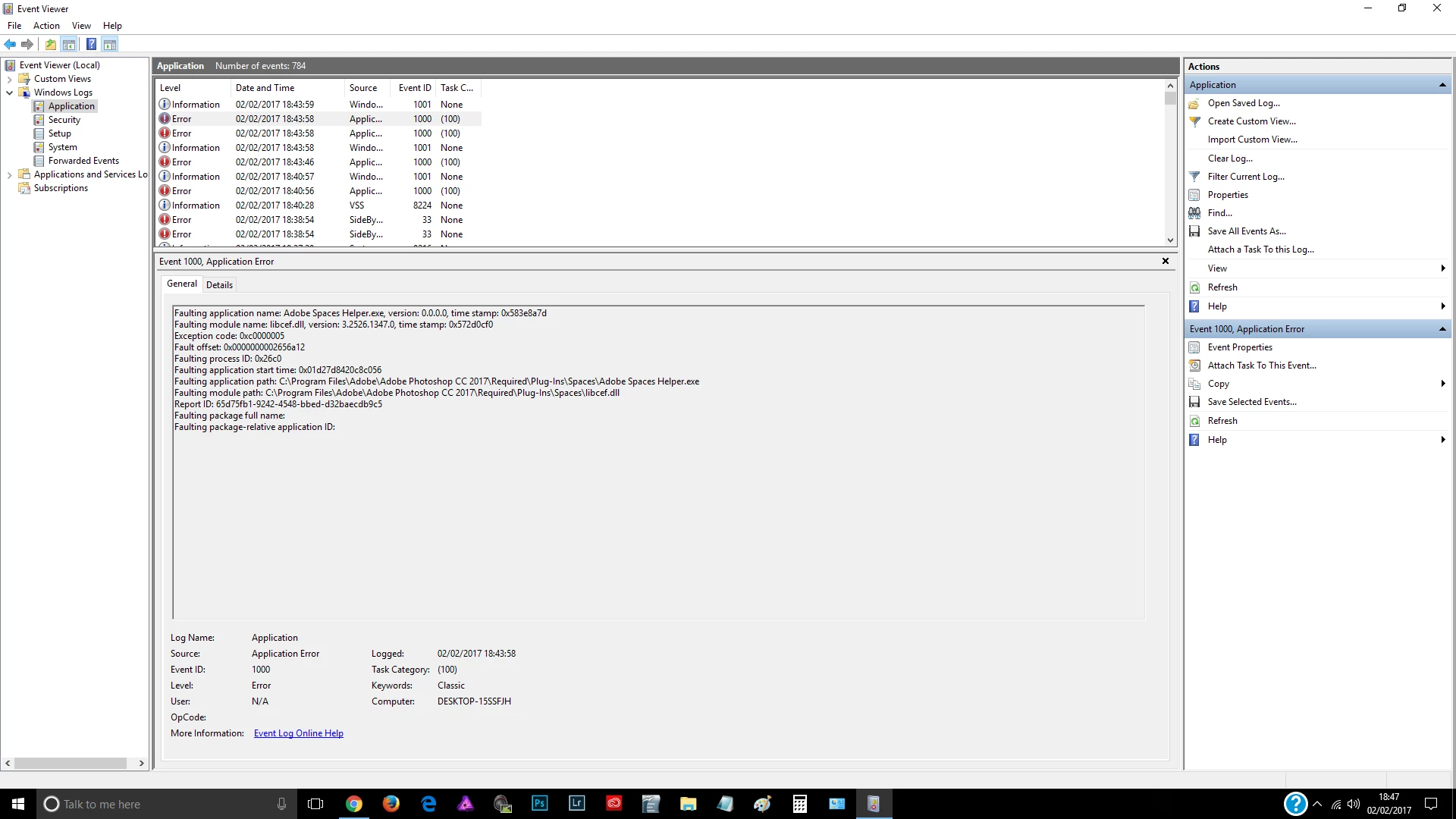
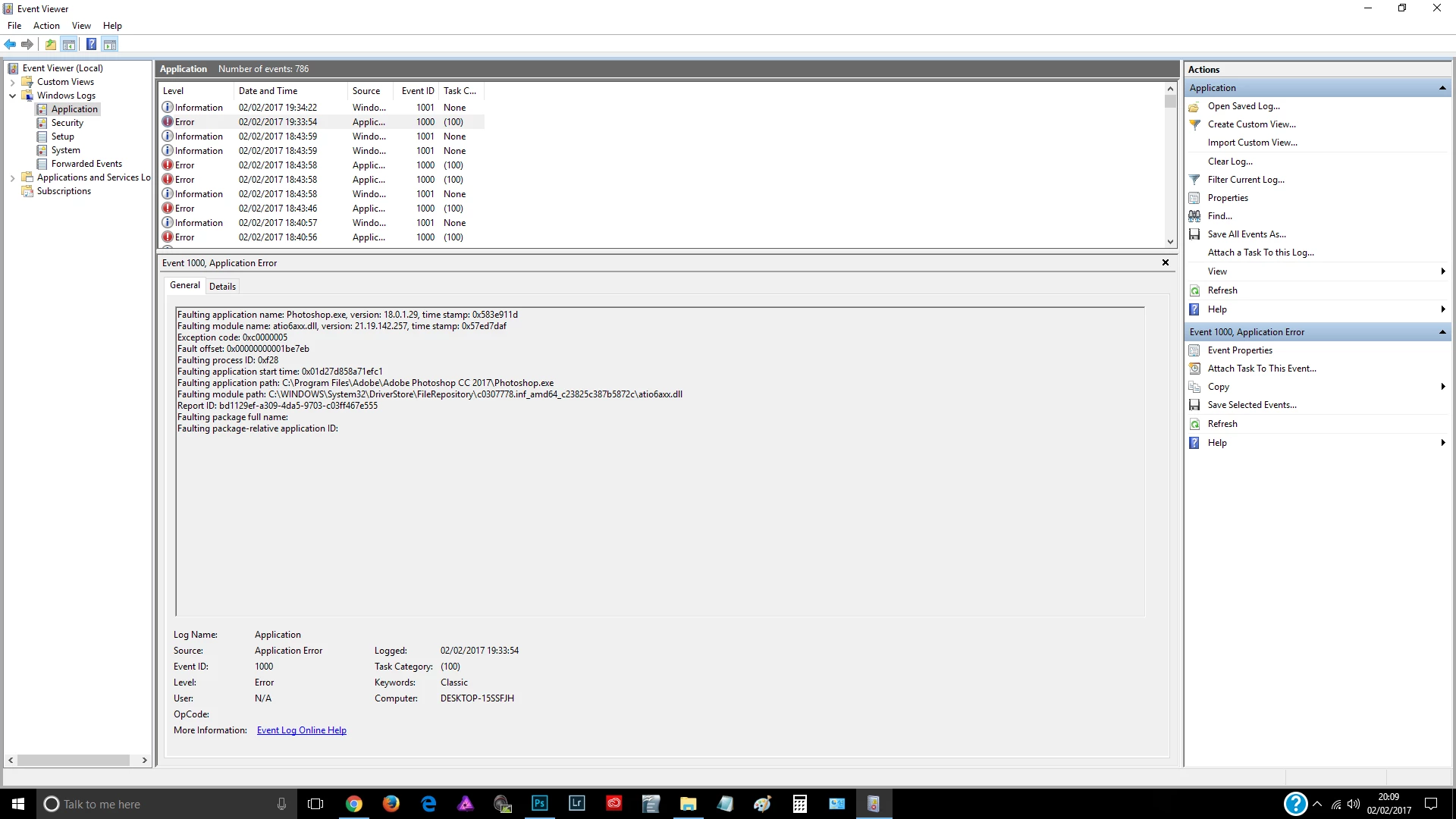
Photoshop crashes libcef.dll and atio6axx.dll errors

  • February 2, 2017
  • 3 replies
  • 2398 views

Have been using photoshop for several years but have recently upgraded to CC along with the purchase of a new Windows 10 PC, specs as follows:-

HP Pavilion desktop model # 550-103na

AMD A10-8750

16GB DDR3

AMD Radeon R7 Graphics + R5 330 Dual Graphics

HDD1 128GB SSD

HDD2 2TB HDD

Since installation have been getting random crashes using photoshop both with and without the nik software plug-ins (happened with silver efx and analogue efx)

Contacted adobe support who remote accessed my pc and immediately disabled one of the graphics in device manager where upon it crashed other than that they were no help whatsoever.

Have had crashes with and without using graphics processor in photoshop also.

Had no problems using older version of PS on a much less well spec'ed PC.
    This topic has been closed for replies.
    Correct answer geoffreyc90180589

    I managed to solve the problem myself by adjusting GPU settings in the AMD Radeon software.

    The Adobe support rep ( who was frankly hopeless) straight away went into device manager to disable one of the GPU's which made matters worse.

    You would think Adobe support would be more conversant with AMD software considering a large proportion of their customers must be using AMD graphics but it seems not.

    They did however confirm to me what you were told regarding the known problems with libcef.dll - taking them long enough to fix it.

    Thank you very much for your reply.

    3 replies

    geoffreyc90180589
    geoffreyc90180589AuthorCorrect answer
    Participant
    March 7, 2017

    I managed to solve the problem myself by adjusting GPU settings in the AMD Radeon software.

    The Adobe support rep ( who was frankly hopeless) straight away went into device manager to disable one of the GPU's which made matters worse.

    You would think Adobe support would be more conversant with AMD software considering a large proportion of their customers must be using AMD graphics but it seems not.

    They did however confirm to me what you were told regarding the known problems with libcef.dll - taking them long enough to fix it.

    Thank you very much for your reply.

    Participant
    June 21, 2017

    what was the solution. if i missed it.

    thanks

    Participant
    March 7, 2017

    Today talked with technical support. They said that this is a known problem that they are still solving. Temporarily helps when clamped Crtl + Alt + Shift to start the program and click Yes.

    JJMack
    Community Expert
    Community Expert
    February 2, 2017

    Have you checked on ADM site to see it there are newer drivers for your  AMD Radeon R7 Graphics + R5 330 Dual Graphics.  Photoshop is also known to have problens on machines that have more than one model GPU  installed.  Yout machine looks to have R7 and R5 graphics that may be a problem.

    JJMack