
Participating Frequently
August 13, 2021
Question

Photoshop Crashing?Freezing

  • August 13, 2021
  • 2 replies
  • 367 views

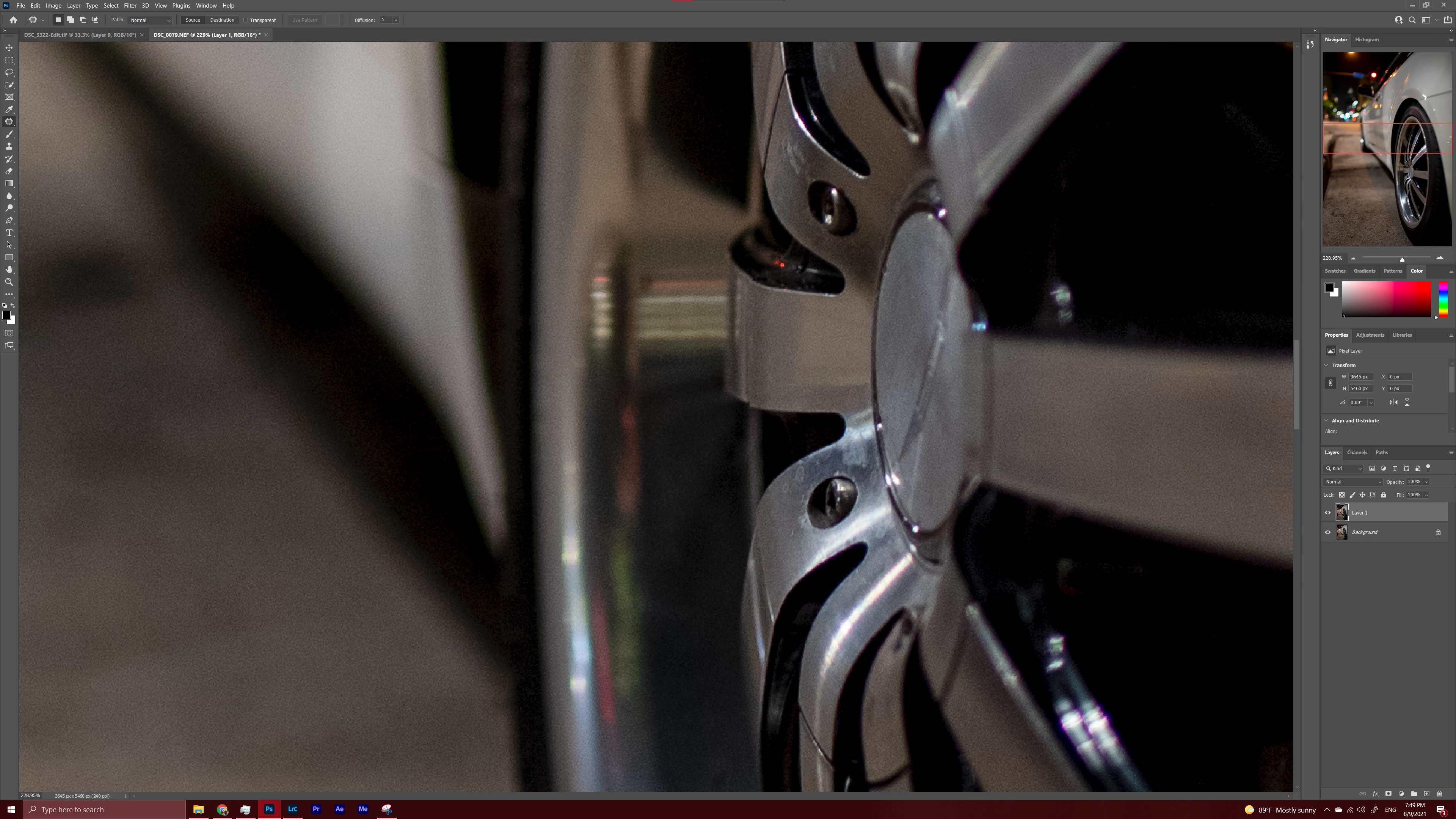
hello everyone, Ive been expierincing a issue for a whie now and i dont uderstand how to fix it. Allow me to explain. So I will open photoshop and start workin on a image and out of the blue whatever tool I am using the icon pointer will turn into the standard pc mouse pointer and the navigator box on the right which controls zoom and movement will turn into a rectangle and even if you move it. The canvas itself will not move. I will upload a picture to help you understand. My pc parts are AMD R9 5950x cpu Msi Rtx 3070 GPU crossair Vengence 32GB. 
This topic has been closed for replies.

2 replies

Derek Cross
Community Expert
Community Expert
August 13, 2021

Duplicate post.

Please don't do this as it wastes people's time.

Participating Frequently
August 14, 2021

No help?

Derek Cross
Community Expert
Community Expert
August 14, 2021

OK - which version of Photoshop and OS?

How much RAM and spare hard disk capacity do you have?

Have you tried resetting the Photoshop preferences, which you can do under the General tab in Photoshop preferences?

Participating Frequently
August 13, 2021

Btw Ive been back and forth with adobe on this issue for like 5 times Ive unistalled and downloaded different versions.