
richm15110244
Participant
May 6, 2019
Answered

Photoshop Creative Cloud- Can't edit photo

  • May 6, 2019
  • 2 replies
  • 397 views

I can't see the photo I'm editing using Windows 10. 

I can see the file I'm editing in the layers window.

I can also see changes I make to the file in the thumbnail of the active layer (using paint bucket to make parts of it red).   

I can see the file is open in the main window.

If I right click on the file tab and select "Move to New Window".  I new window opens with a small white rectangle. I can;t sect it or enlarge it.

I tried doing a reinstall but that did't help.

I tried resetting preferences but that didn't help.

Any help would be appreciated.
    This topic has been closed for replies.
    Correct answer Sahil.Chawla

    Hi Richm,

    That should not be happening, let us help make this right.

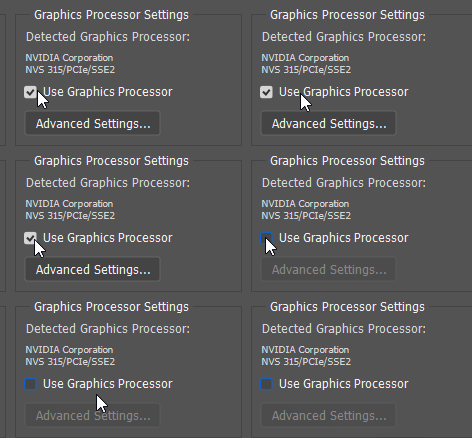
    As the image is not viewable on the canvas while you're editing it, could you please try deselecting "Use Graphics Processor" located in Photoshop's Preferences > Performance, then relaunch Photoshop and let us know if it helps?

    Also, please let us know the exact version of Photoshop and operating system you're working on.

    Regards,
    Sahil

    2 replies

    Participant
    August 15, 2023

    I tried resetting preferences but that didn't help.

    Sahil.Chawla
    Adobe Employee
    Sahil.ChawlaCorrect answer
    Adobe Employee
    May 6, 2019

    Hi Richm,

    That should not be happening, let us help make this right.

    As the image is not viewable on the canvas while you're editing it, could you please try deselecting "Use Graphics Processor" located in Photoshop's Preferences > Performance, then relaunch Photoshop and let us know if it helps?

    Also, please let us know the exact version of Photoshop and operating system you're working on.

    Regards,
    Sahil

    richm15110244
    Participant
    May 6, 2019

    Hi Sahil,

    That worked!  I was on Win10 on release 20.0.4

    Thanks,
    Rich

    Sahil.Chawla
    Adobe Employee
    Adobe Employee
    May 6, 2019

    Glad to know we got it working!
    Also, you should update the graphics drivers from manufacturer's website to prevent any future issues.