
caleb5
Known Participant
September 1, 2017
Answered

Photoshop CS3 Transforming a Selection not Working

  • September 1, 2017
  • 3 replies
  • 775 views

Hi everyone,

I'm new to photoshop, and I have one question.

I have selected what I want to transform.

The I go to the "Select" menu then click on "Trasform Selection".

I use the handles to size the selection to the way I want it.

I see the outlines of the shapes in the place I want them, like this:
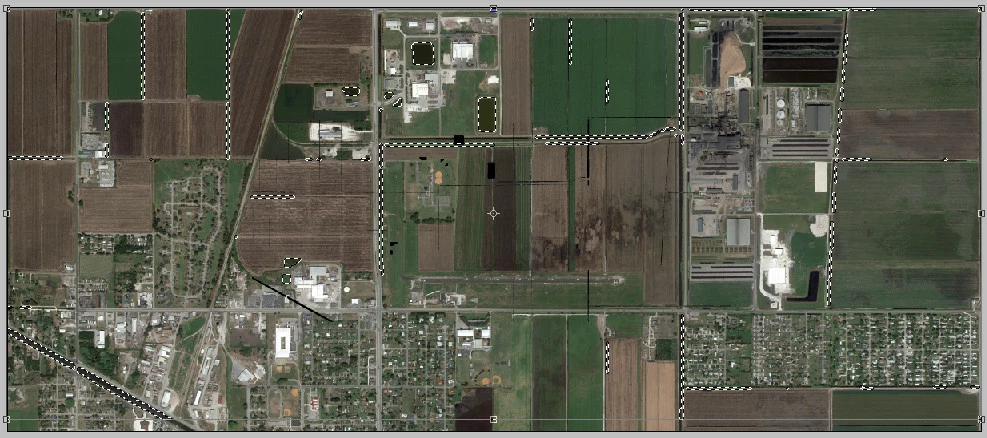
But when I press Enter on my keyboard, it all goes back to the way it used to be.  Am I skipping a step?

Does anyone know how I can scale my selection correctly?

This is in Photoshop CS3.

Thanks is advance.

    This topic has been closed for replies.
    Correct answer Vishu_Aggarwal

    If you trying to scale the content than after making the selection...you can go to menu Edit > Transform > Scale  or use keyword shortcuts on windows Ctrl + T or On Mac CMD + T.

    Once you scale the content..Press Enter and It should scale the selected content

    3 replies

    JJMack
    Community Expert
    Community Expert
    September 1, 2017

    From the looks of your selection. You most likely do not want to transform it to move its location or scale its size.  I would think you would want to add and remove areas.  You most likely want to modify the selection not scale or move it.  Also remember the marching ants only outline areas 50% or more selected.  You can see a selection feathering.  You would need to save the selection to an Alpha channel to see the feathering.  Quick Mask mode may show the feathering somewhat.

    JJMack
    Vishu_Aggarwal
    Vishu_AggarwalCorrect answer
    Participating Frequently
    September 1, 2017

    If you trying to scale the content than after making the selection...you can go to menu Edit > Transform > Scale  or use keyword shortcuts on windows Ctrl + T or On Mac CMD + T.

    Once you scale the content..Press Enter and It should scale the selected content

    Vishu AggarwalAdobe Certified Instructor, Professional and Expert
    caleb5
    caleb5Author
    Known Participant
    September 1, 2017

    I see now.

    Thanks very much.

    Abambo
    Community Expert
    Community Expert
    September 1, 2017

    You aren't scaling content, only the selection area! For the rest, the procedure should work as described.

    ABAMBO | Hard- and Software Engineer | Photographer