Participant
July 6, 2018
Answered

photoshop CS5 history not recording consecutive moves
  • July 6, 2018
  • 3 replies
  • 578 views

Hi fellow photoshopers!
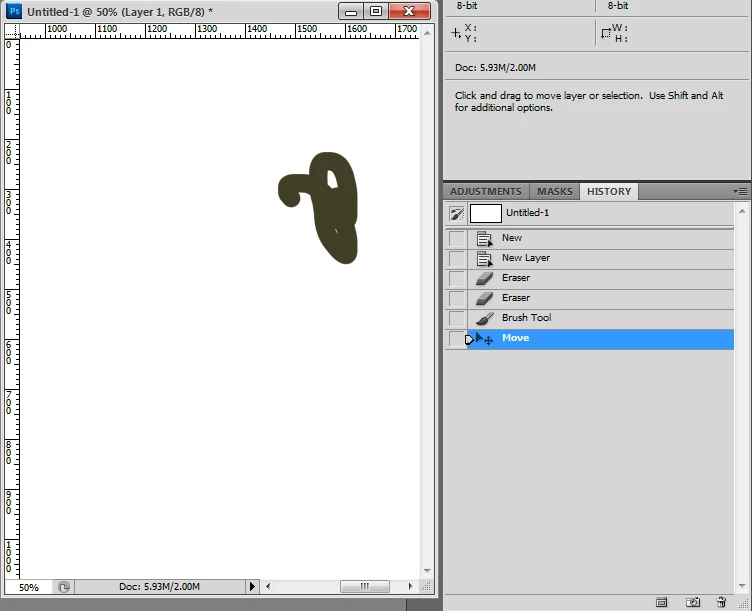
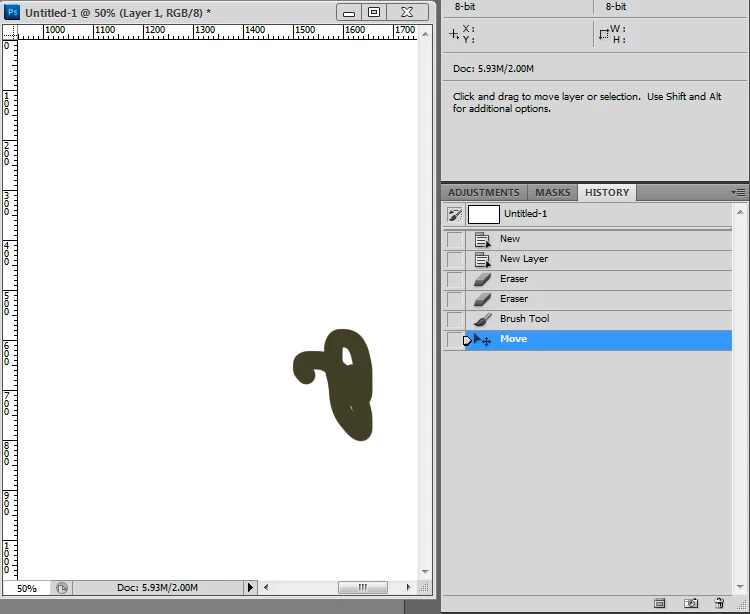
So with the move tool selected, you move a layer and you'll see the move reflected in the history panel but, then make another move (and at least on mine) the next and subsequent moves are not reflected. The next move will only show after you make another command and then return to make a move. That's quite messed up. Does it happen to you all? I'm using CS5 (yes, still CS5).
Thanks in advance

    This topic has been closed for replies.
    Correct answer Sahil.Chawla

    Hi there,

    I just tried doing it at my end and it's doing the same thing. I'm using the latest version of the software which is Photoshop CC 2018 build 19.1.5 on Windows 10 x64 system. I believe it's normal behavior by Photoshop and it's working as designed.

    Regards,
    Sahil

    3 replies

    7RAG77Author
    Participant
    July 7, 2018

    Hi Sahil and Semaphoric, thanks for the responses. I appreciate it. I believe you are both correct but on this forum, I can't seem to get both of you the "correct answer" title.

    Apparently it must be that it's not a corrupt prefs file as I first thought it could have been. It seems (as you both correctly mentioned) that Photoshop is programmed not to record every move tool action if it's consecutive. You know how many years I've been working (professionally) with Photoshop and never came across this until today? Let's just say a lot.

    Wouldn't it be nice though to have that in the History's palette options? Something like "Record consecutive moves" - or something like that. It could come in handy if you want to position some items (a layer etc) in different positions to quickly visualize it as opposed to having to setup comp layers as they are more involved to set up than to go back and forth through history (though I do love comp layers - don't use them much).

    Anyway thanks again for the responses! Have a great weekend. 
    Ramon

    Semaphoric
    Community Expert
    Community Expert
    July 7, 2018

    I know it's been that way at least ever since the debut of the History panel.Is it important to you to actually see separate instances in the History panel, or do you just want to step back to a previous position?

    Sahil.Chawla
    Adobe Employee
    Sahil.ChawlaCorrect answer
    Adobe Employee
    July 6, 2018

    Hi there,

    I just tried doing it at my end and it's doing the same thing. I'm using the latest version of the software which is Photoshop CC 2018 build 19.1.5 on Windows 10 x64 system. I believe it's normal behavior by Photoshop and it's working as designed.

    Regards,
    Sahil