
Participant
April 13, 2020
Answered

Photoshop CS5 mit Windows 10
  • April 13, 2020
  • 3 replies
  • 1239 views

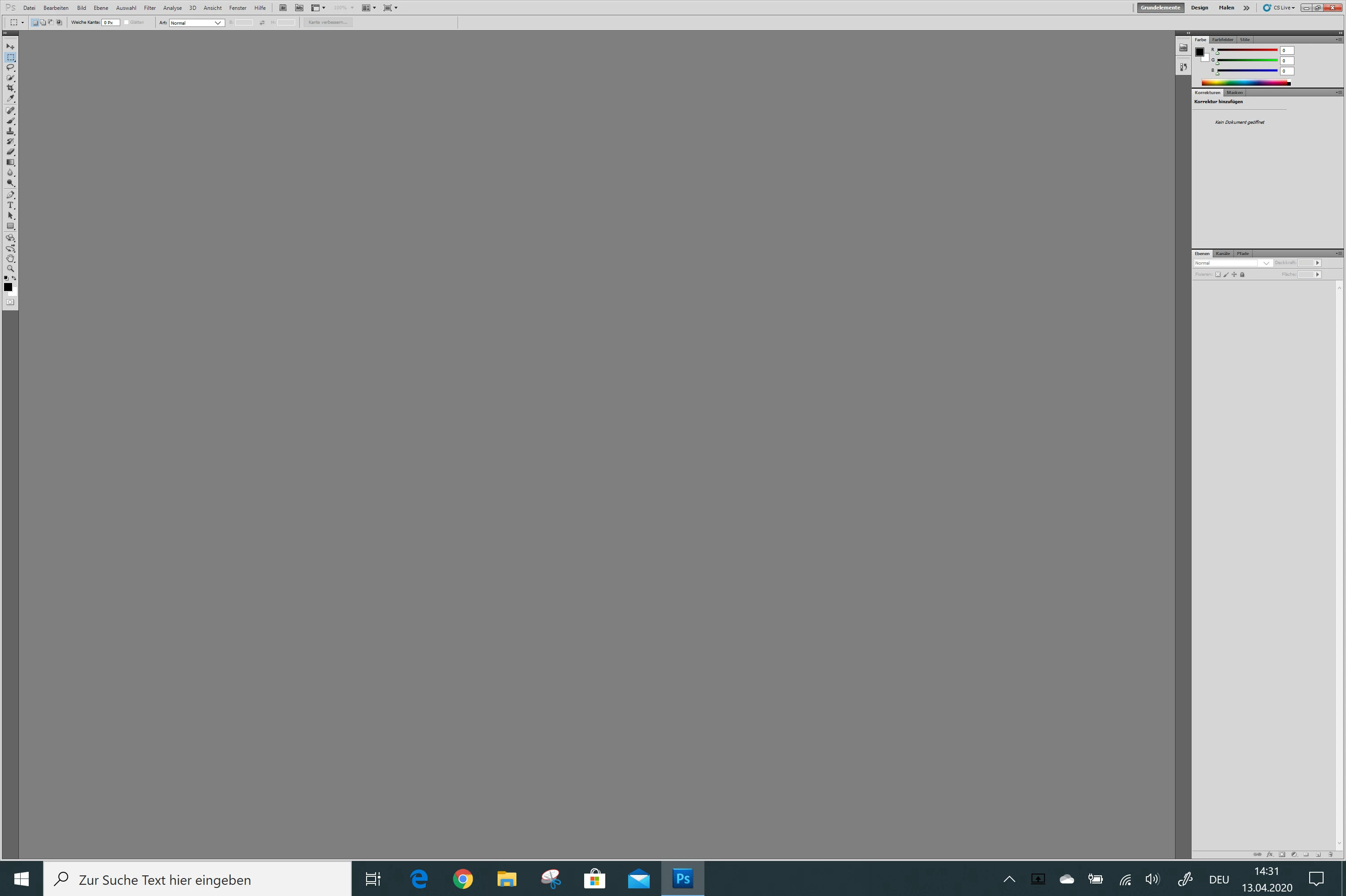
Hatte Photoshop CS5 noch auf Windows 7, brauche es nicht täglich. Deshalb war ich froh, dass das Download auch auf Windows 10 funktionierte. Nun ist die Arbeitsfläche riesig groß und das Menü samt Schrift sehr klein. Wie kann ich das ändern? Vielen Dank für Eure Hilfe. Andreas.


This topic has been closed for replies.
Correct answer JJMack

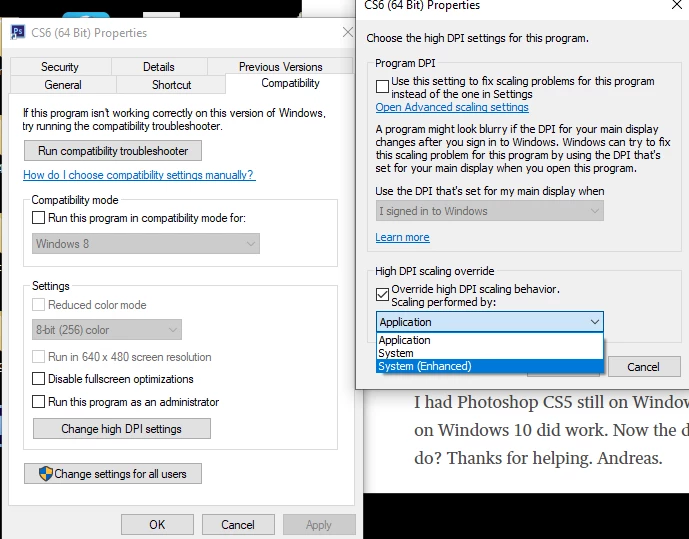
You need to force Window scaling onto CS5. Windows 7 requires a registry key added and an external manifest file added for Photoshop.exe.  On Windows 10 you just nee to edit the CS5 Desktop launching ICON Properties use Compatibility to change the high DPI settings.


3 replies

JJMack
Community Expert
JJMackCommunity ExpertCorrect answer
Community Expert
April 14, 2020

You need to force Window scaling onto CS5. Windows 7 requires a registry key added and an external manifest file added for Photoshop.exe.  On Windows 10 you just nee to edit the CS5 Desktop launching ICON Properties use Compatibility to change the high DPI settings.


JJMack
ab3400Author
Participant
April 14, 2020

Thank you so much! It has worked perfectly!!!


Do you see any problem working further with CS5 on Windows 10?

Jeff Arola
Community Expert
Community Expert
April 14, 2020
ab3400Author
Participant
April 13, 2020

I had Photoshop CS5 still on Windows7 and I dont use it every day. Therefore I was happy, that the download on Windows 10 did work. Now the desk is huge and the menu and the characters are really little. What can I do? Thanks for helping. Andreas.