Participant
December 12, 2018
Answered

Photoshop CS5 not playing nice with Mac High Siera

  • December 12, 2018
  • 2 replies
  • 413 views

I'm having a horrible time with my copy of Photoshop CS5 and The latest Mac OS (high siera)...I know CS5 is old but I don't need anything more for what i use it for.

Camera Raw sometimes crashes on me, and when I try to print anything, Photoshop immediately crashes. I can't even update the program. Is there anything I could do, or is CS5 just not compatible?     thanks for anything help
This topic has been closed for replies.
Correct answer gener7

The Adobe Application Manager needs to be updated, then you can retry Help > Updates

Adobe - Adobe Application Manager : For Macintosh : Adobe Application Manager

Let me know if that works.

2 replies

Participant
December 14, 2018

but I have to ad, even with those errors, I was able to print from photoshop without it crashing. I haven't been able to do that in ages. THANK YOU!

gener7
Community Expert
Community Expert
December 14, 2018

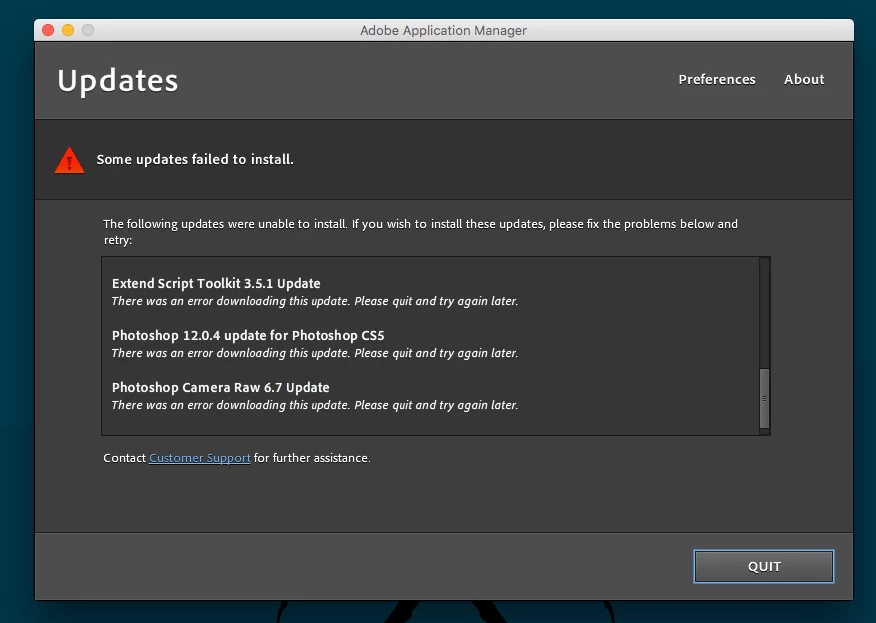
The other downloads might be from discontinued software and services. Nevertheless Photoshop is updated properly and is good to go. 12.0.4 fixes the base 12.0 print bugs.

And as a reminder anytime you reinstall Photoshop, you must run the updates.

Other than that, I'm happy to know you are out of the ditch and back to getting your work finished.

Gene

Participant
December 14, 2018

thanks once again..!!

gener7
Community Expert
gener7Community ExpertCorrect answer
Community Expert
December 12, 2018

The Adobe Application Manager needs to be updated, then you can retry Help > Updates

Adobe - Adobe Application Manager : For Macintosh : Adobe Application Manager

Let me know if that works.

Participant
December 14, 2018

Hi gener7, thanks for your response. I haven't gotten back to you because life has been busy.. I did the adobe app manager and was presented with these errors.