Participant
April 21, 2021
Question

Photoshop CS6 13.0 turns off - Win10 problem ??

  • April 21, 2021
  • 1 reply
  • 1015 views

I have a problem because all the time after the last update of windows - CS6 turns off when I ask him some action - simple actions open save works OK - I don't know what happened


I updated the graphics card drivers - did not help


I tried to update to version 13.1.x - unfortunately it does not work according to adobe instructions
https://helpx.adobe.com/pl/photoshop/kb/update-photoshop-cs6-1304-131x.html
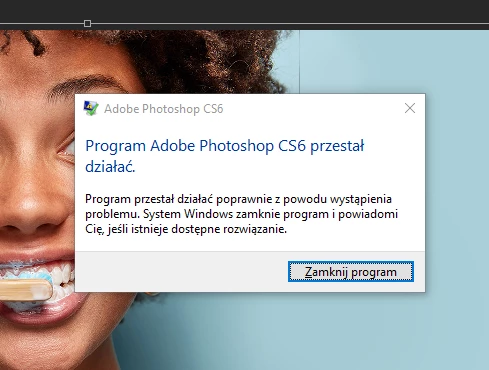
 

at that moment, I was just making a size change (grab markers and stretch) - size 1920x900 72 dpi

the same thing every time, regardless of the source files


This topic has been closed for replies.

1 reply

JJMack
Community Expert
Community Expert
April 21, 2021

Photoshop version 13.0 is very unstable CS6 needs its updates. 13.0.1.3 Windows, or 13.0.6 Macs or 13.1.2 Creatve Cloud are the curren version od CS6. The Update for rge perpetual versions cam be downloade from Adobe's site using FTP.  ftp://ftp.adobe.com/pub/adobe/photoshop/

JJMack
SeKoAuthor
Participant
April 21, 2021

Thanks for the link I installed (CS6_13_0_1_3_upd) I have 13.0.1, but the problem has not disappeared, it still turns off automatically when, for example, adding a few photos to the project

JJMack
Community Expert
Community Expert
April 21, 2021

Turns off or crashes. Use Windows reliability history viewer see if there are any Photoshop stopped working reports. If there are some see what is failing

JJMack