Question
Photoshop CS6 (64 bit): Oil Paint Filter not working (on Windows 10)
Hi,
In Photoshop CS6 (64 bit) if I click menu Filter then the option "Oil Paint" is AVAILABLE (i.e.not greyed-out).
However, it is NOT WORKING:
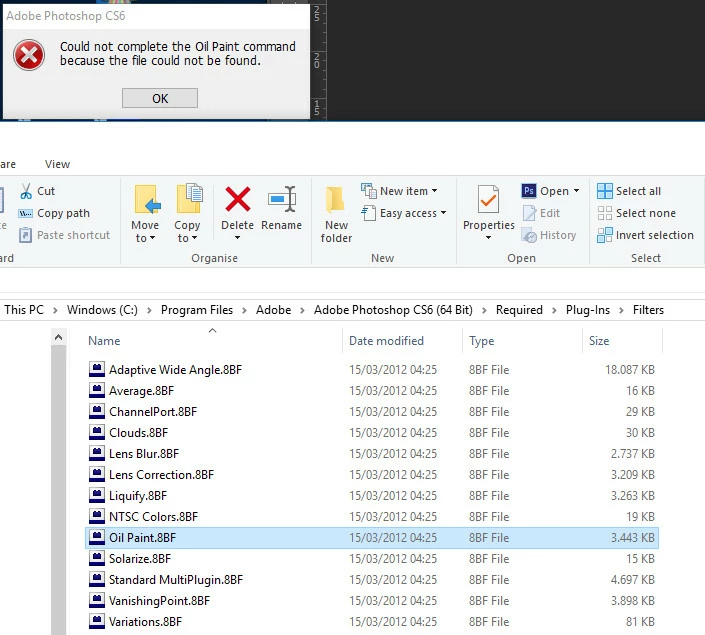
If I click Filter > Oil Paint I get the following error message:
"Could not complete the Oil Paint command because the file could not be found."
I checked folder:
C:\Windows \ ProgramFiles \ Adobe \ AdobePhotoshop CS6 (64 bit) \ Required \ Plug-ins \ Filters
In this folder the file Oil_Paint.8BF IS actually present. So I don't see a reason why the Oil Paint filter doesn't work.
Can anyone tell what causes this problem, how do I solve it?
Notes:
- I am using Windows 10
- I am working in RGB colour mode
- image file is 8 bit
Moderator: Moved from Lightroom Classic CC — The desktop-focused app to Photoshop
 AdChoices