Known Participant
November 6, 2016
Answered

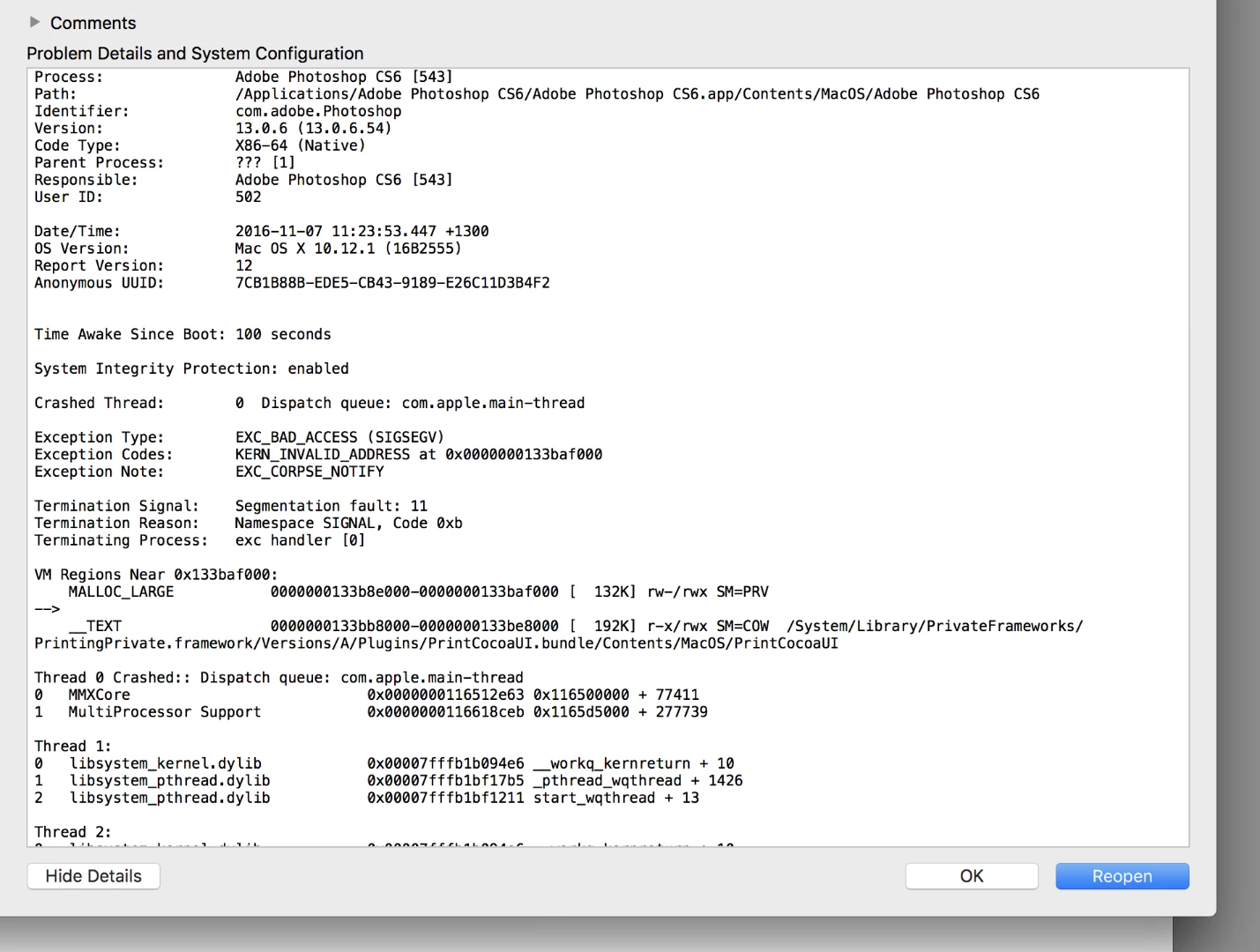
photoshop CS6 quits when printing to an epson 3880

  • November 6, 2016
  • 1 reply
  • 766 views

I have been printing to my epson 3880 from PS for a couple of years and now PS quits when I hit the print button in PS. I can print to my epson from Capture One 9, I can also print to my Brother printer from PSCS6.?! I have a feeling the problem may have started with a Sierra upgrade but am not sure. Has anyone else had this problem? Cheers, Peter
    This topic has been closed for replies.
    Correct answer gener7

    Ok, that at least gets that question out of the way.

    Next is to clean uninstall the Epson drivers and get the Sierra drivers:

    If Epson provides an uninstall utility, use that first. You reall need to get rid of any support folders or files besides the drivers.

    Search Epson Stylus Pro 3880 | Epson US

    As a side note: Photoshop and Capture One use vastly different Print dialogs. So Capture One may not run into problems with the Print driver code, yet Photoshop will. That's why you should go to the drivers next.

    Sierra has had problems with Printers, but 10.12.1 was supposed to clear up most of them.

    1 reply

    gener7
    Community Expert
    Community Expert
    November 6, 2016

    Let's start here:

    If you hold the space-bar when selecting File > Print, this forces the driver to try and print without the previously used driver settings stored in the file.

    Let me know if that works.

    Gene

    jon boveyAuthor
    Known Participant
    November 7, 2016

    Thanks Gene. I set up the print settings box as normal and held the space bar while clicking "print" but PS still quits. The print button is at the bottom of the Print Settings box and doesn't require the file>print route. I mention this just in case you have a different system.

    Peter

    gener7
    Community Expert
    gener7Community ExpertCorrect answer
    Community Expert
    November 7, 2016

    Ok, that at least gets that question out of the way.

    Next is to clean uninstall the Epson drivers and get the Sierra drivers:

    If Epson provides an uninstall utility, use that first. You reall need to get rid of any support folders or files besides the drivers.

    Search Epson Stylus Pro 3880 | Epson US

    As a side note: Photoshop and Capture One use vastly different Print dialogs. So Capture One may not run into problems with the Print driver code, yet Photoshop will. That's why you should go to the drivers next.

    Sierra has had problems with Printers, but 10.12.1 was supposed to clear up most of them.