
Participating Frequently
February 12, 2017
Answered

Photoshop CS6 Timeline feature is not taking Videos.

  • February 12, 2017
  • 1 reply
  • 627 views

I'm using Adobe Photoshop CS6 and wants to edit videos which are already in MPEG-4 Video (*.mp4) format using timeline feature but it's allowing me to open any video format file. Timeline box is not showing add file button and if I drag and drop video file; it gives error message, "couldn't complete your request because it is not the right kind of the document". Please help.
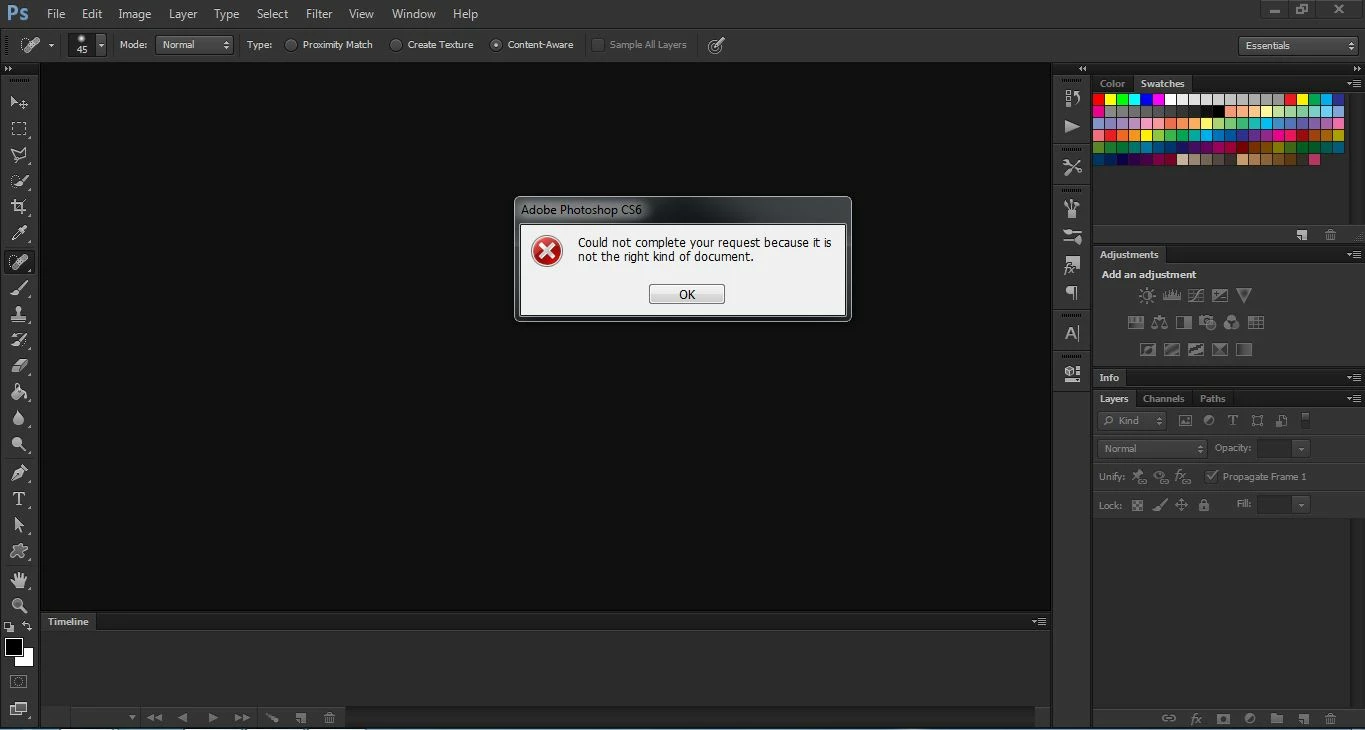
Photoshop  PleaseCS6

This topic has been closed for replies.
Correct answer Trevor.Dennis

Convert the clip to MP4 with Handbrake

https://handbrake.fr/

It's an amazing little app that works magic downsizing video with no apparent loss of quality, and it is free.  I 'think' it is Windows only though.

1 reply

Trevor.Dennis
Community Expert
Trevor.DennisCommunity ExpertCorrect answer
Community Expert
February 12, 2017

Convert the clip to MP4 with Handbrake

https://handbrake.fr/

It's an amazing little app that works magic downsizing video with no apparent loss of quality, and it is free.  I 'think' it is Windows only though.

Participating Frequently
February 12, 2017

My clip is already in MPEG-4 Video (*.mp4) format. I used Aiseesoft Total Video Converter.