
Question
Photoshop Custom Icon Thumbnails
I recently upgraded my Mac OS to Catalina, and was forced to upgrade my Photoshop CS6 to Photoshop CC 2019 because CS6 was no longer compatible. Prior to the upgrade, any edited photos using Photoshop would created custom thumbnail icons - where the thumbnail icons for edited photos do not show the white border. I really liked this feature since this would allow me to see which photos have been edited or modified (in the thumbnail view). (see attached image)
The thumbnails now for all photos, whether they were edited or not look the same, WITH a white border around all photos, making it impossible to glance and see which pics have been edited. Is there a fix for this?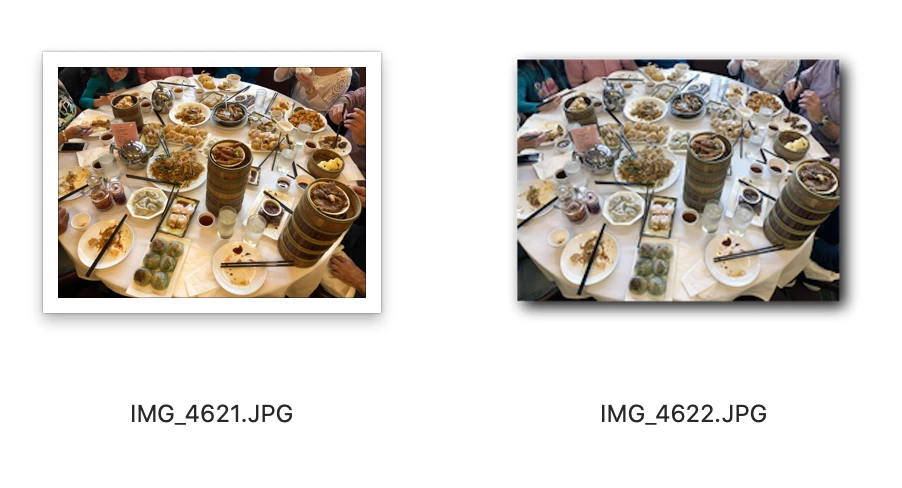
 AdChoices