
ashleynchl
Participant
December 13, 2023
Question

Photoshop cutting off text in mockup

  • December 13, 2023
  • 2 replies
  • 221 views

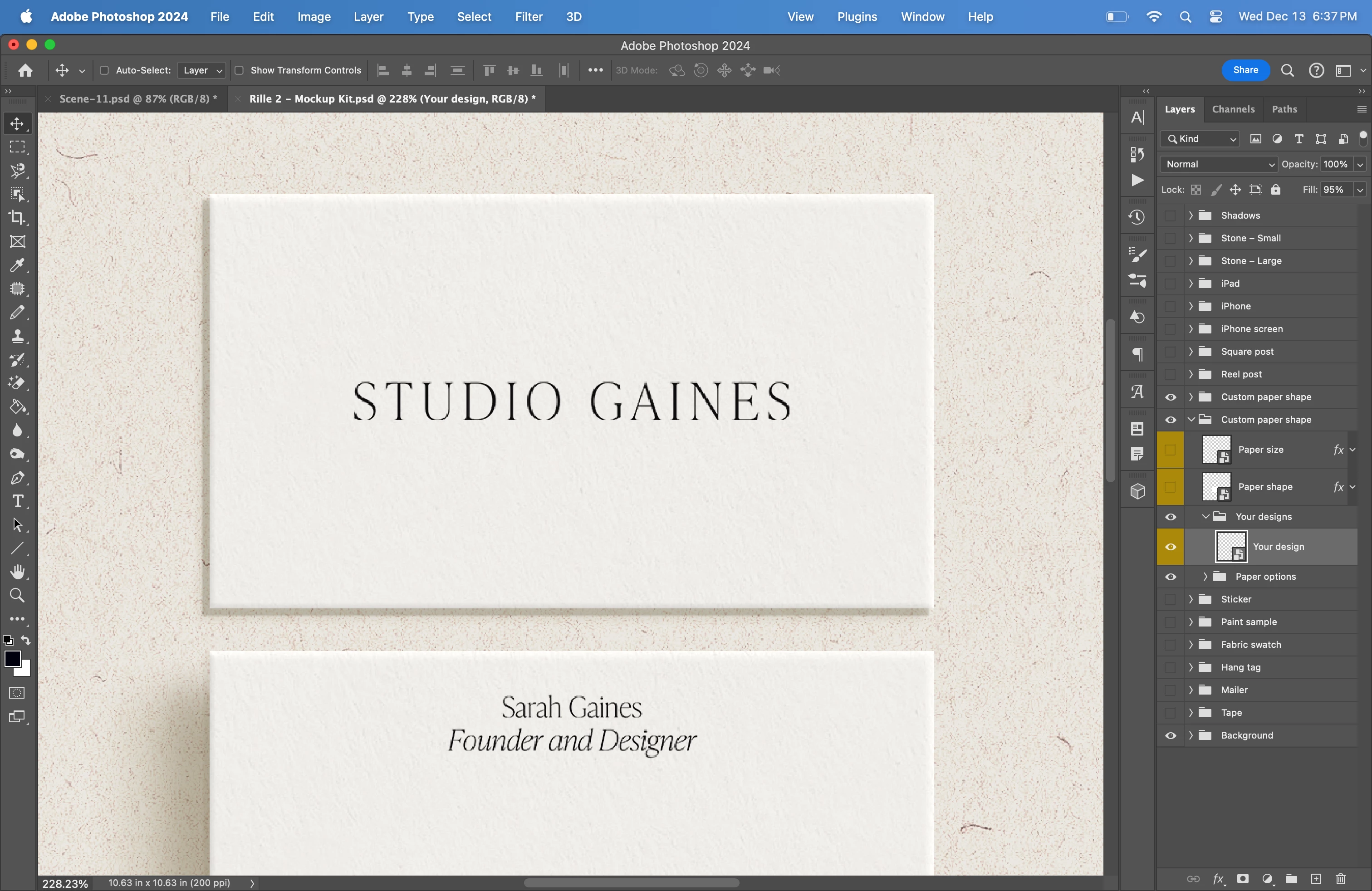
Photoshop is cutting off the bottom of the text in this business card design that I've inserted into this mockup. The file I inserted into the mockup is in PNG format with a transparent background. I don't have this issue when I use a JPG file with a white background, but for the textures of the card in the mockup to stay as shown, I need the background of the business card to be transparent. Does anyone know how to resolve this?
 

This topic has been closed for replies.

2 replies

Trevor.Dennis
Community Expert
Community Expert
December 14, 2023

You need to isolate the text.   

Opt click on the Eye icon of the 'Your Design' layer which will turn all other layers off. (Opt clicking again will turn them back on again).  If you can see the problem persists with no other layers possibly causing the issue, do what Bojan suggests and double click the layer thumbnail which will open it in a new window to be edited.


Assuming you can see a Type layer in the new layer stack at this stage, turn the other layers off as before.

It seems likely that another layer is masking the bottom of the text so with all layers turned on and the Move tool selected, hover the cursor just below the text and right click.  This will show you what layers occupy the area beneath the cursor.

It's just plain detective work isolating the problem layer. 


If it does work out to be just the Type layer, then the obvious culperit is a mask as below.

Note: the mask is cutting the bottom off the first word, but not the second.


If you are still stuck after this, follow Bajan's other advice, and show us a screen shot.

It needs to be full resolution showing the Smart Object open in its new window, and with the Layers panel showing.

Make it your full workspace.


Bojan Živković11378569
Community Expert
Community Expert
December 14, 2023

To enter editing mode, double-click the smart object layer named "Your design". Then, take a screenshot of your design. This might help to diagnose the problem.