
Question
"Photoshop detected an error in your display processor" - NVIDIA GeForce GTX 1650 Ti
Under the Graphics Processor settings, the "Use Graphics Processor" and "Advanced Settings" buttons are grayed out. When I hover over this area, it says that there is an error in my display driver, and that I should update or reinstall my driver.
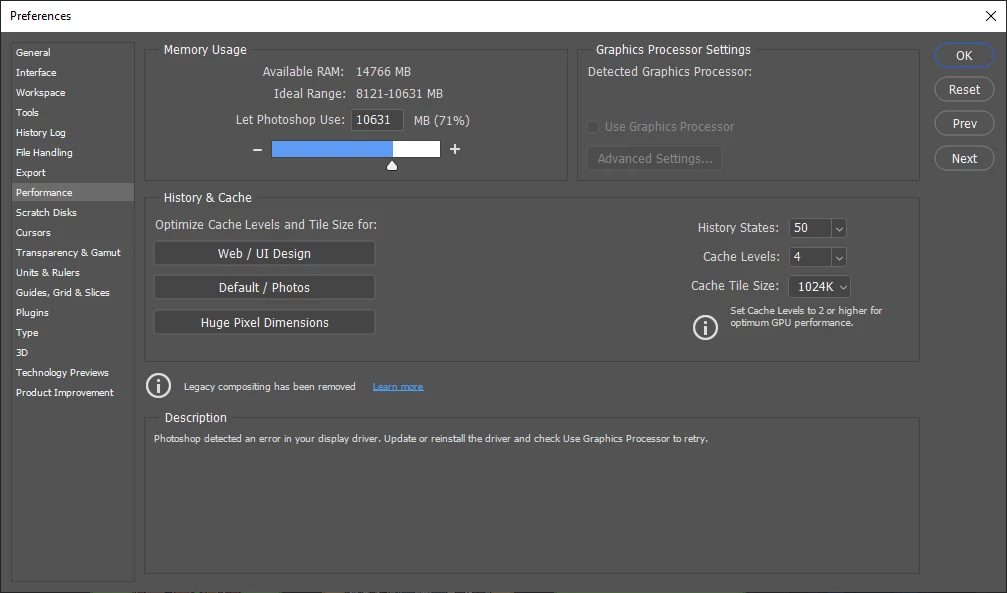
My driver is fully updated and I've tried reinstalling it, like Photoshop recommends. I also set photoshop.exe and sniffer.exe to use the High-performance NVIDIA processor through the NVIDIA control panel.
My graphics card is an NVIDIA GeForce GTX 1650 Ti 4GB GDDR6.
 AdChoices