


Answered
Photoshop display colors appear color bias how to solve
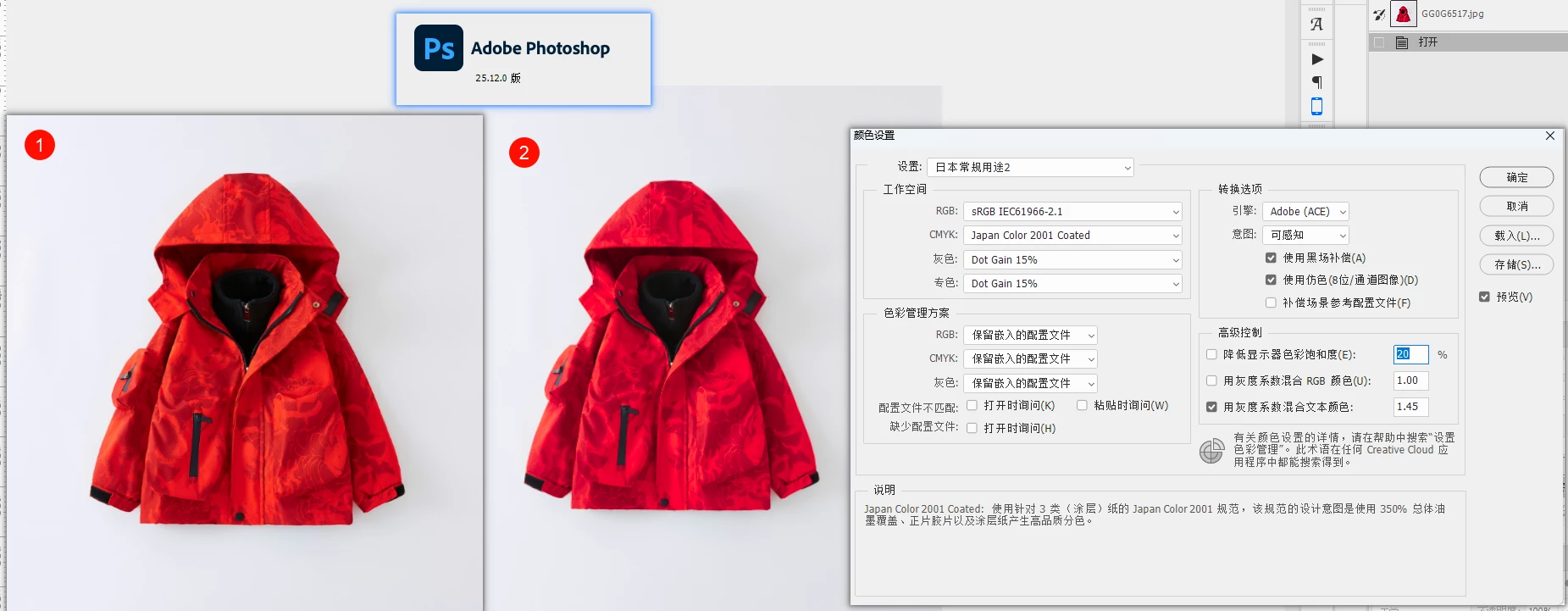
The above picture 1 is the color of the real picture, and the 2 is the result of my own test of the color deviation in the imported PS:
It has nothing to do with the version of PS. Other versions also have this color difference problem on my computer. The same picture has no color difference in PS 25.12 of the same version on other computers, and the color management is also consistent with that on other computers.
Attached is a picture of the test. My system version is:
版本 Windows 11 专业工作站版
版本 23H2
安装日期 2023/9/3
操作系统版本 22631.3447
体验 Windows Feature Experience Pack 1000.22688.1000.0
How can I solve this color difference problem? The pictures are exported by capture one
 AdChoices