Participant
May 1, 2020
Question

Photoshop doesn't display full tool and workspace

  • May 1, 2020
  • 1 reply
  • 1195 views

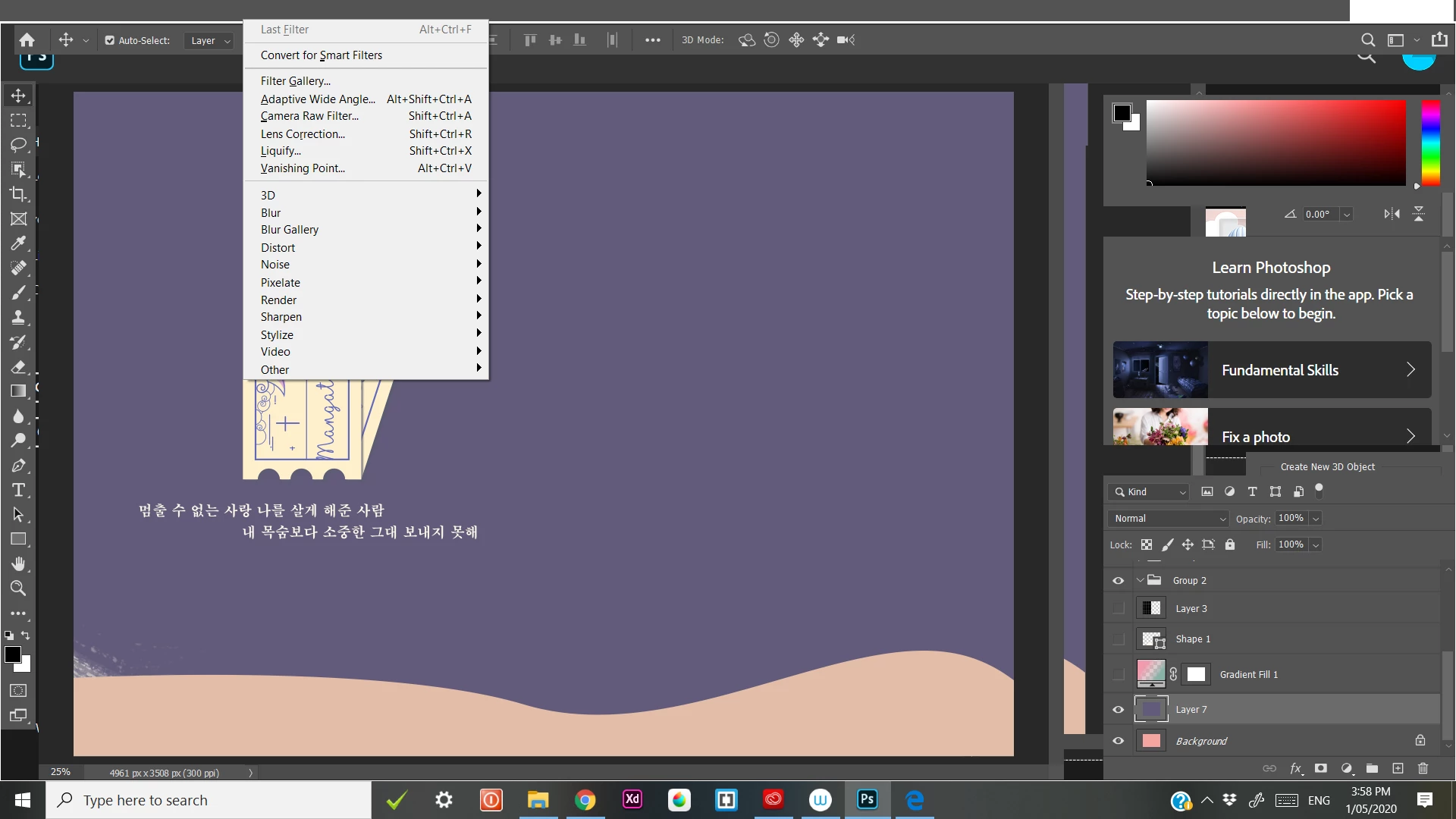
Hi, I've update my Photoshop CC today but when I opened it, it seems like everything works out normally but doesn't appear. I have to hover and try clicking everywhere I guess to get the right tool and function. Also, the background is glitch as well, it displays the home screen and sometimes I click something at the background by a mistake, they works as well. It's quite annoying, can someone please help me how to solve it?
This topic has been closed for replies.

1 reply

Akash Sharma
Legend
May 1, 2020

Hi there,


Sorry that the complete Photoshop workspace is not visible on your display. 


Could you please try resetting the preferences of Photoshop and let us know if it helps?


To restore preferences quickly using a keyboard shortcut: Press and hold Alt+Control+Shift (Windows) or Option+Command+Shift (Mac OS) as you start Photoshop. You are prompted to delete the current settings. The new preferences files are created the next time you start Photoshop.


Also, make sure that you back up all your custom presets, brushes & actions before restoring Photoshop's preferences. https://helpx.adobe.com/in/photoshop/using/preset-migration.html


Thanks,

Akash

KatyCaoAuthor
Participant
May 1, 2020

Hi,

I tried but nothing else happened. I also came to work with other softwares of Adobe but all of them works normally and display completely except for Photoshop. I've worked for hours guessing where my artwork tabs are, and the tool and function.

It's such a pity that it takes my work done more slowly.

Katy.

Akash Sharma
Legend
May 5, 2020

Which screen mode are you working in? Full screen or Standard?


Do you have multiple monitor setup? Does anything changes if you open iamge in Photoshop and view it in a floating window? To float all open images in windows, choose Window > Arrange > Float All In Windows.


~Akash