Participating Frequently
January 29, 2020
Question

Photoshop doesn't work on 16" MacBook Pro with AMD Radeon Pro 5500M 8 GB HELP!!!

  • January 29, 2020
  • 12 replies
  • 11825 views

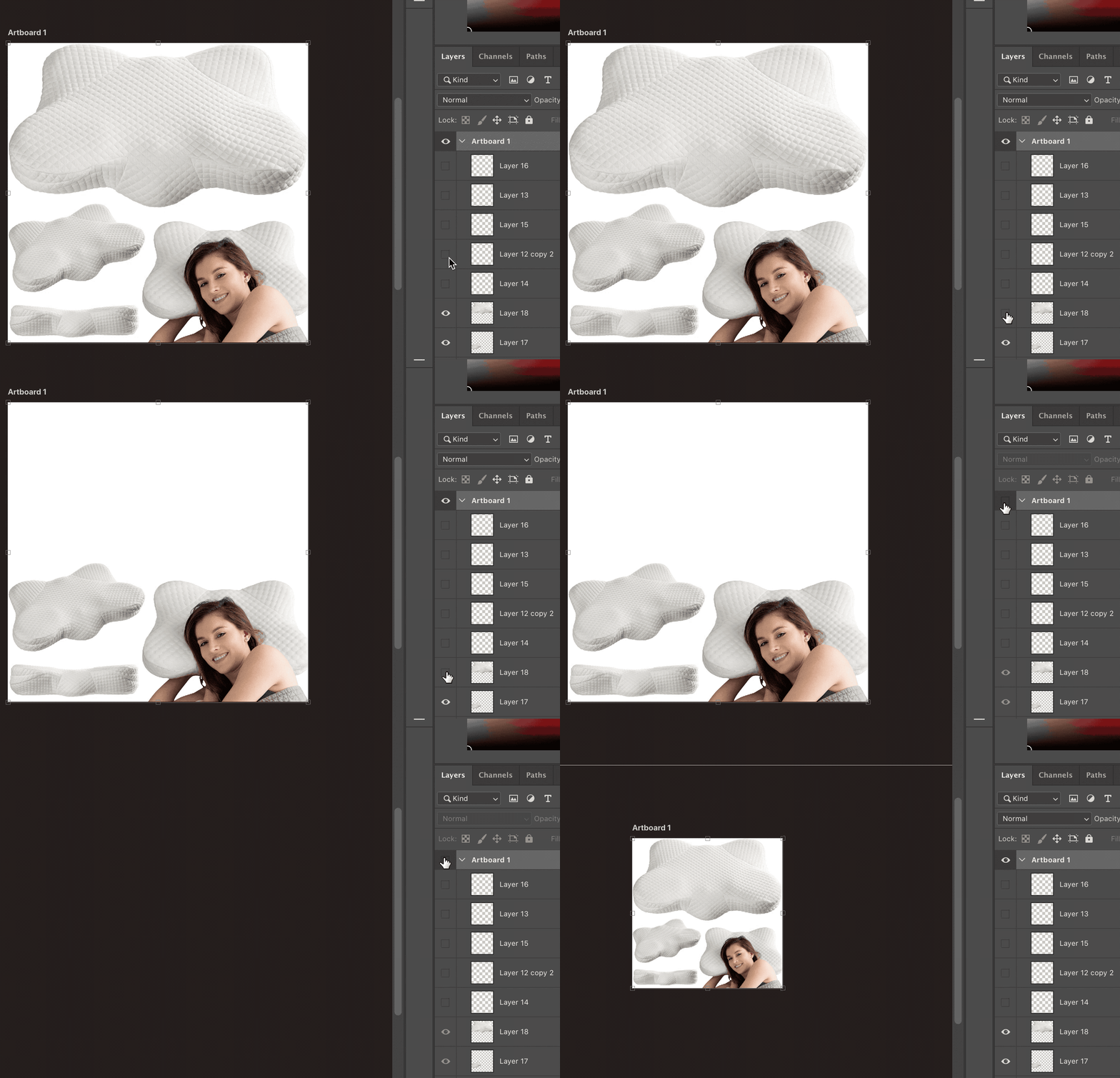
How is it that Adobe can charge me for apps that literally don't work. Photoshop and Illustrator don't work on the new 16" MacBook Pro with AMD Radeon Pro 5500M 8GB. I have to zoom the screen to get the canvas to update after turning a layer on/off. Text type tool doesn't show. Shapes don't draw.


I've tried:

Enable Legacy Composting
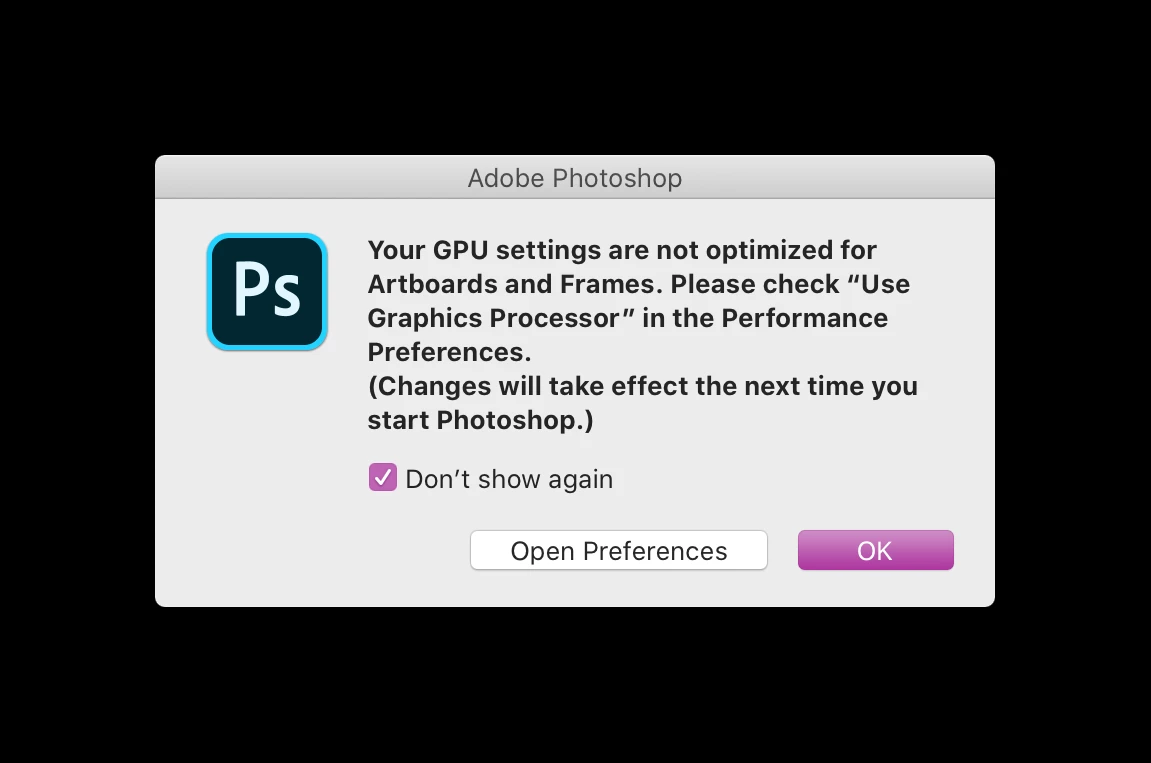
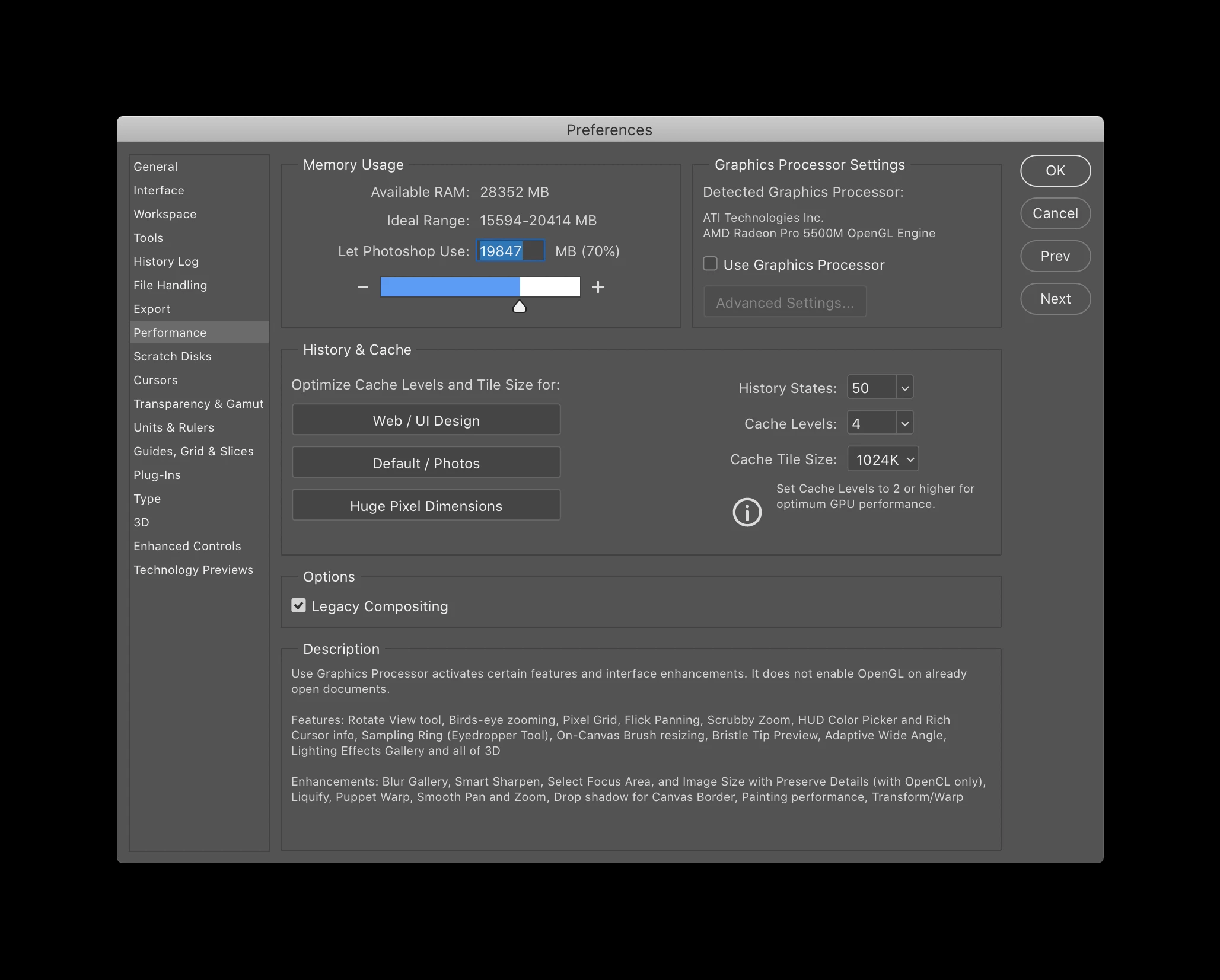
Turn off Use Graphics Processor

Completely remove and reinstall creative suite.


Layers refuse to update without zooming in the gif example

I am at my wits end. I'm paying for apps I haven't been able to use in 3+ months
 

12 replies

Manoj Kumar IPC
Participant
September 16, 2023

Go to the following locations

  • C:\Users\<Username>\AppData\Roaming\Adobe\CameraRaw
  • Rename the GPU folder as 'GPU.old' (add .old at the end)
  • Restart Photoshop and Camera Raw again.

Mac Location- ~/Library/Application Support/Adobe/CameraRaw/GPU.

Participant
June 24, 2020

I have the same problem. I've just received my new 16" MacBook Pro and freshly installed photoshop only to find the screen going blank until I click on a layer, live updating very slow and glitchy, etc, etc. I don't think the other user(s) who mentioned turning off graphics switching is correct. If you look in the Apple help, this turns off the 5500 graphics card and uses the one built in to the processor. I'm very disappointed and this is a huge anticlimax. 
either Apple or Adobe need to sort this urgently - and not by disabling the 5500 graphics card! 
As Apple are very unlikely to do anything about it, it's down to you, Adobe!

Participating Frequently
June 24, 2020

My new 2020 MBP will have the 5500M GPU, so if I can remember, I'll try to report back here if I have any issues running Ps with it. 

warpigs666
Inspiring
June 30, 2020

Hi. Can you report back? I was just about to buy the same laptop/graphics card and luckily I found this thread. What a nightmare! Someone from Adobe really needs to speak up in this thread.  

Derek Cross
Community Expert
Community Expert
May 26, 2020

Well to be honest I thought the same; that you'd have to get a new Mac, but I didn't like to suggest it! But before you do though, I suggest you take your Mac to a Mac dealer and get them to check it out, particularly the graphics card.

Participant
June 24, 2020

No, Derek, this is an Adobe compatibility issue with the new 5500 graphics card. They need to sort it. I hope this guy didn't take your advice and pay money to get his hardware looked at. I have the same issue and desperately need a fix grrrr. This really shouldn't happen in 2020! Come on Adobe, get a grip!

Participating Frequently
June 24, 2020

FYI: Apple and Adobe troubleshooted this issue over the course of a month. The final result is that Apple was forced to admit they sold me a lemon Macbook Pro with logic board issue, a cooling issue, and a butterfly keyboard sticky keys issue. They are shipping me a brand new 2020 MacBook Pro for free this week. 

Derek Cross
Community Expert
Community Expert
May 26, 2020

That's interesting. Can you confirm that before your conversation with Adobe Live Chat (where is that based?), you had unistalled InDesign and had run Adobe Cleaner?

Participating Frequently
May 26, 2020

Well, that was profoundly disappointing that after a 3 hour live chat session it didn't actually end up fixing the problem. I'm back to square one with Ps crashing every 15 minutes or so. Yay! So fun. And, yes, before I contacted them, I uninstalled all CC apps, Creative Cloud itself, ran Adobe Cleaner, and reinstalled just Adobe Photoshop. And, of course, the Adobe rep (I went through their website help link) remoted connected after that, created new Adobe folders, uninstalled everything, ran cleaner, and reinstalled Ps again. 


I'm to the point where I'm actually considering if there's a way for me to simply buy a new Mac or a refurbished one. I absolutely HAVE to have a Mac because my drawing/painting tablet is the iPad Pro and I need it for all the painting I do. But I have zero budget for that. 


Do you happen to have any other ideas on what could be causing this?

Derek Cross
Community Expert
Community Expert
May 26, 2020

I suggest you get your computer checked, there may be a hardware issue.

Participating Frequently
May 26, 2020

Just spent a couple hours on with Adobe Live Chat. The rep found what he called corrupted files from 2018 and 2019 in this folder on my Mac: ~Library / Preferences. I was blown away at how many preferences files were in there considering I had uninstalled and reinstalled the entire Creative Suite countless times. Clearly no matter what I do, that Preferences folder remains on my hard drive and untouched. I had the rep remotely redo everything, including overwrite the older Adobe folder and Application Support folder. Then he reinstalled Creative Suite. I'll give Photoshop a try again tomorrow. I'll try to remember to report back here if this ends up fixing the problem. I suspect it will since nothing else has worked and the earliest corrupted files were from 2018, which is exactly when the problem started. 

Derek Cross
Community Expert
Community Expert
May 21, 2020

If turning off (unticking) Use Graphics Processor, found under the Performance tab in Photoshop preferences doesn't solve your issue, try resetting the Photoshop settings back to the factory defaults, which you can do under the General tab in Photoshop preferences.


If neither of those things work then I suggest you unistall Photoshop, using the drop-down menu in the Creative Cloud app, and reinstall Photoshop again. If that doesn't solve the problem then unistall it once again and then run Adobe Cleaner before reinstalling Photoshop again.

Here's a link to Cleaner: https://helpx.adobe.com/uk/creative-cloud/kb/cc-cleaner-tool-installation-problems.html

Let us know how you get on.

Participating Frequently
May 26, 2020

Hi Derek, 

I've tried every troubleshooting measure you mentioned to no avail. What happens to me is that I'll be going along and then I'll click over to Styles or Brushes or Gradients, etc, etc., etc., and it just stops working. Nothing moves. It won't actually switch over to Styles tab or whatever. Eventually everything goes blank/gray and I can't even see my open images anymore. The only thing that works is restarting Photoshop. This all started with the 2018 version of Photoshop. Imagine restarting Photoshop multiple times a day and reinstalling Creative Cloud once a week for two years with no possible way to permanently fix the problem. I have no idea what to do. 

Participating Frequently
May 21, 2020

I'm having a similar issue. Photoshop constantly crashes, usually several times every hour. I have to restart the program. Nothing else works. It's a colossal waste of time. And whenever I call Adobe, they just tell me to uncheck the GPU and try using the program again. It does nothing. They've also told me to adjust a few things on the Performance tab and none of those things worked either. I'm guessing the AMD Radeon Pro Vega 20 GPU I have installed on my 2018 MacBook Pro is causing the issue, but I don't have any real proof of that and I have no new ideas to test that theory either. What a waste of time and money when this is a program I need every single day for my work. 

Participant
April 25, 2020

Hi there! I struggled with this issue for the past week, culminating in 2+ hours with an Adobe person via chat, and nothing resolved the issue. The Adobe rep finally claimed that my graphics card wasn't supported (2017 MacBook Pro, Catalina OS10.15.4, AMD Radeon Pro 555 graphics card). Phrasing it politely, that information is incorrect. I kept googling for solutions, and looks like I finally found it! To increase battery performance, the MacBook does this thing called "automatic graphics switching." That means high-end performance graphics are not always used. When I turned off the automatic graphics switching, voila! Photoshop, Illustrator, and InDesign 2020 all started working. Huzzah!


Here's the steps I followed:

  1. Click on the battery charging symbol (upper right of screen)
  2. Select "Open Energy Saver Preferences..."
  3. Untick the box beside "Automatic graphics switching"


You can find videos on YouTube showing how to do it, if that's more helpful. Here's the one I used:

https://www.youtube.com/watch?v=KtpZF22H9no

KShinabery212
Community Expert
Community Expert
April 25, 2020

That is strange. It should work on any new computer.

Have you had any luck yet?


Let's connect on LinkedIn. https://www.linkedin.com/in/kshinabery/
Participant
February 16, 2020

I also have the new 16" MacBook Pro with AMD Radeon Pro 5500M 8GB. Everything freshly installed from scratch. Photoshop, Illustrator and InDesign do crash in the startup process. Horror.

Known Participant
April 17, 2020

Hello, I have the same problem. Is there already a solution? I got in touch with Adobe today and they fed me that it is a hardware problem and not a Photoshop problem!

davescm
Community Expert
Community Expert
February 2, 2020

Just to be clear, we don't work for Adobe here, please keep it civil.

See the link below for known issues with the Mac Catalina OS. The current version of Photoshop is 20.0.3. If you have not already done so, update to that version.

That said, the issues you describe are symptomatic of a GPU driver issue.

Can you turn the GPU on and in Advanced set the drawing mode to Basic and then restart Photoshop. If that works you can try changing to the Normal drawing mode. You will need to restart each time.


If none of the above help please go to Photoshop - Help - System Info and click copy. Then paste the info here.

Dave


Participant
November 6, 2020

Hi,

I have the 2020 MBP with the 5500M 8G and it worked for me, just turning the drawing mode to Basic. I'm not sure why others are having so many issues, I'm using a clean install of Photoshop 2021 and after changing the drawing mode it works like a charm. Hope this helps people.

Kevin Stohlmeyer
Community Expert
Community Expert
November 6, 2020

This is an old post regarding the last version of PS.