Participating Frequently
May 5, 2020
Question

Photoshop freezes

  • May 5, 2020
  • 1 reply
  • 390 views

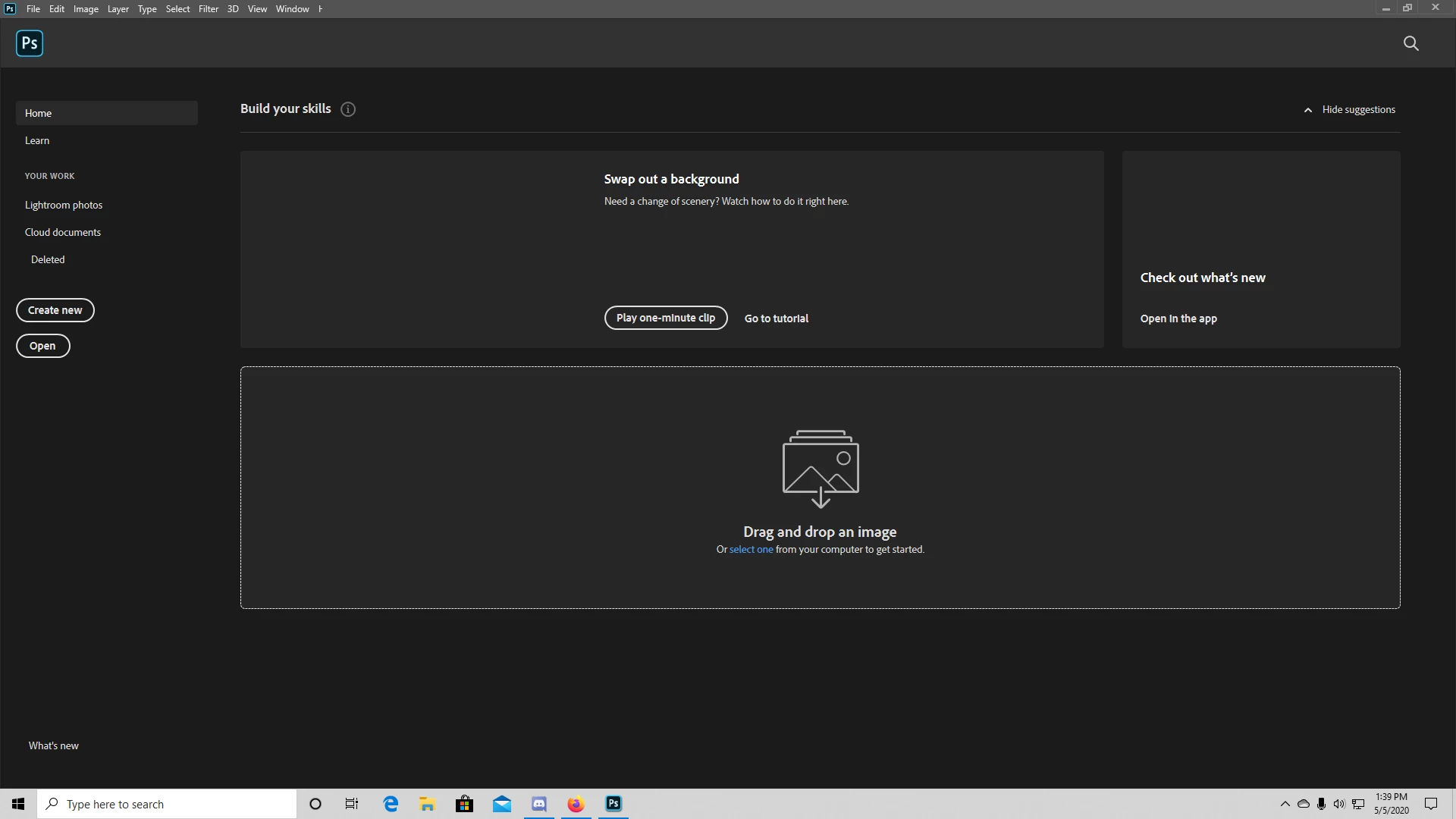
I just downlaoded Phtotshop to my desktop with the newest version and it was all working perfect until i added a photo from the internet. After I added it, it started to lag and then it just stopped responding. Now I have to force quit everytime and when I open the app it will not even let me click anything. I open task manager and it says Photoshop is not responding. I tried this with Premire and it works perfectly fine. Photoshop will not work for me and I tried everything I found online and nothing is working. Here is what it looks like everytime I open the app. I cannot click, exit or do anything. I have to go to task manager and end task everytime. Please someone help

.
This topic has been closed for replies.

1 reply

Derek Cross
Community Expert
Community Expert
May 5, 2020

Which version of Photoshop, which OS version?

How much RAM do you have?

How did you try and add the image?


bobazeAuthor
Participating Frequently
May 6, 2020

I have the 21.1.2 version. I have 32 gb of RAM and opening up creative cloud works perfectly, Premiere works perfectly but ever since I added a png photo to Photoshop everything crashed and was delayed at first then it just stopped responding. I added the PNG image from google. I saved it to my desktop and dragged it into photoshop and ever since I did that it just crashed my whole system. As you can tell from my screenshot up above the tabs up top dont even load all the way through it stops at window and has half the H in help. I went to my task manager and it just has "not responding" on it.

Participant
May 6, 2020

I too am having this same issue for the past two days now.  I did the update, however, it stalled at 97%.   now says canceling....it recommends to uninstall and reinstall again, however, the 'canceling' hasn't changed and I can't get past this message or do anything.   All graphics are kept on external drives so ram is not the issue and currently well was using the latest version of Photoshop.