
Participant
September 16, 2020
Question

Photoshop freezes at rendering video. Amecommand quit unexpectedly.

  • September 16, 2020
  • 2 replies
  • 1162 views

Hi guys,


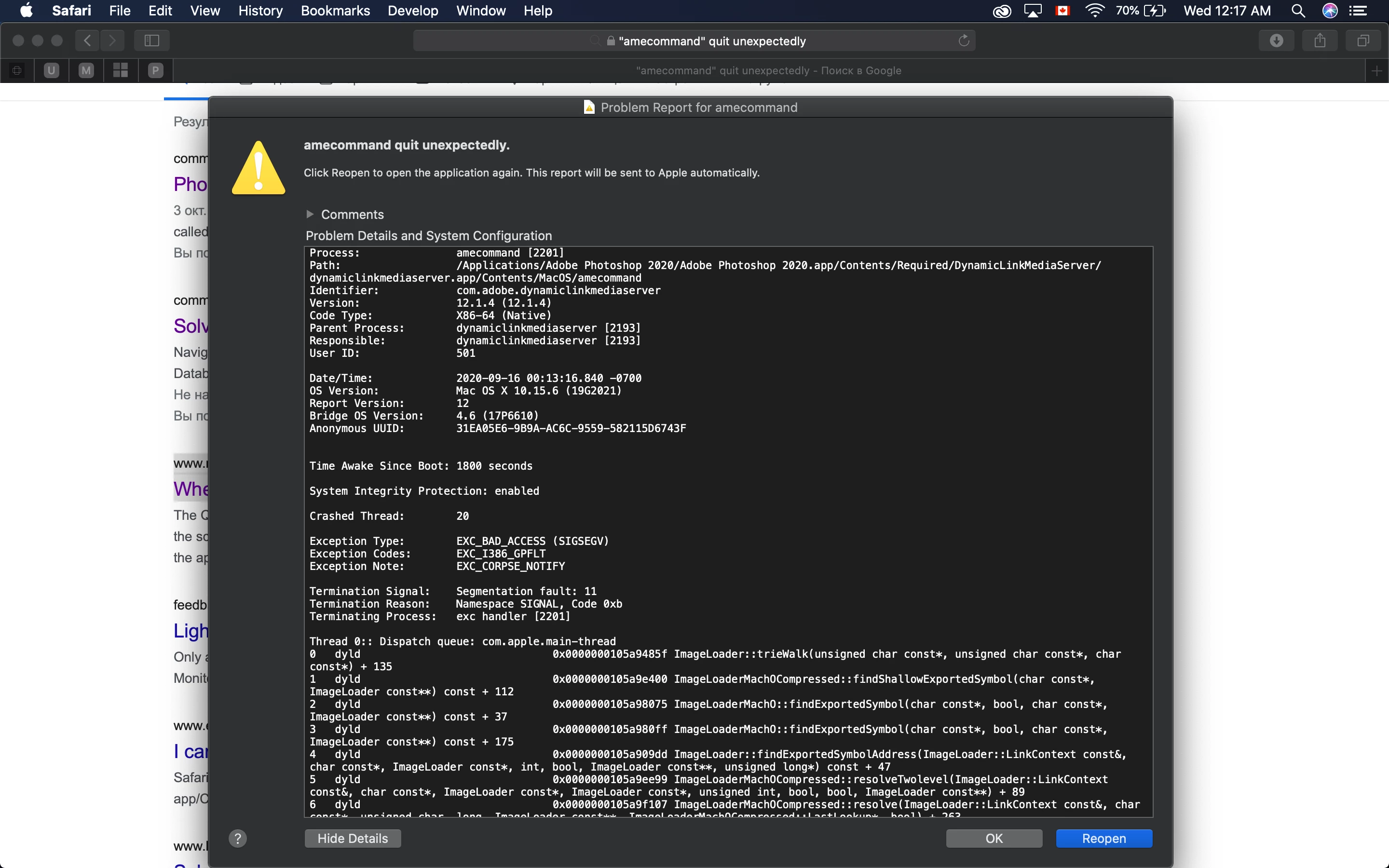
So my Photoshop started freezing when I render an animation made of 4-5 photos. It freezes after I get to choose the settings for export. Not only it freezes but also gives me an "amecommand quit unexpectedly" message (photo


attached). After that Photoshop wouldn't response at all and the only way to bring it back to live is to force quit. Worth mentioning that I have been doing the same process for ages and PS has never failed before. 


I have tried multiple option suggested by people with similar issues but nothing has worked for me so far. 

I have tried all available PS versions as well.

I am on MacOS Catalina 10.15.6.


No ideas why this amecommand keeps poping up freezing the rendering process.


Any suggestions/help?

Thanks!
 

This topic has been closed for replies.

2 replies

jojjjo
Participant
January 14, 2022

Hello, is there any solution to this issue? I'm having the same problem... 

Sahil.Chawla
Adobe Employee
Adobe Employee
September 18, 2020

Hi there,

Sorry to hear about Photoshop crashing while rendering videos.
Have you tried reinstalling Photoshop and see if it helps?

You may try resetting the preferences of Photoshop and see how it goes: https://helpx.adobe.com/photoshop/using/preferences.html


Note: Make sure that you back up all your custom presets, brushes & actions before restoring Photoshop's preferences. Migrate presets, actions, and settings


If nothing seems to help then try the following steps:

Go to the System Preferences of macOS, then Security and Privacy & select the Privacy tab. Once there, please select Accessibility from the list on the left and add Photoshop to the list by unlocking the window using the lock icon. Also, grant permissions to Photoshop under Full disk access. Once done, restart the computer and let us know if that helps.


Regards,
Sahil


{tbd}
Participant
September 21, 2020

I am having the same issue.


I have reset preferences. I have uninstalled and reinstalled.

{tbd}
Participant
September 21, 2020

I have also granted full access.