Inspiring
July 31, 2024
Question

Photoshop glow effect getting cut off

  • July 31, 2024
  • 3 replies
  • 403 views

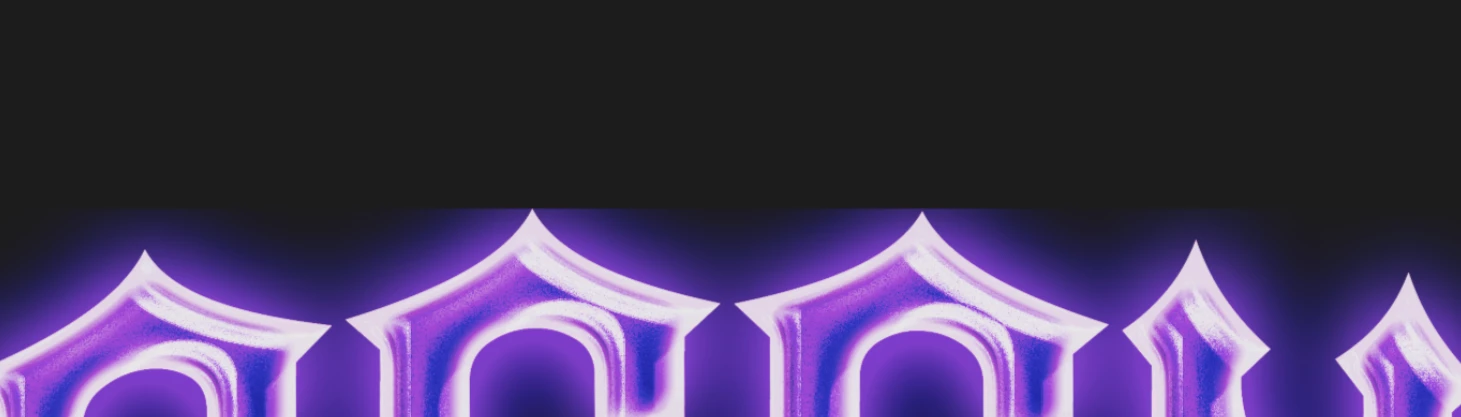
I have no idea why but the glow of my smart object is getting cut off, I'm not sure how to fix it and why it's happening.

    This topic has been closed for replies.

    3 replies

    kglad
    Community Expert
    Community Expert
    July 31, 2024

    in the future, to find the best place to post your message, use the list here, https://community.adobe.com/

    p.s. i don't think the adobe website, and forums in particular, are easy to navigate, so don't spend a lot of time searching that forum list. do your best and we'll move the post (like this one has already been moved) if it helps you get responses.


    <"moved from using the community">
    Semaphoric
    Community Expert
    Community Expert
    July 31, 2024

    If you open the Smart Object for editing, is the glow cut off?

    Inspiring
    July 31, 2024

    Hello everyone,

    After some trial and error, I've somewhat found a workaround. Here’s what I did:

    1. Remove the effects from the image once I’ve copied them.
    2. Use a brush with a similar color to the glow and set it to 1% opacity.
    3. Brush the general area where the glow is getting cut off.
    4. Merge the two images by highlighting them both and converting them into a single smart object, and reapply the effects.

    It’s a bit messy, but it works. I’ll keep this post up for the next 24 hours in case someone has a better solution. If not, I’ll mark it as solved. Thank you!

    Inspiring
    July 31, 2024

    Step 2 and 3 must be done a a seperate blank layer, just by the way.