Participant
August 1, 2022
Question

photoshop help for a newbie :)

  • August 1, 2022
  • 2 replies
  • 437 views

hi there!


I am relatively new to using photoshop and I am looking to improve my skills.


I am interested in creating graphic artwork like the example shown below. I am puzzled by how this artist has managed to create this image from an initial scan of a line drawing and been able to produce a graphic outcome where the colours are seamlessly touching whilst at the same time ommiting any original line work? I have tried to replicate this effect in my own artwork by tracing my original drawings in photoshop and using a number of colour fill layers for each drawn element (ie chunking the image up into differect sections - floral motifs etc.) but this has taken a significant amount of time. I was wondering if anyone here has had any experience creating similar effects in their artwork and wouldn't mind sharing some of their process with me. I am unsure if the artist is somehow applying layer masks but my experience with these so far makes it hard for me to imagine. 
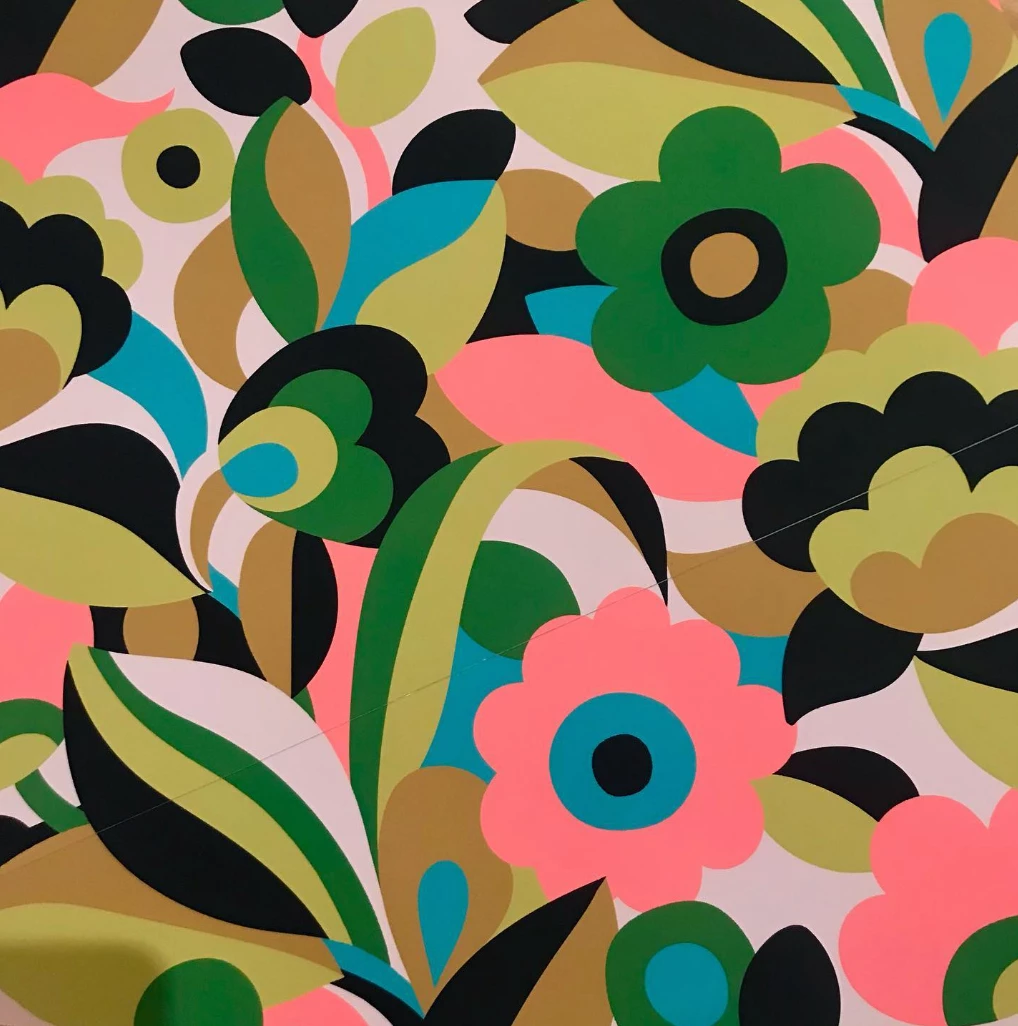
 

I know this could probably best be achieved using illustrator, however this is not currently an option for me.


Thank you in advance 🙂


This topic has been closed for replies.

2 replies

jane-e
Community Expert
Community Expert
August 1, 2022


@newbie1010 wrote:

... to produce a graphic outcome where the colours are seamlessly touching whilst at the same time ommiting any original line work?


  • Put each shape on its own layer. 


  • Draw the complete shape, not just the part you see, as you might need to make adjustments later.


  • Put the original line work on its own layer. Lock it so you don't accidentally draw on it, then hide it when finished.


  • Draw a few shapes — maybe one small corner — then post again with screenshots when you still have questions.


One reason Illustrator is easier is that if you are drawing the multi-colored leaf in the lower left (for example), you would draw the outer shape of the leaf, then the three lines, then select the four paths and use "Divide" to split the leaf into the four sections so each can be colored separately.


Working in PS will take longer, be more difficult, and be harder to edit, but it can be done.


Jane


Participant
August 1, 2022

Hi Jane!


thank you for a quick and detailed response to my post. I'll give this a go and post some screenshots. If its ok with you could I please also ask for your thoughts on the image below? Do you think producing a complex artwork such as this would be more efficient in photoshop or illustartor if using an initial hand drawn sketch as the template? one reason I am apprehensive about using illustrator is because of how perfect the finished artwork looks. Its my hope that I can somehow ensure that the 'hand drawn' quality be preserved in my work. thanks again!


(I hope that made sense!)


Leslie Moak Murray
Community Expert
Community Expert
August 1, 2022

Hi, I am an illustrator who uses only Photoshop for digital. I agree with the other commenters; however, this can be done in Photoshop by drawing each shape with the pen tool and then, before deleting the path, going Edit>Define Custom Shape. You now have the basic shape which you can repeat over and over at different sizes, and you can manipulate the contours as needed. All you need to do to retain scalability is to keep them as custom shapes (i.e. do not rasterize them). You can do the same with every other element in this image. As a personal thing, I just prefer the look of art done in Photoshop for what I do. AI can end up looking a little too slick and mechanical for my taste.

Kevin Stohlmeyer
Community Expert
Community Expert
August 1, 2022

That is created in Illustrator.

Creating this in Photoshop, while possible is not the best option - "You can drive a screw into wood with a hammer, but is it the right tool?".

You can use the pen tool to draw sharp vector shapes to fill with the solid color for each object.

Participant
August 1, 2022

Hi thanks for a quick reply!


The artist I've posted here apparently creates most of his work in photoshop but mentions illustrator too. I sometimes find it difficult to determine which program he may have used as his other examples are incredibly well drawn also - see below for another example (this time with line work - could you please weigh in on which program you think this has been created in? 🙂 )


that being said, if you were to produce such an image (from my original post) - do you know of any "good" ways to do so?


thanks again for the help! 🙂

Kevin Stohlmeyer
Community Expert
Community Expert
August 1, 2022

I meant using the Pen Tool in Photoshop to create a vector layer. Same process as Illustrator, just more cumbersome and a larger file with resolution restrictions.