Inspiring
April 14, 2021
Question

Photoshop: how to

  • April 14, 2021
  • 2 replies
  • 564 views

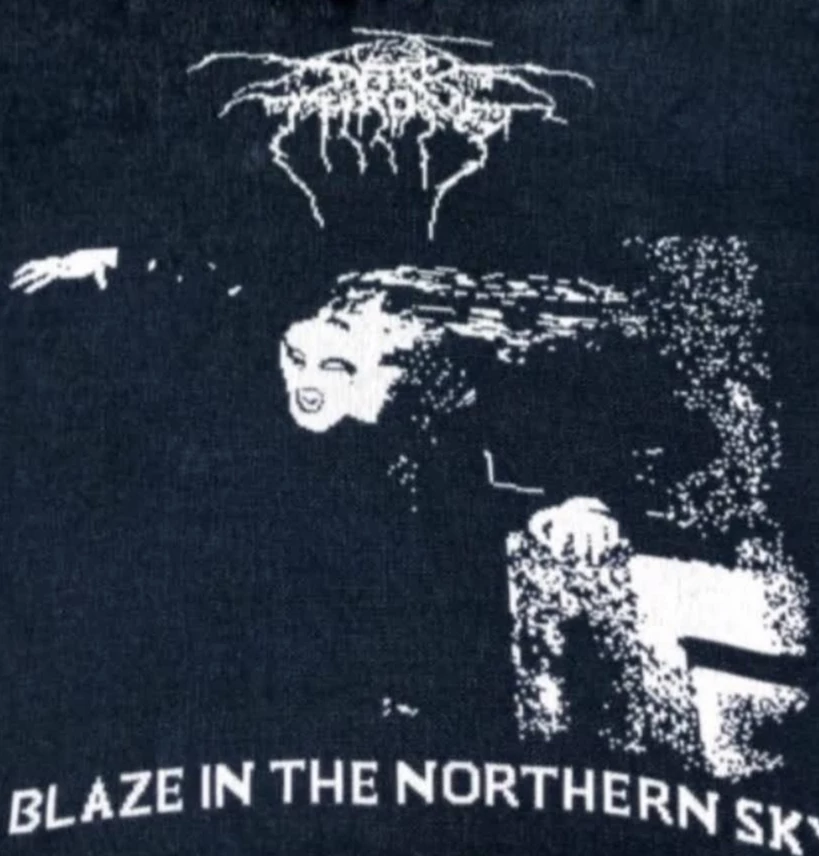
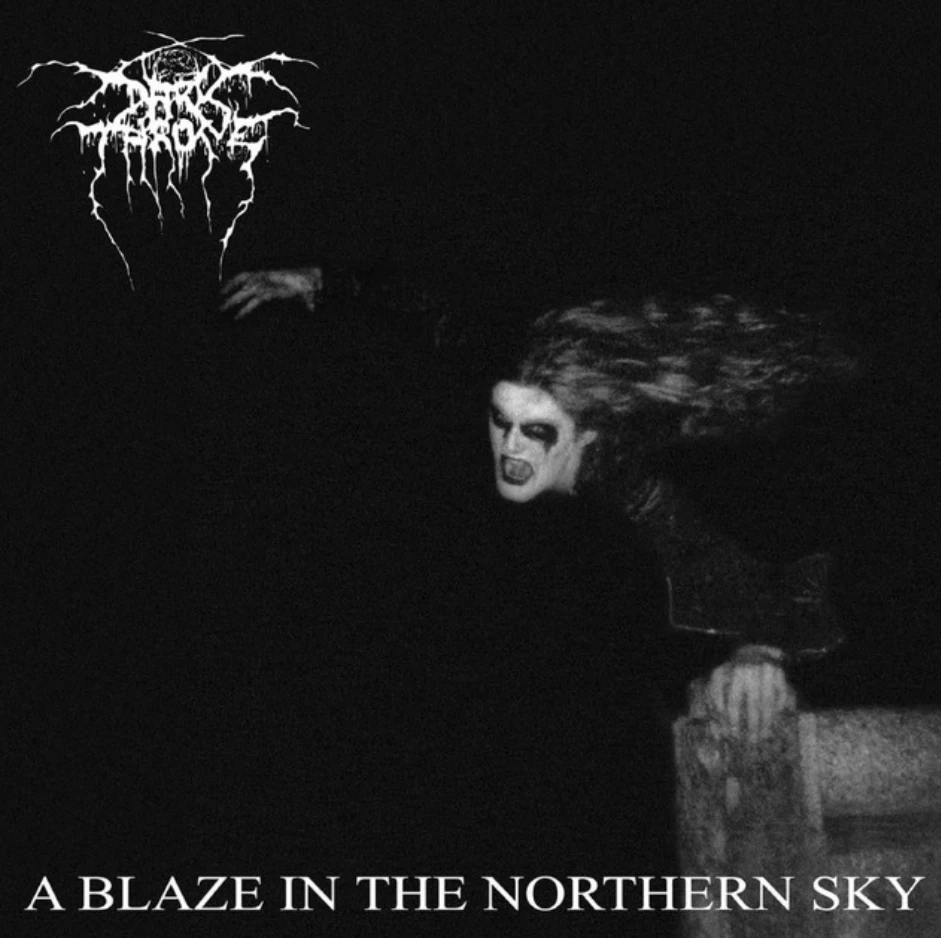
Hi I'm just want help about how to do this type of effects, it's like pixels style of like pattern type, if exist a way.., i put the original cover and the other one 
 

This topic has been closed for replies.

2 replies

Nancy OShea
Community Expert
Community Expert
April 14, 2021

[Moderator moved from Using the Community (forums) to Photoshop.]


I'm not sure I understand the question. The 2nd image is grossly distorted and pixelated.  Ugly artwork is desired, why?


Nancy O'Shea— Product User & Community Expert
Paulo5FD6Author
Inspiring
April 14, 2021

Yes yes i definitely want get this type of effect, i do sweaters so I want to screen print on em, also like this type of design, I'm just want to have an normal pic and convert like these ones 

Nancy OShea
Community Expert
Community Expert
April 14, 2021

For knitted, crocheted or needle artwork, you should be working on a grid in a vector graphics app like Illustrator.  See screenshot.


Nancy O'Shea— Product User & Community Expert
Ko.Maruyama
Community Expert
Community Expert
April 14, 2021

The second image is obviously looks hand drawn. 

After you could add a mosaic filter. 

Or you could attempt to convert the image to Bitmap using some custom diffusion.

You could also scale the rasterized image and just let bad compression do the work for you.

Paulo5FD6Author
Inspiring
April 14, 2021

So, these ones r the unique possibilities for do this type of effect or almost get a similar thing?