Answered
Photoshop How to Hide Gray Rectangle Background
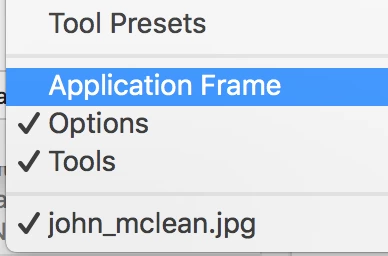
When I open a photograph in Photoshop CC, there's a blank gray rectangle with the tool bar and control panes attached. How do I hide the rectangle? All I want to see is the photo on which I'm working.
Is that called an artboard? Whatever it is, I find the rectanble distracting and don't want to see it.
Many thanks,
Christopher B
 AdChoices