Inspiring
November 12, 2021
Answered

Photoshop image gets blurry after I commit transform

  • November 12, 2021
  • 2 replies
  • 8530 views

The image was clear at that time. When I resized it, it was clear and I clicked commit transform it turn blurry

Resized (Havent click commit transform)
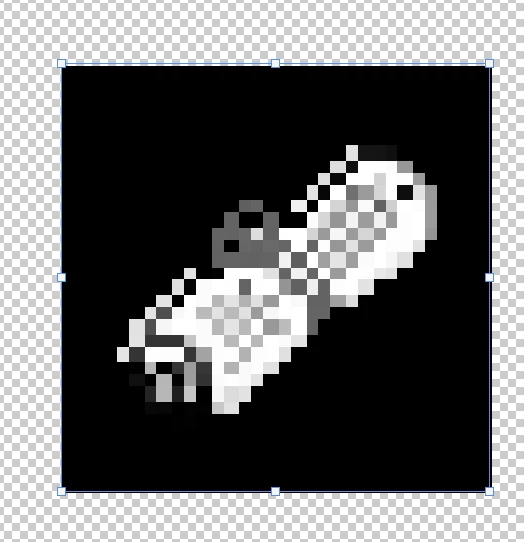
 

After commit transform
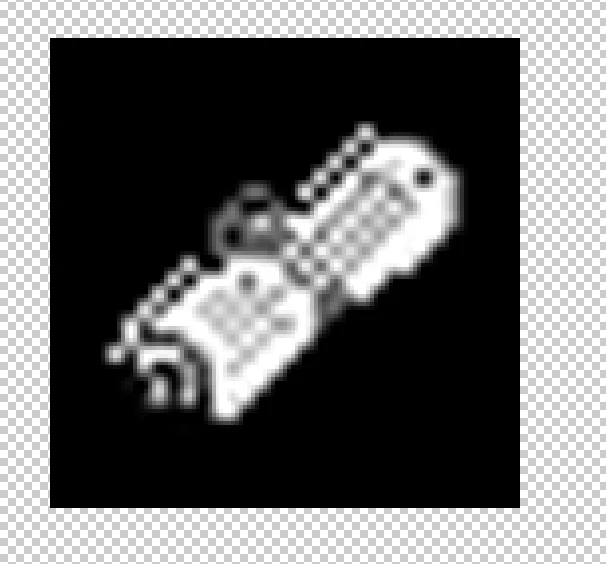
How can I fix this? Did i set the settings wrongly? I set this to 1920x1080 with landscape mode

This topic has been closed for replies.
Correct answer PECourtejoie

Hi, did you select neirest neighbor as the resizing algorithm (for pixel based images, go to edit>Preferences>General Image Interpolation ,and select Neirest Neighbor? Did you scale an even number of pixels?


If using image size, see: https://www.photoshopessentials.com/basics/how-to-resize-pixel-art-in-photoshop/

2 replies

PECourtejoie
Community Expert
Community Expert
November 16, 2021

@Sciencio5EC6 any news, were you able to try other algorithms for resizing?

PECourtejoie
Community Expert
PECourtejoieCommunity ExpertCorrect answer
Community Expert
November 12, 2021

Hi, did you select neirest neighbor as the resizing algorithm (for pixel based images, go to edit>Preferences>General Image Interpolation ,and select Neirest Neighbor? Did you scale an even number of pixels?


If using image size, see: https://www.photoshopessentials.com/basics/how-to-resize-pixel-art-in-photoshop/

Earth Oliver
Legend
November 16, 2021

That reminds me that i need to follow up on a FR... why do we still not have an interpolation dropdown for smart objects? We've got one for regular layers, but SOs have to be changed in the Prefs? So silly.

JJMack
Community Expert
Community Expert
November 16, 2021

Not all layer are resized by interpolation.  There are different types of smart Object.  Most are smart objects are  Photoshop object so Photoshop would render Pixels for the object and  the Smart object layers pixels would be  transformed and warped by Photoshop for the layers pixels the scaling would be via Interpolation. Even Camera RAW objects Pixels that were rendered by ACR would be resized and warped  by Photoshop  interpolation method.   However, there are also what Adobe calls vector smart objects these are not scaled by Adobe transform interpolation.   There are no vector in photoshop for these smart object layers however there are vectors in the object file so Photoshop reprocesses the vector object file to import the images the correctly resize to size using vector graphics.   A smart objects layer pixel are not always the results of interpolation.

JJMack