Participant
October 9, 2020
Answered

Photoshop is not working properly

  • October 9, 2020
  • 3 replies
  • 7186 views

When I started Photoshop today, it is coming as a white screen instead of the current black version. Many tools are also not working. I don't know what is this issue.

This topic has been closed for replies.
Correct answer

Hi

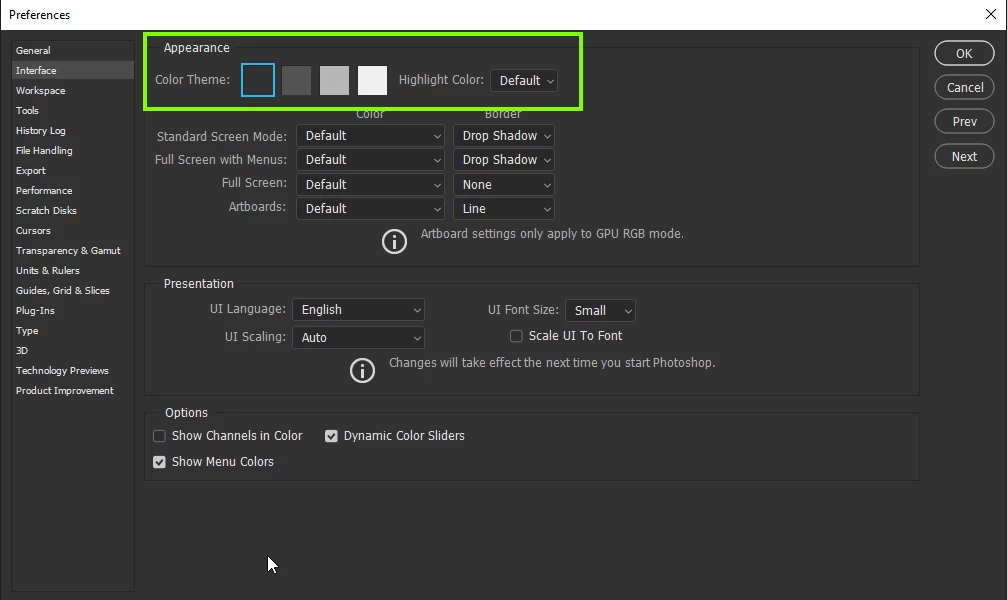
You can change the appearance in preferences, what tools are not working and what exactly is the issue with them
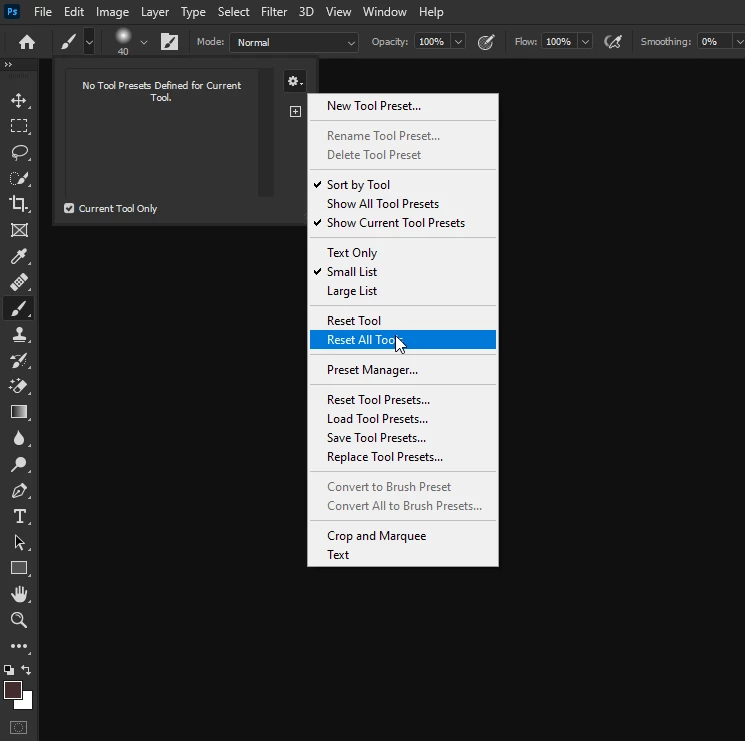
You can try either resetting the tools
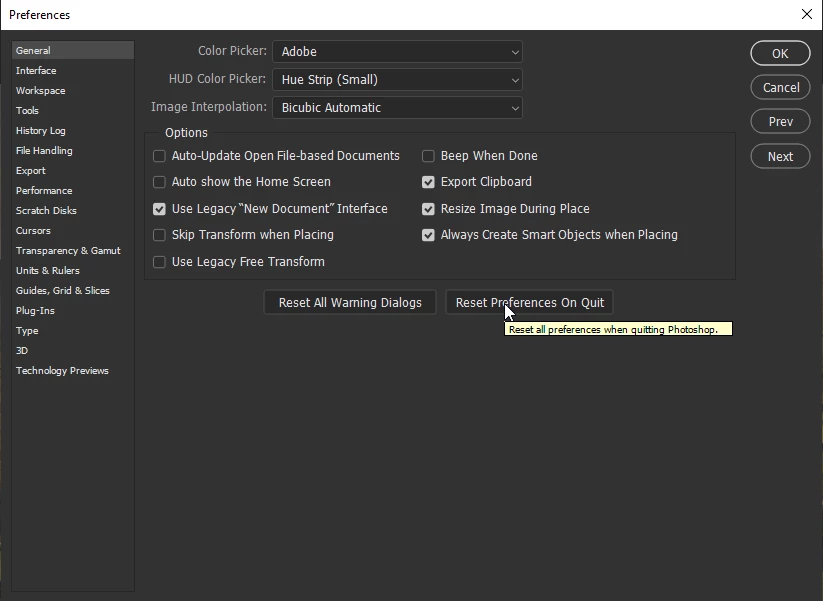
or reset the preferences
3 replies

Participant
July 19, 2023

Participant
March 7, 2021

Could not save “Viernes Banner.psd” because there is not enough memory (RAM). this all time ??????


Participant
February 18, 2022

Good afternoon! I have a question and hope that there is someone that will be able to help me.When I work in Photoshop somehow it shuts immediately and shows an error. Furthermore, I am not able to select the new file option and even fonts are missing. Moreover, I'm attaching a screenshot . 

Participant
February 18, 2022

try re-installing the software. is it liscensed version?

Correct answer
October 9, 2020

Hi

You can change the appearance in preferences, what tools are not working and what exactly is the issue with them

You can try either resetting the tools

or reset the preferences

Participant
October 9, 2020

This has helped. Thanks Much.
