Participant
March 26, 2024
Question

Photoshop keeps corrupting files

  • March 26, 2024
  • 4 replies
  • 290 views

I work on a local network with my team, and lately my Photoshop (version 25.3.1) has been corrupting files as shown in the screenshots. When I try to reopen the file, it doesn't open, and if I preview it using MacOS Preview, a blue stripe appears at the bottom of the file.

My system version is on the prints.


Does anyone know how I can solve this problem? I've already lost several files because of this issue.
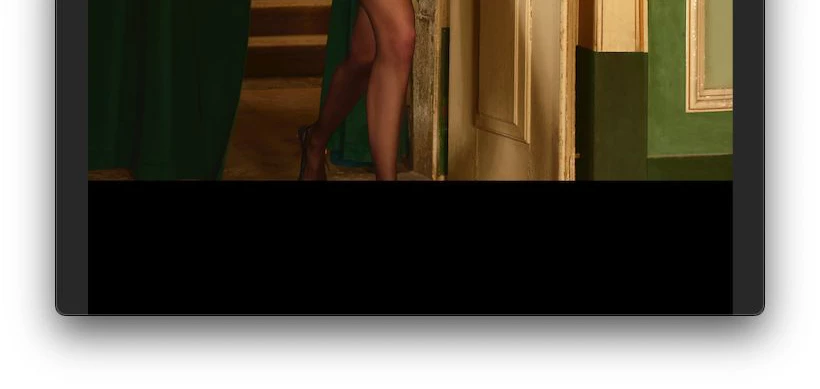
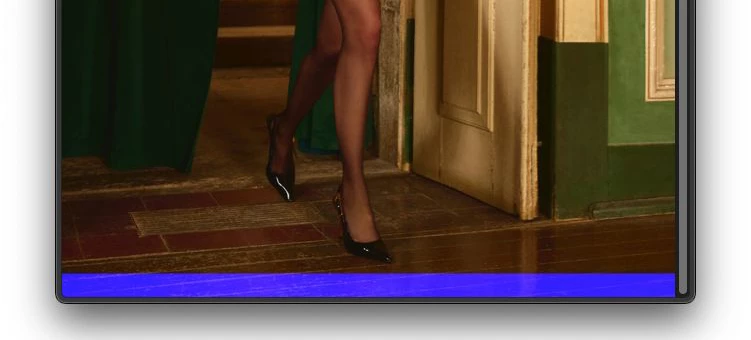
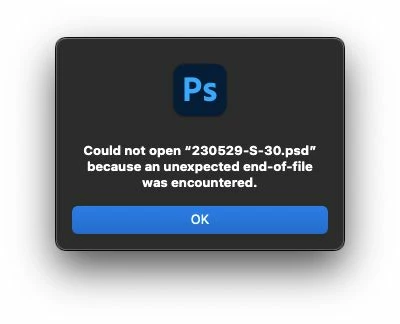
This topic has been closed for replies.

4 replies

D Fosse
Community Expert
Community Expert
March 26, 2024

Working directly off a server has never been supported by Adobe, and explicitly warned against. Read this:

https://helpx.adobe.com/vn_vi/photoshop/kb/networks-removable-media-photoshop.html 


This is one of those things that work until they don't. As you have now discovered.


Save on a local drive, then copy over when finished.

Participant
March 26, 2024

Hi! Thank you for your answer!


We work with a local server. Each one accesses the files located on the server through their computer (as all of them are in the same office). We have never had this kind of problem until recently.

melissapiccone
Community Expert
Community Expert
March 26, 2024

I recomend that you download the file, work on it, then upload it again. You want to work locally. 

Melissa Piccone | Adobe Trainer | Online Courses Author | Fine Artist
Participant
March 26, 2024

My system version: