Participant
September 18, 2021
Question

Photoshop - Kerning issue with font

  • September 18, 2021
  • 2 replies
  • 393 views

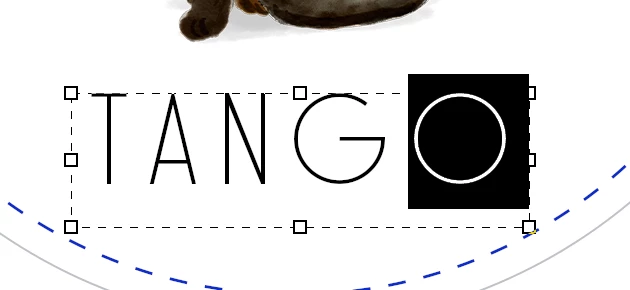
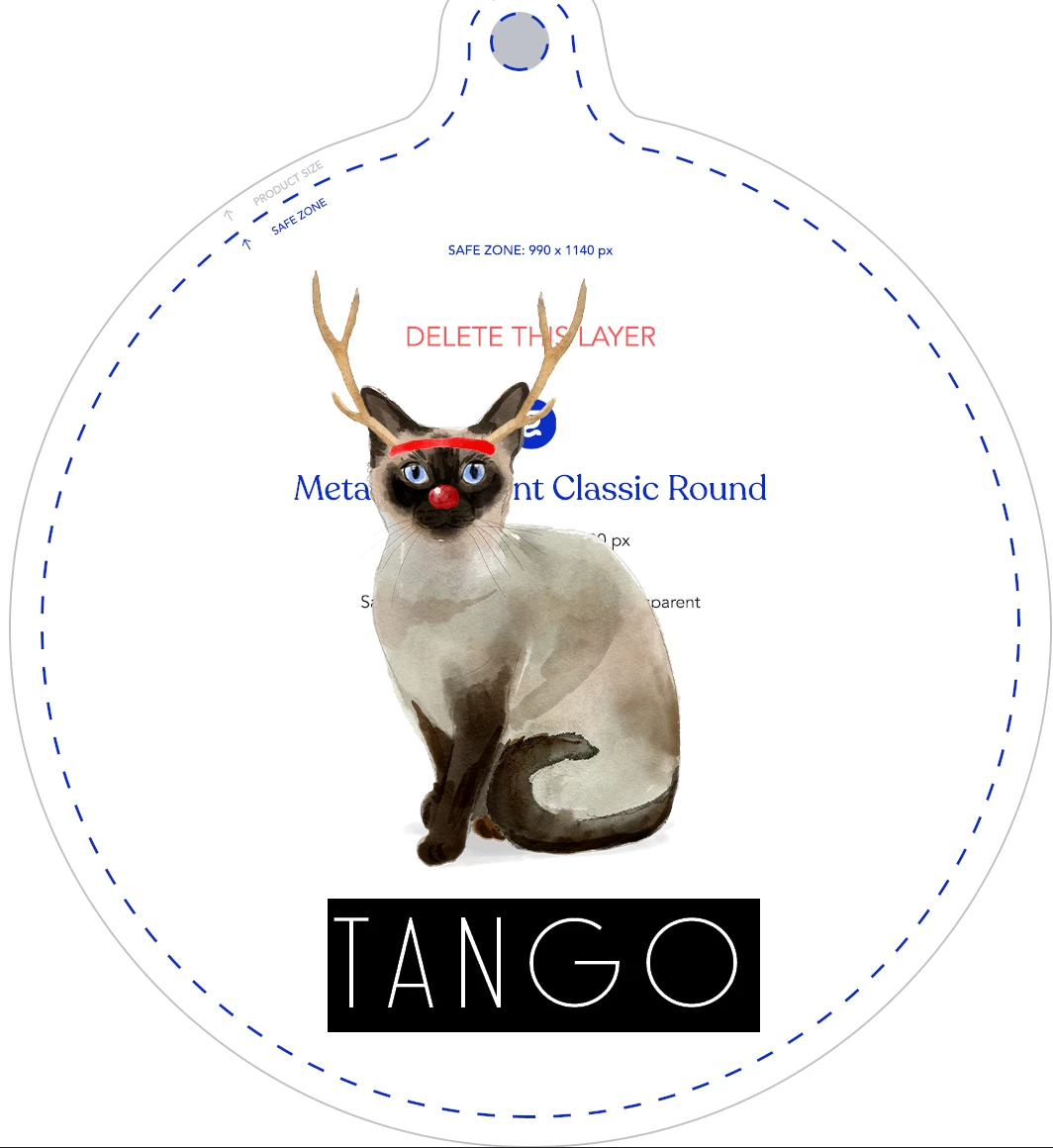
I'm having an issue where there are trailing spaces showing up at the end of a word in a text box. I tried changing from metric to optical, btu that didn't fix it. Is there a way to get rid of this trailing space? It makes it so my text box is not perfectly centered.
 

This topic has been closed for replies.

2 replies

Brad @ Roaring Mouse
Community Expert
Community Expert
September 19, 2021

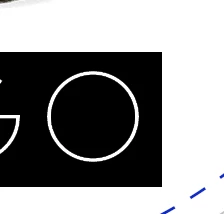
What you are seeing, sadly, is the way the typeface was designed by whoever designed it. In fact, all of the letters are offset to the left (It's not a very professionally done font). Attached (at left) shows the dimensions of the "O" character in Solo. Usually, a font is designed centered in the character width, like the Futura example at right. PS (or any app) uses the defined character width to compose type, not the actual shape of the letters. And using large tracking (like your +100) amplifies it as the extra space is always added to the right side of a letter. PS DOES usually account for this and ignores te extra space after the last character, but it doesn't help here because your Solo letters are all off kilter to the left. So there's nothing you can do except skootch it to the right a bit manually. OR, select just the last character and give it a smaller or negative tracking value... This of course creates a lot of work for you.

jane-e
Community Expert
Community Expert
September 18, 2021

Something looks off with the width of these letters. The T, A, and N are so much narrower than the G and O.


Can you open the Character panel and give us this information:

  • With the entire word selected, what is the Tracking?
  • With one letter at a time selected, what is the Typeface, Type style, and Kerning?


In the Paragraph panel, what is the Alignment? Try Center Alignment.


Did you create the text by clicking and typing (point text) or dragging a frame and typing (area type)?


~ Jane


Participant
September 18, 2021

Thanks. I'm not sure where to find that. Here is as screen shot of the font panel. 

Participant
September 18, 2021

Oh, I see what is going on. When I switch teh tracking to 0, it seems normal. But I would like the characters spaced out a bit. Is there a way to remove (automatically) that trailing space at the end of the character when tracking = 100?