joeh87907460
Inspiring
February 24, 2018
Answered

Photoshop libraries: Says I need to sign in, but I'm already signed in.

  • February 24, 2018
  • 1 reply
  • 1404 views

I'm getting sick of this happening. I want it fixed, ASAP, Adobe.

Every now and then I run across this problem where photoshop claims I need to sign in to use the library. Yet it gives no place to sign in! But there is no need for me to sign in because I already am signed in. The only way I have ever gotten it to work is to sign completely out of CC then back in. Which is a PAIN IN THE BUTT because it deactivates all the adobe programs, then when I sign back in it has to reactivate them all. Takes a while. Wouldn't be so bad if it only took like 30 seconds but heck no, it takes a WHILE, like 4 minutes and 11 seconds to sign out, sign in, open photoshop, sign in again to photoshop and all the related CRAP.

ADOBE FIX YOUR BROKEN CRAP ASAP!
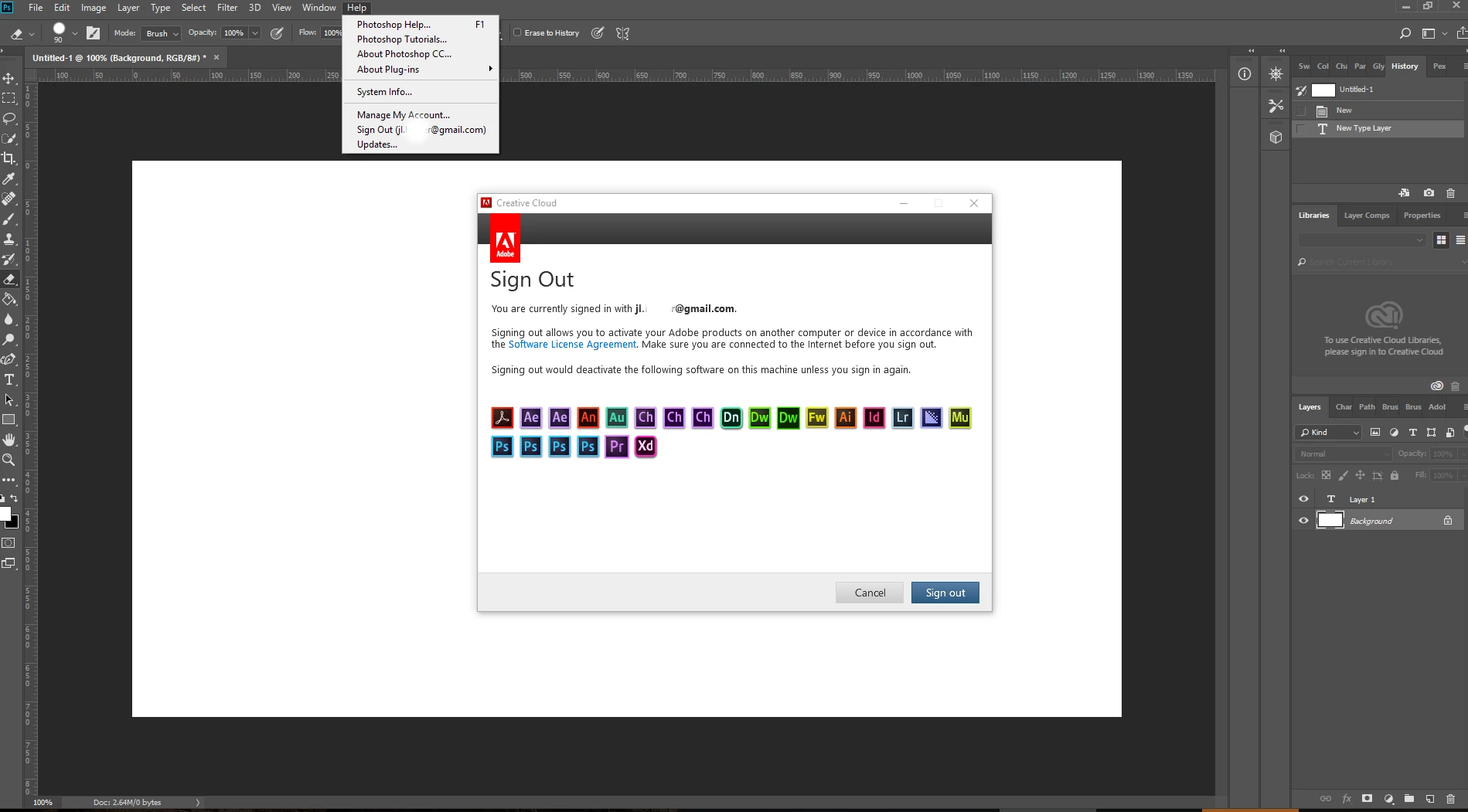
Nobody should have to jump through hoops to use a product that they are PAYING for, NOBODY! Adobe needs to FIX this ASAP so that it doesn't ever happen again. I'm sick and tired of having to "work around" adobe's shortcomings! They want our money every month... but just see if the "work with" one of us if they don't get paid on time!

This topic has been closed for replies.
Correct answer gener7

Glad I could offer something. In my experience Photoshop hands information over to your OS which communicates with your hardware and often those factors can cause problems. In Windows, you have all manner of configurations, and Ps has to get along with them all, and often can't. Printers and Fonts (which are hosted by the OS) are examples and they have their own cache problems.

Recently the Spacebar stopped being the shortcut key for the Hand tool, and a setting in a third party AV caused that problem.

The most notorious is the Preference file, the one that upon exit from Photoshop keeps things you left them when you exit. If there is a bad write, a tool or setting problem will suddenly show up in Ps.

Somethings are Adobe bugs, but not all. It's never easy to know which.

Anyway, hopefully that will take care of it.

Gene

1 reply

gener7
Community Expert
Community Expert
February 25, 2018

Look at removing the opm.db cache file. Instructions follow in this topic:

Photoshop says I'm not signed in to Creative Cloud, but I am.

joeh87907460
Inspiring
February 25, 2018

Thank you. I'll do that the next time it happens. I appreciate your help!

It's still a "work around" though. What I'm hoping is that enough people from adobe will finally take notice and actually fix their software so that these kinds of "work arounds" are not necessary anymore. Probably won't happen though as they don't really care, at least that's the impression I get from dealing with them. But it never hurts to hope anyway!

Again, thank you very much, and I'll try that the next time it happens.

gener7
Community Expert
gener7Community ExpertCorrect answer
Community Expert
February 25, 2018

Glad I could offer something. In my experience Photoshop hands information over to your OS which communicates with your hardware and often those factors can cause problems. In Windows, you have all manner of configurations, and Ps has to get along with them all, and often can't. Printers and Fonts (which are hosted by the OS) are examples and they have their own cache problems.

Recently the Spacebar stopped being the shortcut key for the Hand tool, and a setting in a third party AV caused that problem.

The most notorious is the Preference file, the one that upon exit from Photoshop keeps things you left them when you exit. If there is a bad write, a tool or setting problem will suddenly show up in Ps.

Somethings are Adobe bugs, but not all. It's never easy to know which.

Anyway, hopefully that will take care of it.

Gene