Participant
May 18, 2020
Question

Photoshop & Lightroom Classic results in 'Your system has run out of application memory' on macOS

  • May 18, 2020
  • 2 replies
  • 1563 views

For 3 years, I have been using my current MacBookPro 2016 with 8GB RAM for my LR to PS workflow without any issues whatsoever. It all started with me formatting and reinstalling my MacOS (10.13 High Sierra as I was concerned going to Catalina may cause performance issues with LR/PS) 2 days ago.

Clean install and with only Chrome, Keka (zip utility) and Lightroom and Photoshop, I started my usual photo editing, and bam. Here is what I started to get. 
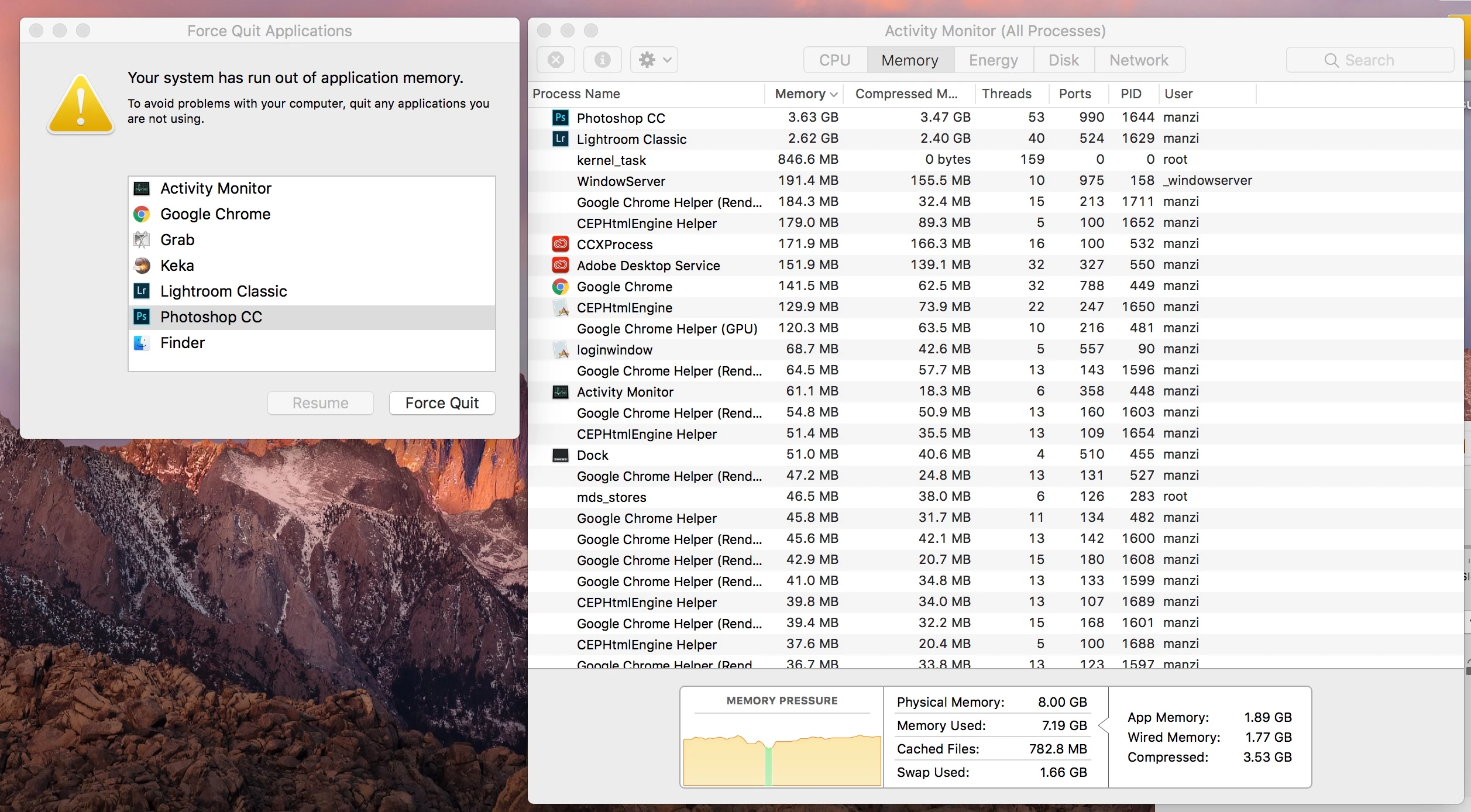
 

That's it. I am so disappointed and now frustrated I cannot continue to work. 

Is there any solution you can think of? I am still not in a position to upgrade my Mac unfortunately. 


Thanks

Joe 


{Thread title edited by moderator}

This topic has been closed for replies.

2 replies

Participant
July 16, 2022

I have been experiencing this same issue. Did you ever find something that worked for you? 

nikunj.m
Legend
May 18, 2020

Hi Joe, 


We are sorry about the experience with Lightroom Classic and Photoshop. Would you mind sharing the versions of both applications you are using? Looking at the Photoshop icon in the screenshot you shared, it seems you are using an older version of Photoshop.


Did you restore the apps or anything related to the apps from a time machine backup when re-installing the apps? You can try to re-install the apps through the Creative Cloud desktop app to check if that helps. You can try to reset the preferences of Photoshop using the steps mentioned here: https://adobe.ly/2Qzc0K3

Please backup your settings prior to resetting the preferences. You can check: https://adobe.ly/2vNz6FG

For Lightroom Classic, please reset the preferences using the steps mentioned here: https://helpx.adobe.com/lightroom-classic/help/setting-preferences-lightroom.html#restore_preferences_to_default_settings

Please backup your presets prior to resetting the preferences. 


Regards,

Nikunj