

Snowail
Participant
February 16, 2023
Answered

Photoshop liquify tool broken pixels

  • February 16, 2023
  • 1 reply
  • 1200 views

When using liquify tool on my mac mini, I got some strange broken pixels. 
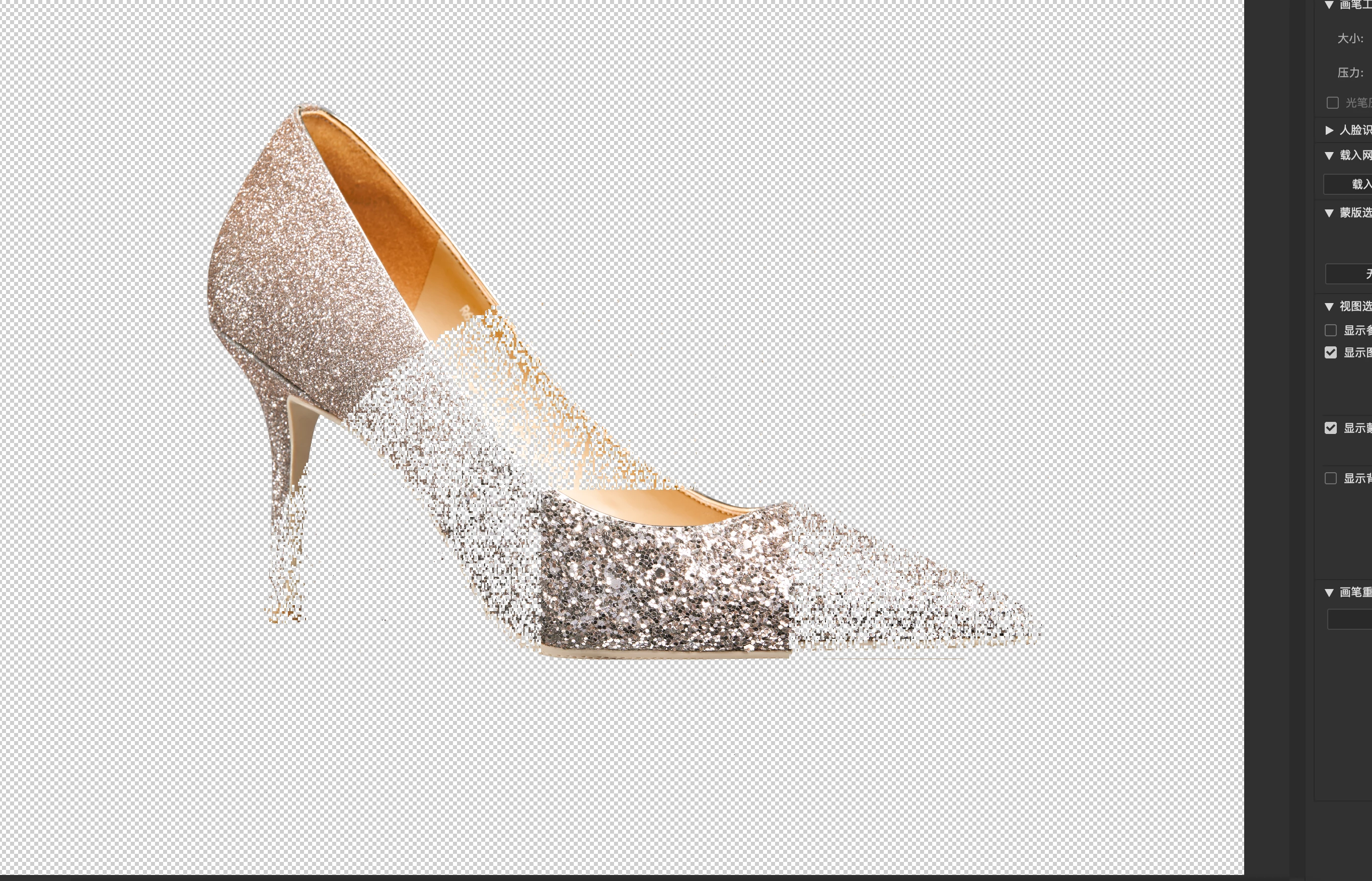
Disable GPU acceleration fix it, but will loss a lots of performance.

I'm using latest Photoshop 24.1.1, macOS 12.6.3, mac mini 2018 with UHD630

please help

This topic has been closed for replies.
Correct answer Sameer K

I'll help you figure this out. Does this happen with all documents? What color mode & bit depth are you working with?


As a test, try pressing the OPT key when launching the Liquify filter to skip using GPU for Liquify.

Let us know how it goes. Thanks!
Sameer K


1 reply

Sameer K
Community Manager
Sameer KCommunity ManagerCorrect answer
Community Manager
February 16, 2023

I'll help you figure this out. Does this happen with all documents? What color mode & bit depth are you working with?


As a test, try pressing the OPT key when launching the Liquify filter to skip using GPU for Liquify.

Let us know how it goes. Thanks!
Sameer K


Snowail
SnowailAuthor
Participant
February 17, 2023

Yes, it happens with all documents. Working with RGB Color mode and 16bit depth.

Hold option key will fix this as the same disable GPU acceleration.

Here is GPU test result: