
maureenh45458480
Inspiring
January 2, 2021
Question

Photoshop looks weird, can't resize objects...

  • January 2, 2021
  • 2 replies
  • 179 views

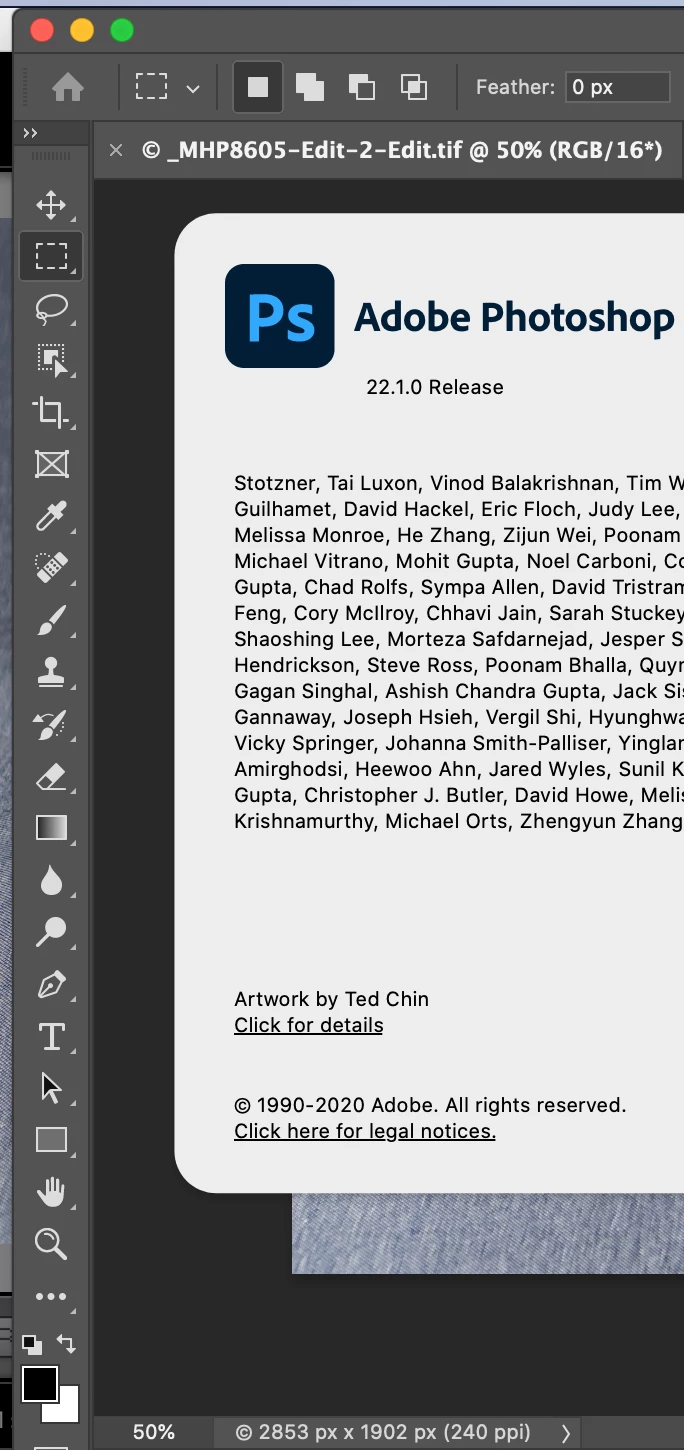
Photoshop was giving me the dreaded can't save due to program error. Adobe tech support told me first to go to >Photoshop tab>preferences>Performance and uncheck the graphic processor. This didn't help so they told me to downgrade to Photoshop 22.0. It did not fix the problem and Some of the tools were missing. I uninstalled 22.0 and reinstalled 22.1 but it looks completely different. It does not have the subject select tool and I can't resize anything. I still can't save and am getting program errors when I try to do anything. So frustrated. Does everyone's photoshop look like the picture below. Those boxes on the top remind me of photoshop elements that I had 10 years ago. And I don't remember having the lasso tool recently. Any thoughts????
 

This topic has been closed for replies.

2 replies

maureenh45458480
Inspiring
January 3, 2021

Thanks for your reply. I reset the tools, downgraded to an earlier version and have had no problems saving now.


I never considered the them affecting the outcome. Is there a theme you suggest for print?


c.pfaffenbichler
Community Expert
Community Expert
January 4, 2021

I would recommedn the »medium« gray one for print-related work. 

If you work for video, film, … the dark ones are recommended.

And ultimately you are obviously free to use whichever Color Theme you like, but as you mentioned it can have some effect on the perception of an image you work on. 

c.pfaffenbichler
Community Expert
Community Expert
January 3, 2021

You seem to have missed the changes to the Toolbar, you can arrange the Tools as you like yourself (Edit > Toolbar) or reset them to the default. 

It’s normal for the »boxes at the top« to appear in the Options Bar for the selected Rectangular Marquee Tool. 


And as an aside: The dark Color Themes are wrong for print-related work.