
Photoshop makes straight lines when drawing curves?
I've only had this issue for I guess about a week, but it's seriously impeding productivity. Whenever I try to use any brush tool to draw a freehand line (most noticeable when drawing curves quickly), more often than not part of the line or sometimes even the whole line will be rendered as if drawn holding shift. This issue only ever happens when drawing lines immediately after hitting step backwards (command+z), and its also easily replicable with a mouse or just my laptops own trackpad so I don't think it has anything to do with tablet drivers. I've also tried to map step backwards as a keystroke to one of my tablets express keys, since I thought it had something to do with the command to move feature sometimes being stuck right after command-z, but the problem still persists.
I'm using Photoshop 2020 on MacBook Pro 13' with OS Big Sur, and a Wacom intuos pro medium and pro pen slim. (Have tried uninstalling and reinstalling older drivers and updating to latest drivers, though nothing helped. Photoshop 2021 also seem to have this exact problem.)
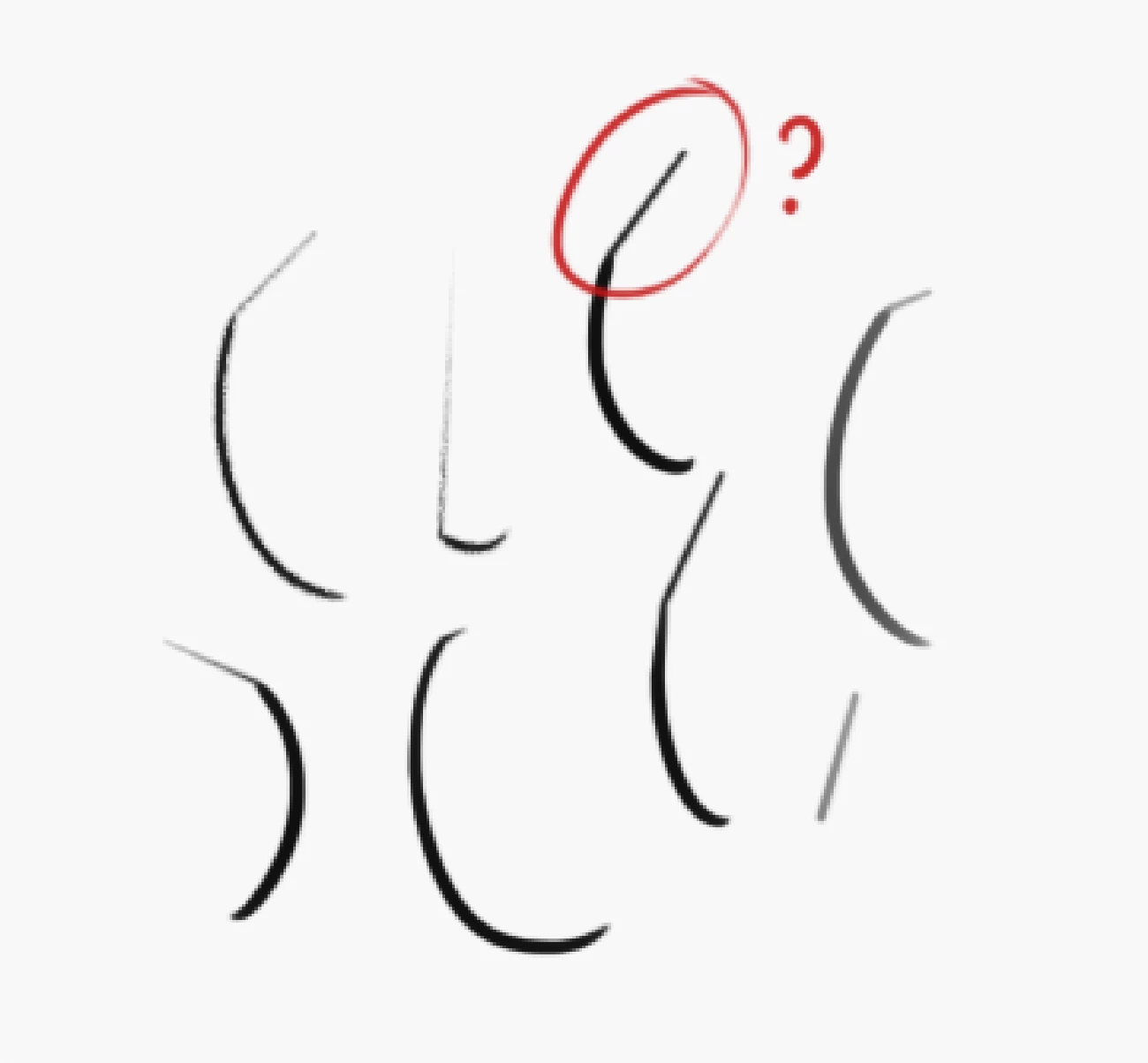
Does anyone know of similar issues and how to go about fixing it?
 AdChoices