
Participant
July 16, 2022
Answered

Photoshop mask applied after dragged to trash bin

  • July 16, 2022
  • 1 reply
  • 307 views

Hi, is there an option anywere to turn this off? Want layer mask to be removed without appling, when dragged to trash bin. With delete button it works well, but sometimes i use to drag it and it's anoying when mask is applied .
This topic has been closed for replies.
Correct answer Jeff Arola

In photoshop go to Edit>Preferences>General and click on Reset All Warning Dialogs.


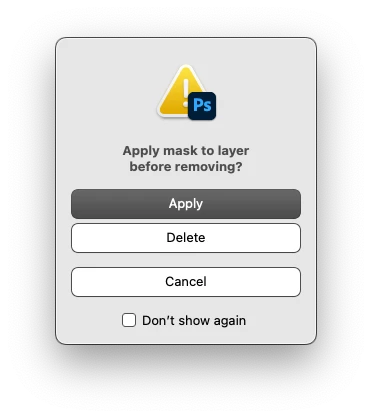
Then next time you drag a layer mask to the Trash icon you will see a dialog where you can make a choice.

You can click Don't show again to make you selection stick.


1 reply

Jeff Arola
Community Expert
Jeff ArolaCommunity ExpertCorrect answer
Community Expert
July 16, 2022

In photoshop go to Edit>Preferences>General and click on Reset All Warning Dialogs.


Then next time you drag a layer mask to the Trash icon you will see a dialog where you can make a choice.

You can click Don't show again to make you selection stick.