
Participant
September 20, 2021
Question

Photoshop menus not displaying correctly

  • September 20, 2021
  • 5 replies
  • 396 views

When i go into phooshop the menus aren't being displayed, the top menu has no text, i can use its functions but I'm new to photoshop so its really difficult. Some stuff is shown like the toolbar to the left and my image and some stuff on the right but there are gaps in between where i can see the homescreen for photoshop in he background.
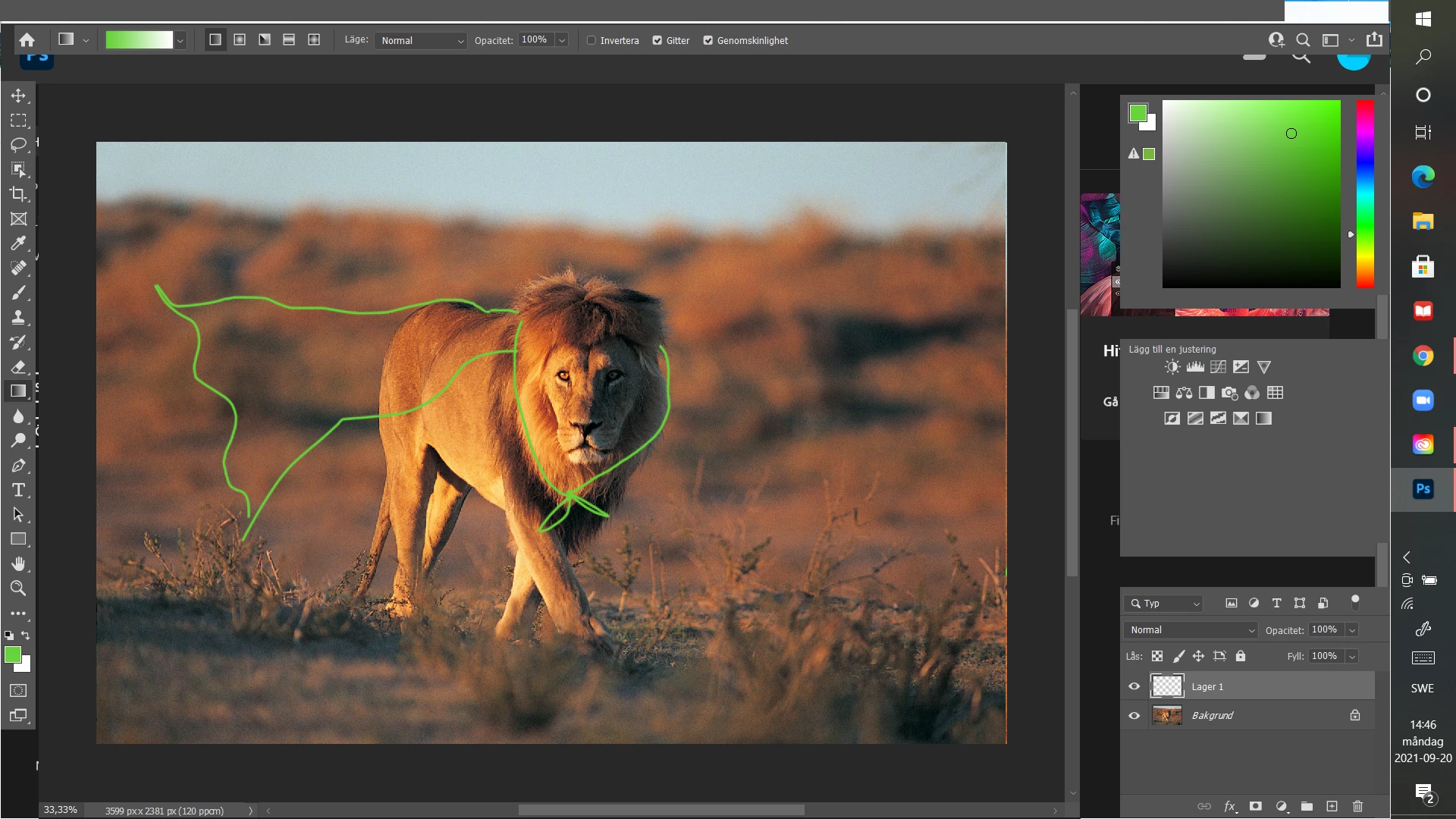


This topic has been closed for replies.

5 replies

melissapiccone
Community Expert
Community Expert
September 20, 2021

Reset the preferences. A quick google search will give you the keys to hold down when rebooting - make sure it asks if you want to reset - if it doesn't  you didn't do it correctly. 

Melissa Piccone | Adobe Trainer | Online Courses Author | Fine Artist
Hanna5CDBAuthor
Participant
September 20, 2021

@melissapiccone Thank you for your help, the problem is that some of the menus don't appear at all 😞 

Hanna5CDBAuthor
Participant
September 20, 2021

Hi! @Simmer1 I tried it but it stayed the same!

melissapiccone
Community Expert
Community Expert
September 20, 2021

Your windows are floating, I suggest you use the application frame. I'm guessing it's at the bottom of your window menu (that's where it is on my Mac). Once you have the application frame, you can set up your panels thle way you want for a custom workspace. 

https://www.oreilly.com/library/view/photoshop-cc-the/9781491905593/ch01s01.html

https://www.youtube.com/watch?v=YaivjAPJkE0

Melissa Piccone | Adobe Trainer | Online Courses Author | Fine Artist
Simmer1
Community Expert
Community Expert
September 20, 2021

Hi,


Have you tried reinstalling the software?