Participant
March 8, 2023
Question

Photoshop minimizes my windows on exit.

  • March 8, 2023
  • 4 replies
  • 223 views

Notice the windows in the right half of my workspace. When I exit, Photoshop resets them like so:
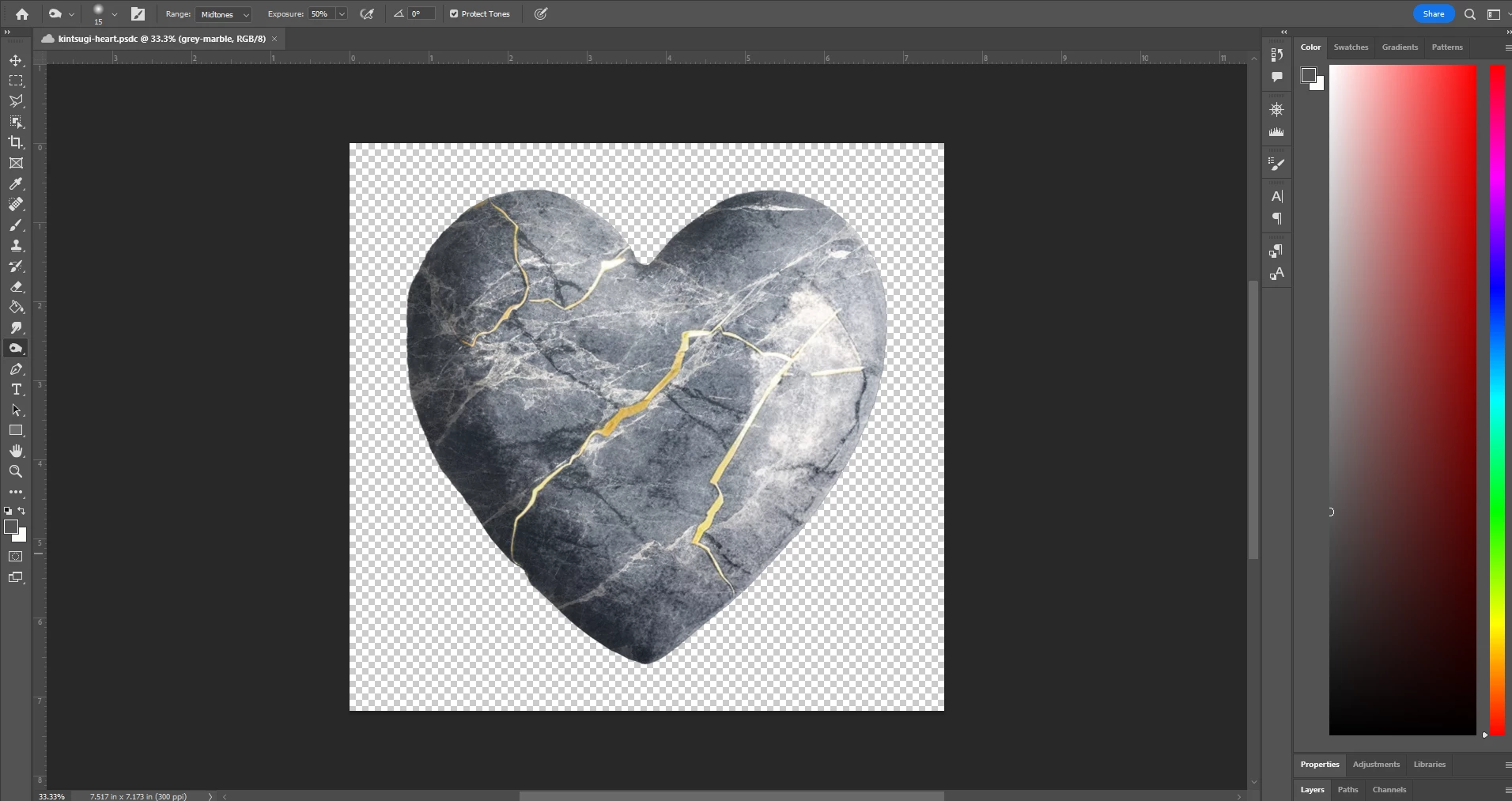
 

I have to manually open them thusly:
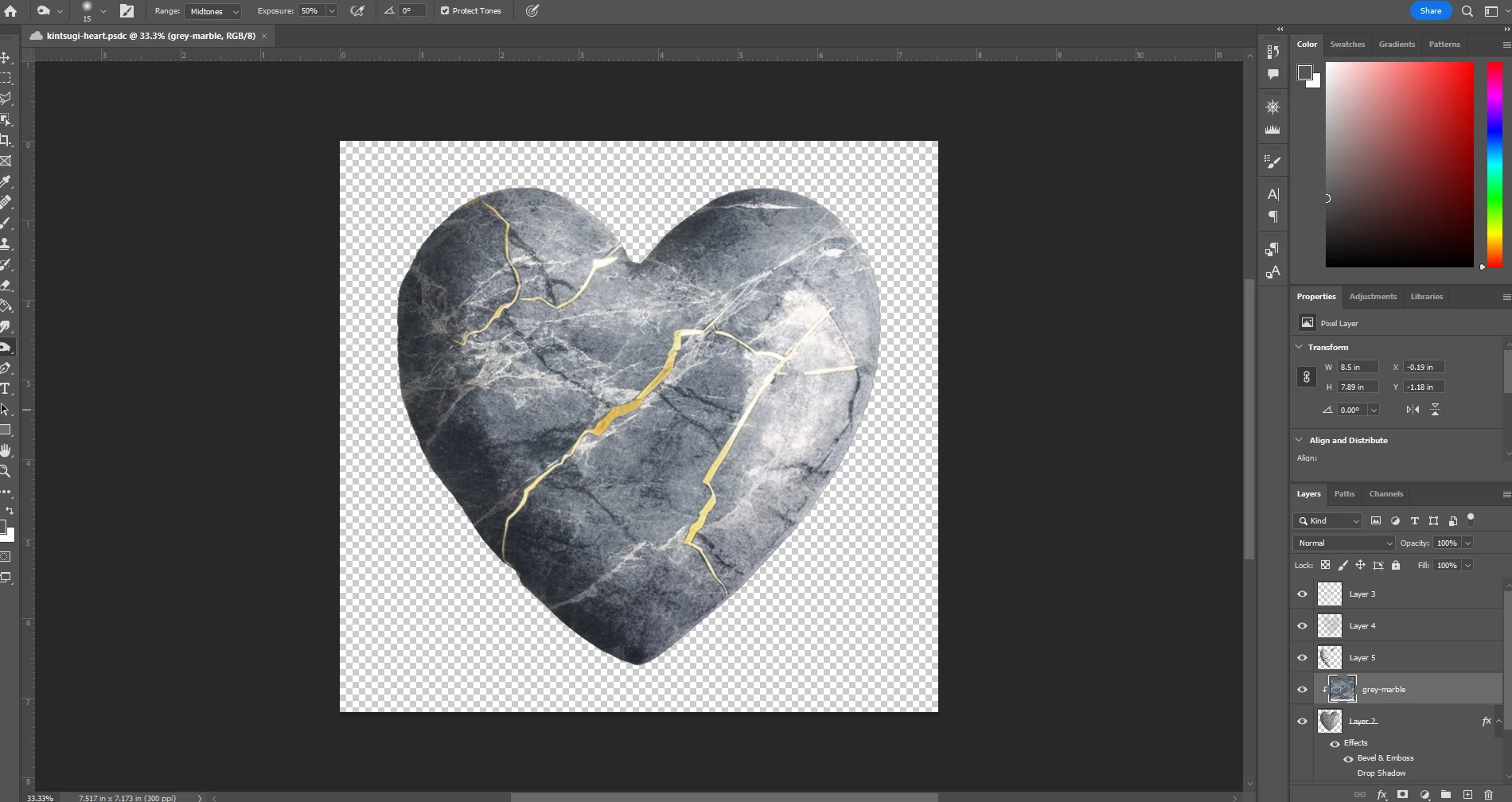
 

I have looked through all the settings, I have saved my workspace, I have reloaded my workspace - Photoshop persistently minimizes my windows - why Photoshop?? Whyy???

This topic has been closed for replies.

4 replies

CShubert
Community Manager
Community Manager
March 9, 2023

Thank you for the update @dragonslayers2016. Curious if you have this checked?


Kevin Stohlmeyer
Community Expert
Community Expert
March 9, 2023

Hi @dragonslayers2016 do you have Photoshop installed on your local C: drive?

Participant
March 9, 2023

Thanks for the reply, but the settings file isn't in that file path. However, I reset the settings manually without making a backup, but it still didn't fix the windows minimizing issue.

CShubert
Community Manager
Community Manager
March 9, 2023

Hi @dragonslayers2016 sorry you are having issues.


Let's make sure we're in a default state and there are no stale settings somewhere: 

Restore your preferences using this manual method:  

https://helpx.adobe.com/photoshop/using/preferences.html#Manually 

Does it work correctly? 

If that doesn't solve it, you can quit Photoshop and put the Settings folder back. 


It may help if we could see your Photoshop System Info. Launch Photoshop, and select Help >System Info...and copy/paste the text in a reply.