Participating Frequently
August 2, 2021
Answered

Photoshop Missing Brushes

  • August 2, 2021
  • 2 replies
  • 992 views

I am completely missing the various brush tips and styles. I am currently using Adobe Photoshop 2021, at least that's what the folder is called, when I go to import brushes. I only have the option to use soft, hard, and a few brushes I downloaded for Clip Studio Paint that I added to the Adobe library.


I want to paint with a spray paint effect. When I found this video

I noticed I don't have any of the brush tips that are being shown. I've had them in the past. (I can't type after inserting the hyperlink, otherwise I would not have hit Enter here.)


Can someone please help me?
    This topic has been closed for replies.
    Correct answer Jeff Arola

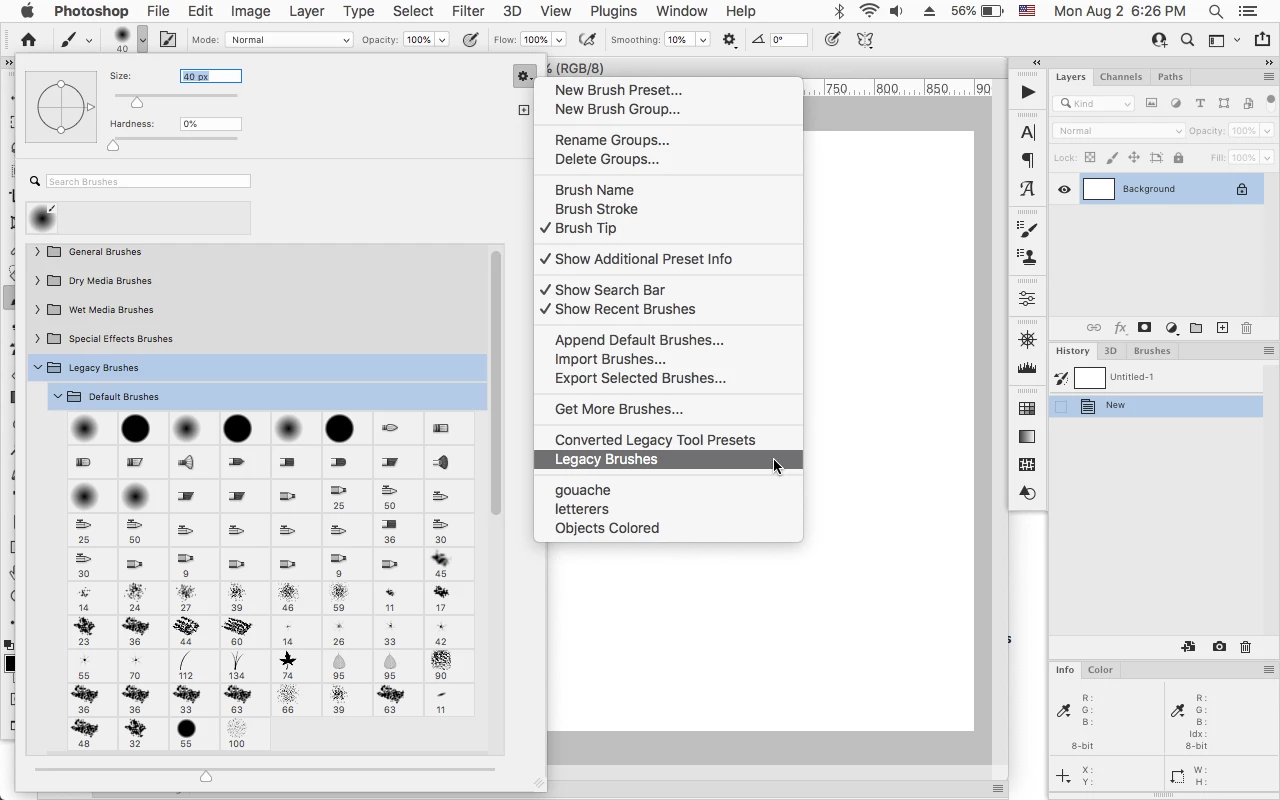
    You need to load the Legacy Brushes and the brush you want is in the Default  Brushes.


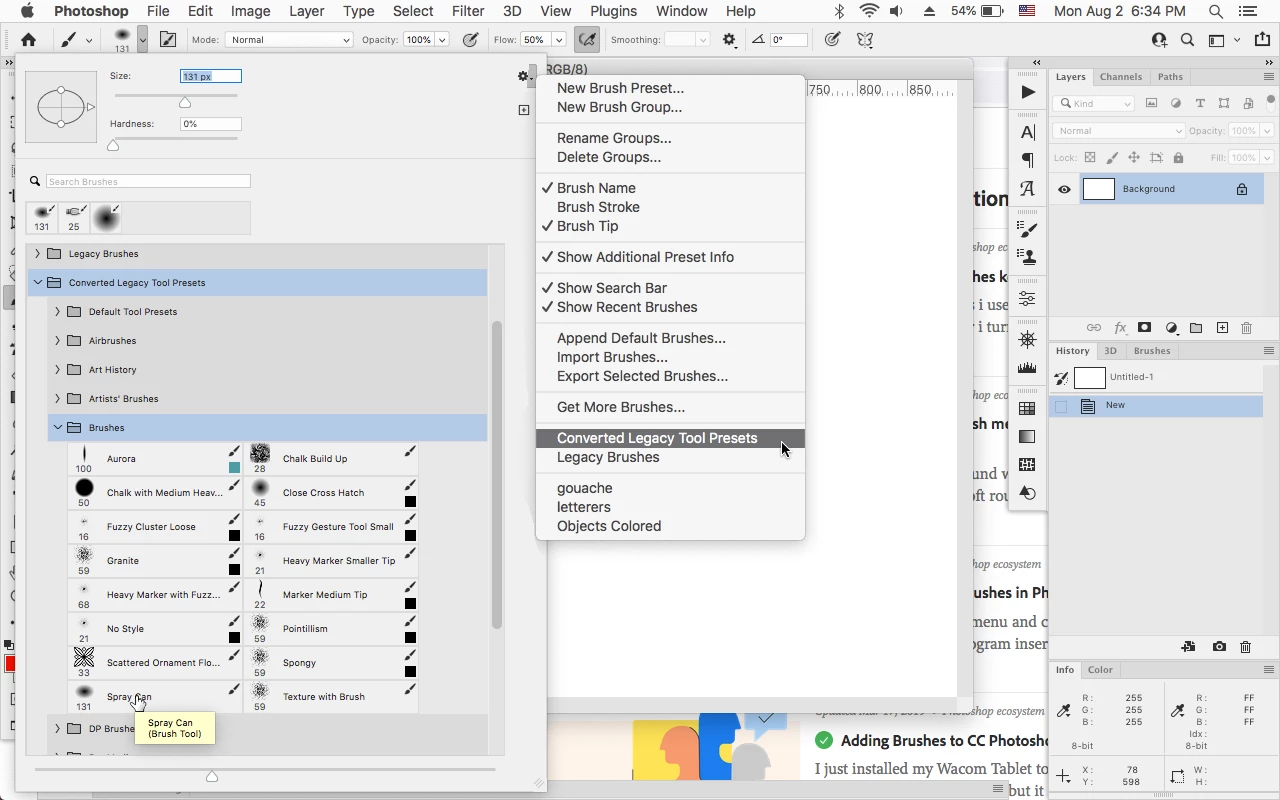
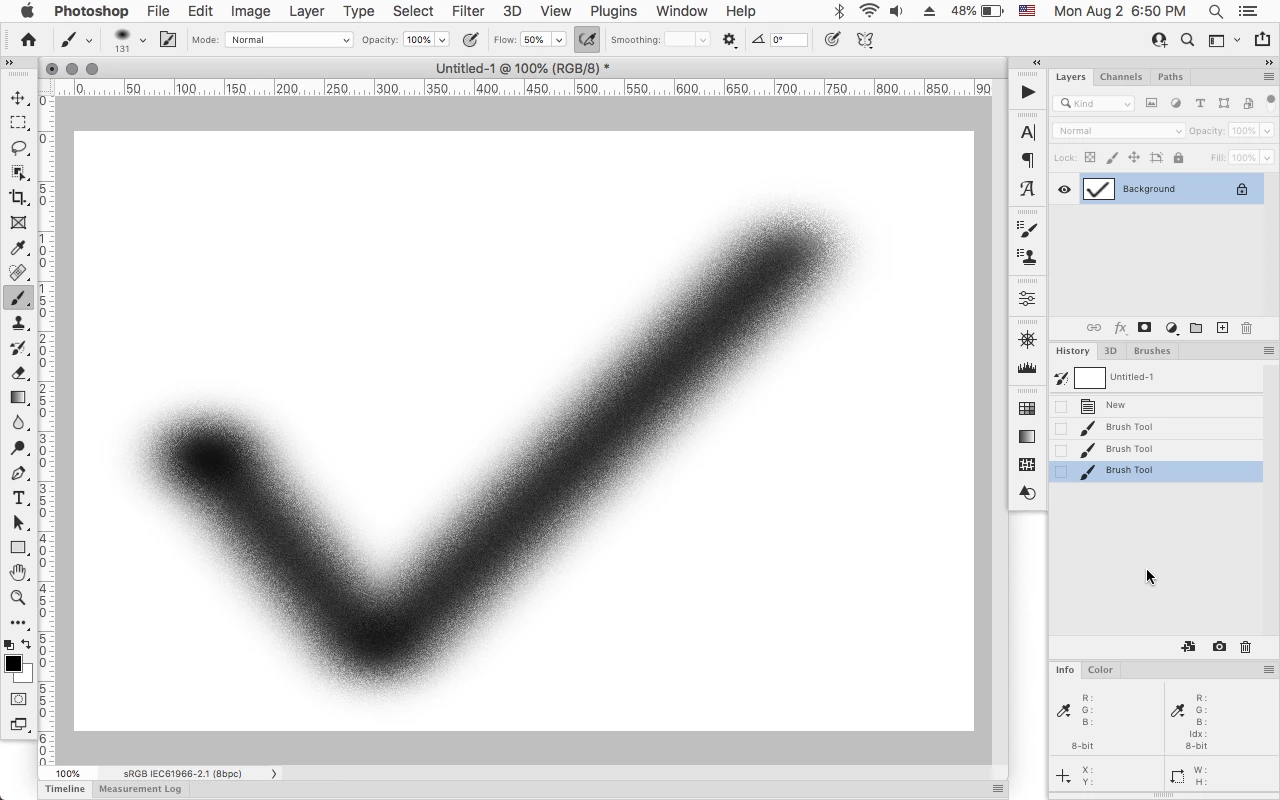
    If you load the Converted LegacyTool Presets, there is a Spray Can Brush in Brushes.


    2 replies

    Jeff Arola
    Community Expert
    Jeff ArolaCommunity ExpertCorrect answer
    Community Expert
    August 2, 2021

    You need to load the Legacy Brushes and the brush you want is in the Default  Brushes.


    If you load the Converted LegacyTool Presets, there is a Spray Can Brush in Brushes.


    Participating Frequently
    August 4, 2021

    YOOOOOOO!!!


    Thank you, so much. This helped me and I see all of the brushes I regularly use. It's been so long, since I've done work like this. Thank you, so much. You didn't have to take the time to do what you did, but you did, and I thank you.


    My bad, I just started singing that mentally. Still, the notion stands -- thank you, so much for answering this.


    Go Team Venture. ✌️

    Nancy OShea
    Community Expert
    Community Expert
    August 2, 2021

    [Moderator moved from Using the Community (forums) to Photoshop ecosystem.]


    You'll need to install or move the 3rd party brushes to your new Photoshop version.  Post back if you need more help.


    Nancy O'Shea— Product User & Community Expert
    Participating Frequently
    August 2, 2021

    I have the downloaded brushes available.


    I do not have the various brushes Photoshop is supposed to come with, only hard and soft. None of the specialized "brush tips" that are seen in that video. Did something change and Photoshop no longer offers a myriad of brush styles?

    Nancy OShea
    Community Expert
    Community Expert
    August 2, 2021

    Do you still have your previous version of Photoshop installed?


    Nancy O'Shea— Product User & Community Expert