
Participant
April 29, 2021
Answered

Photoshop not displaying unicode "y"

  • April 29, 2021
  • 1 reply
  • 1379 views

I want to paste an aboriginal name into a text layer.

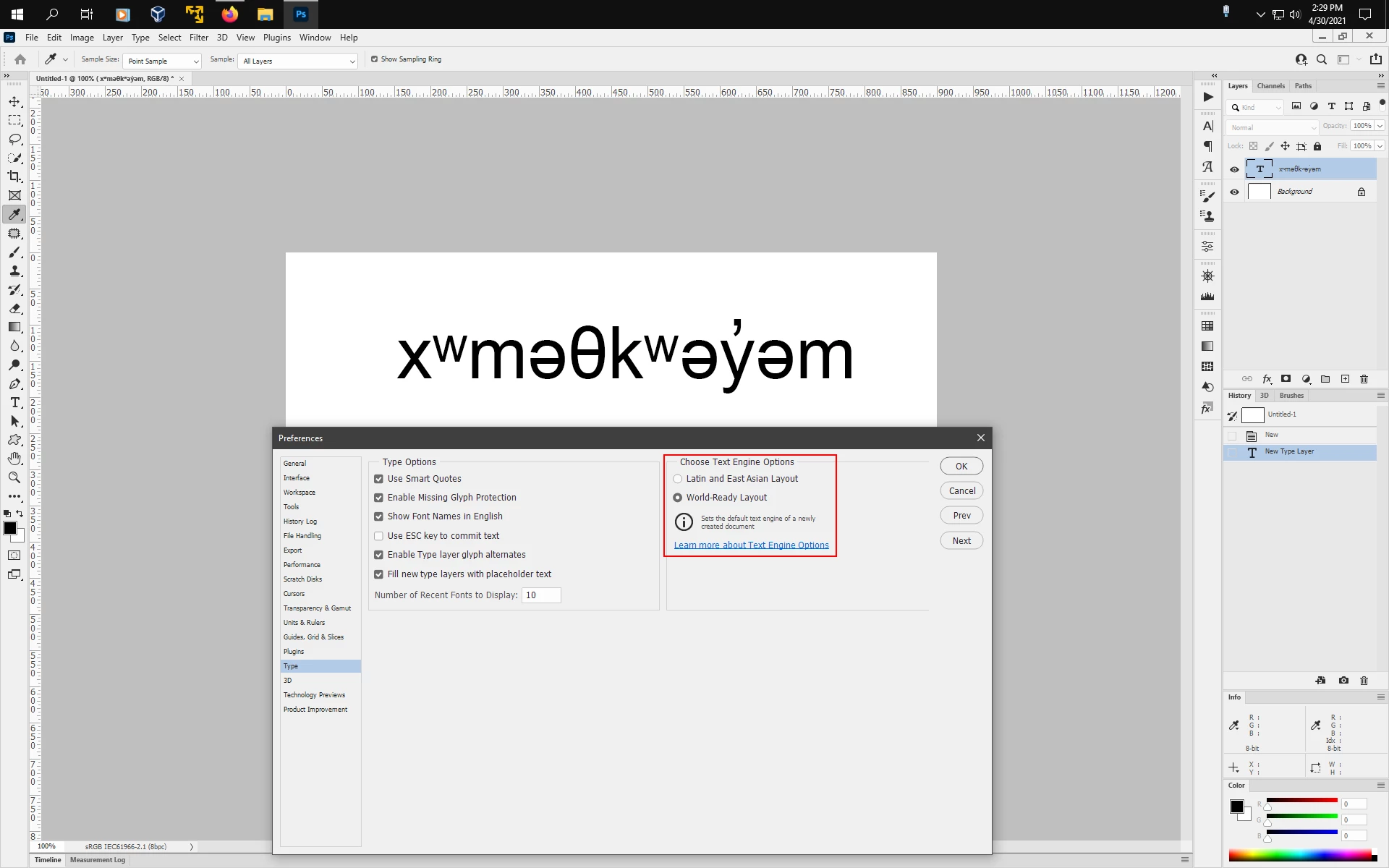
The text is xʷməθkʷəy̓əm. Font is Arial. New document, white background.

The text is correct in the layer name in the layers panel, but on the image area it's missing the apostrophe over the "y".

How to fix?
This topic has been closed for replies.
Correct answer Jeff Arola

If you change the photoshop text engine to World Ready Layout by going to Edit>Preferences>Type (windows) or Photoshop>Preferences>Type (mac), restart photoshop, the text should paste correctly.


1 reply

Corey5C1BAuthor
Participant
April 30, 2021

Looks like photoshop still has unicode bugs, and simply can't display it.

My friend did the work for me using adobe spark post on her phone.

Disappointing, photoshop.

Jeff Arola
Community Expert
Jeff ArolaCommunity ExpertCorrect answer
Community Expert
April 30, 2021

If you change the photoshop text engine to World Ready Layout by going to Edit>Preferences>Type (windows) or Photoshop>Preferences>Type (mac), restart photoshop, the text should paste correctly.


Corey5C1BAuthor
Participant
April 30, 2021

Hey that worked, thanks. So it's not a unicode bug.

That will be useful in the future.