Participating Frequently
December 18, 2019
Answered

Photoshop Not enough RAM/memory while trying to use the Brush tool

  • December 18, 2019
  • 4 replies
  • 2746 views

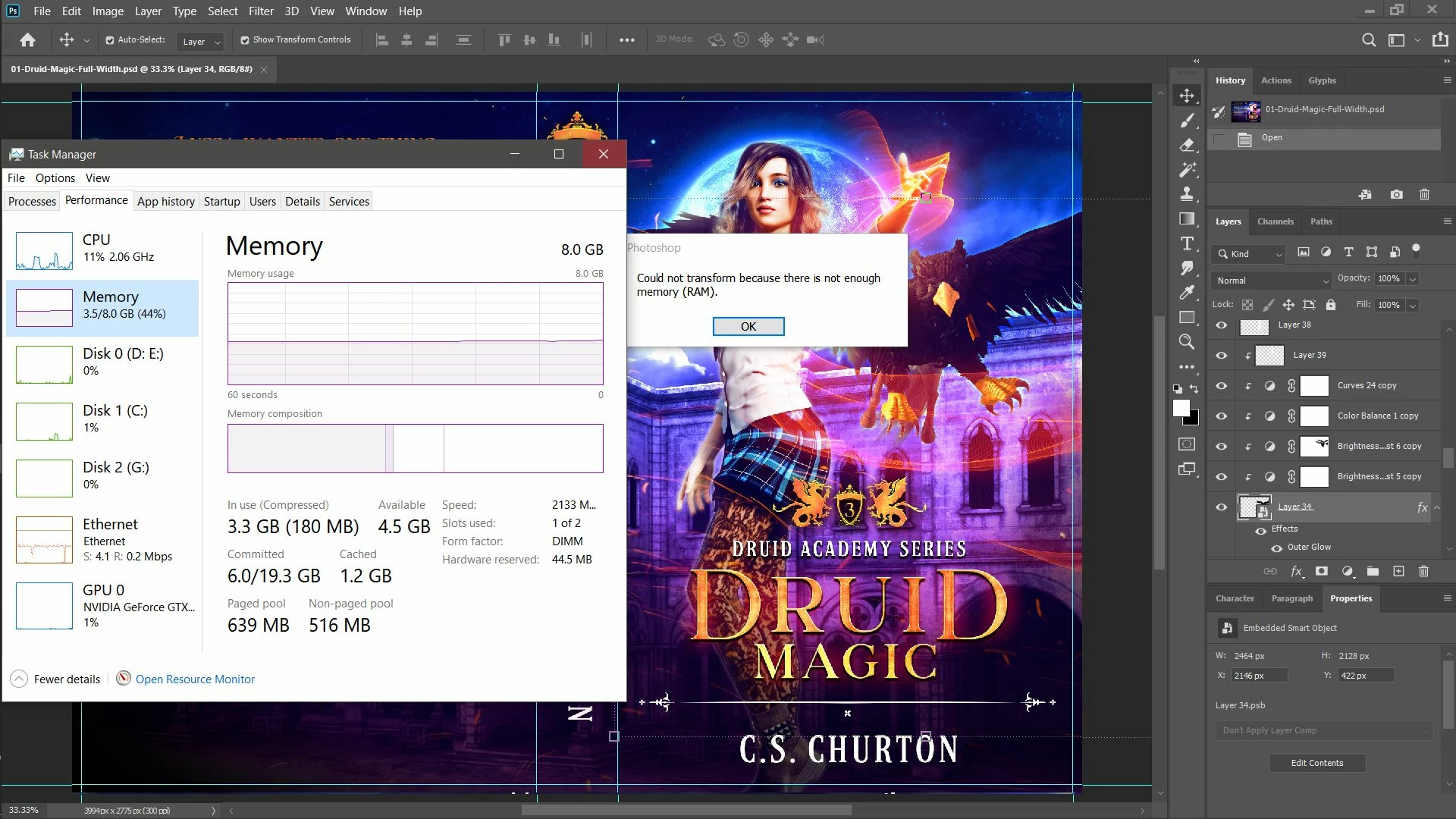
So, 2020 is....a bit of a mess, but I am trying to get it to work. My main issue is that it doesn't want to do anything because it says it doesn't have enough RAM. I mean, I have a scathing 8 GB, but that was enough to send 2019 flying, so if it could hold the complaints, that'd be great. My main frustration is that it doesn't appear like PS20 is actually using my RAM. I've attached a screenshot. I've set PS to use 92% of available RAM, all disks as scratch disks... I'm running out of things to try before I revert, basically. 


Win 10 64-bit
8 GB RAM
Intel Core i5-6400


Any pro tips for a poor designer just trying to do her job? 


Thanks!
May
 

This topic has been closed for replies.
Correct answer

Hi

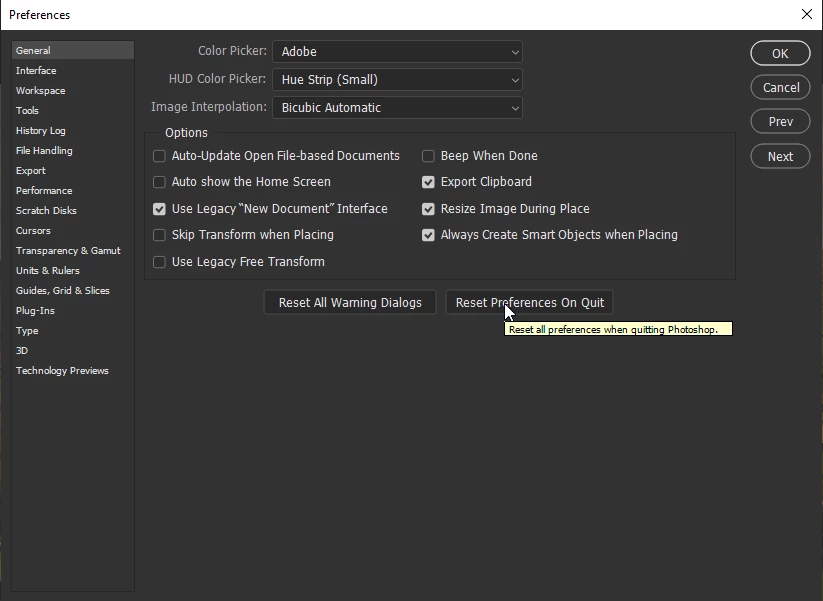
Try resetting your Photoshop preferences, you may want to backup your settings beforehand

https://helpx.adobe.com/photoshop/using/preset-migration.html

4 replies

nikunj.m
Legend
December 18, 2019

Hi May,


We are sorry about the experience with Photoshop. 


In case you face the issue again, please ensure that all available Windows updates are installed on the computer.


You can also try the workaround mentioned in the article: https://helpx.adobe.com/photoshop/kb/invalid-numeric-entry-integer-96-8-required-photoshop.html


Regards,

Nikunj

December 18, 2019

I wouldn't advise that workaround as that issue is not related to the OP's and the Integer issue was fixed by Adobe in version 19.1.5

Muqqarib Hassan
Inspiring
December 18, 2019
 

Hi, I think you need to upgrade your RAM or upgrade your system for PS20. I am using PS20. It's working fine from my side.

Correct answer
December 18, 2019

Hi

Try resetting your Photoshop preferences, you may want to backup your settings beforehand

https://helpx.adobe.com/photoshop/using/preset-migration.html

Participating Frequently
December 18, 2019

To my great shock (because I tried that before), it actually seems to have helped some. I can at least use a brush again XD Let's see if it lasts, but thank you!

Participating Frequently
December 18, 2019

Um. Lol? On a clean reboot, open file, go to brush panel.