Known Participant
April 26, 2021
Question

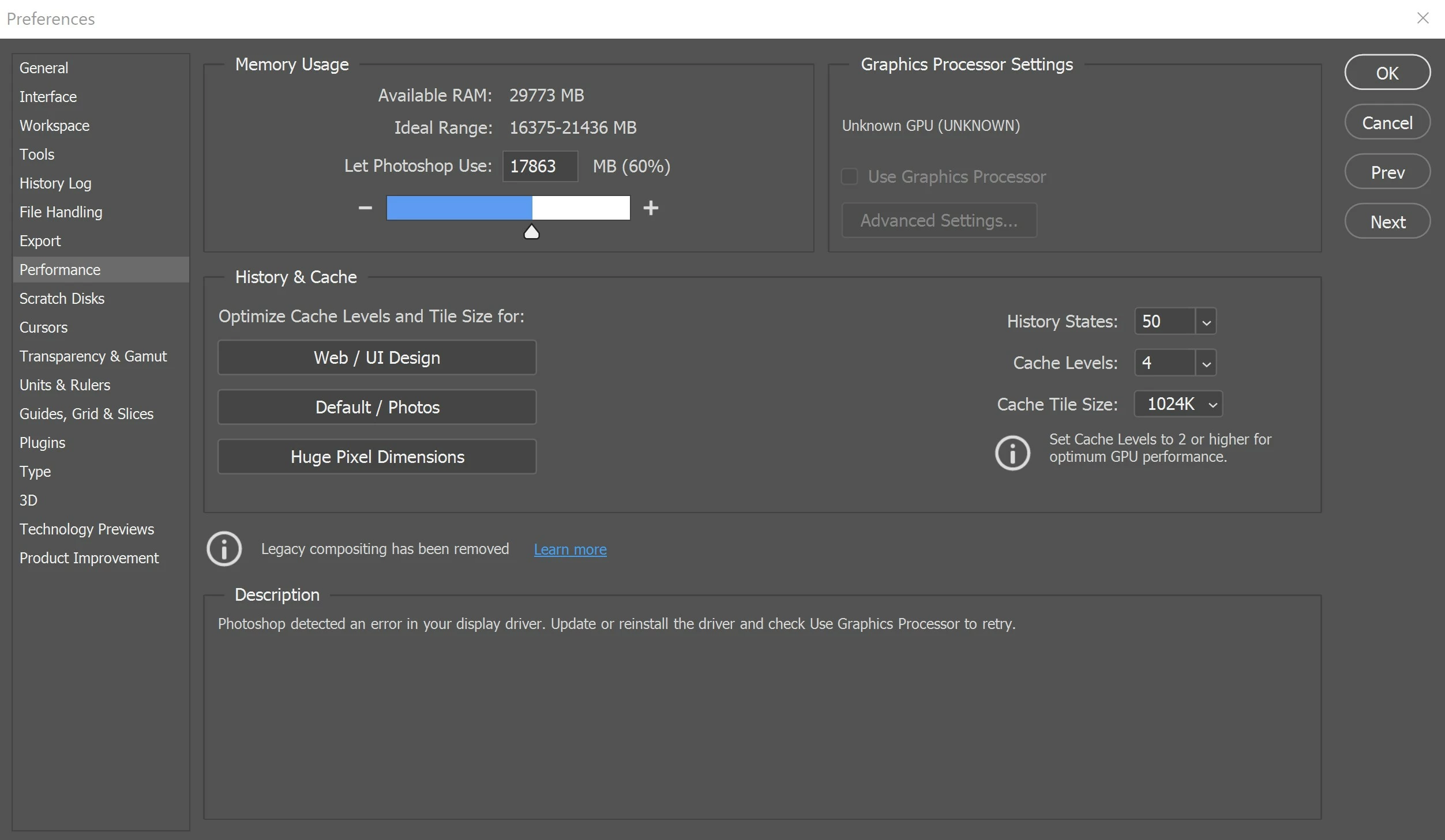
Photoshop not recognizing GPU (Nvidia RTX 2060 Max q) says it's found an error in my display driver

  • April 26, 2021
  • 2 replies
  • 2099 views

Photoshop is not recognizing my GPU, and saying it has found an error in the GPU driver.  It instructs me to update or reinstall.

Driver is up-to-date.  When I reinstall the driver it does fix the problem, and photoshop can recognize it again ... that is ... until I close photoshop ... then it reverts ...  
This topic has been closed for replies.

2 replies

Trevor.Dennis
Community Expert
Community Expert
April 26, 2021

That surprises me, as the pattern with V22.3.1 video card problems has been mainly with older cards. 


What driver version are you using?  Is one of those Game Ready drivers?  I have an RTX2070 and I actually have slightly more functionality V22.3.1 than I did with V22.3.  I was unable to turn on OpenCL with the previous version, and the Drawing mode option was limited to Basic.  You can see that I _seem_ to be able to chose Advanced now, but it will fail back to Basic if I try and do anything with it.

IIt's intensely frustrating as so many of Photoshops advanced features need the GPU, and are not working for an awful lot of people right now.  If anything, V22.3.1 has made a bad situation worse, and was obviously rushed, so I suspect they won't risk another update until they are sure they have fixed things.  Mean while we have to either roll back, wait for an update, or live with it. 

Participating Frequently
April 26, 2021

hello


in this post "https://community.adobe.com/t5/photoshop/p-graphics-card-not-detected-in-photoshop-22-3-1-on-windows-10/td-p/11972040" u can see some new GPUS with this problem. RTX2070, RTX2080, RTX4000 and a lot more.


Felipe.

Participating Frequently
April 26, 2021
Community Expert
April 26, 2021
My System: Intel i7-8700K - 64GB RAM - NVidia Geforce RTX 3060 - Windows 11 Pro 25H2 -- LR-Classic 15 - Photoshop 27 - Nik Collection 9 - PureRAW 6 - Topaz Photo AI
Known Participant
April 26, 2021

Yes as Trevor said we are a lot with the same issue since the last update so the best option is to get back to a previous version, it works for me and many others.

And waiting for a next version to see if they will fix this.