Participant
June 15, 2021
Question

Photoshop not responding

  • June 15, 2021
  • 1 reply
  • 388 views

Ever since the update Photoshop does not open properly - it opens to the selection page but then becomes unresponsive. I can't even clear the cache memory, because of this issue. I have attached the specs of my computer below. Does anyone know a fix?
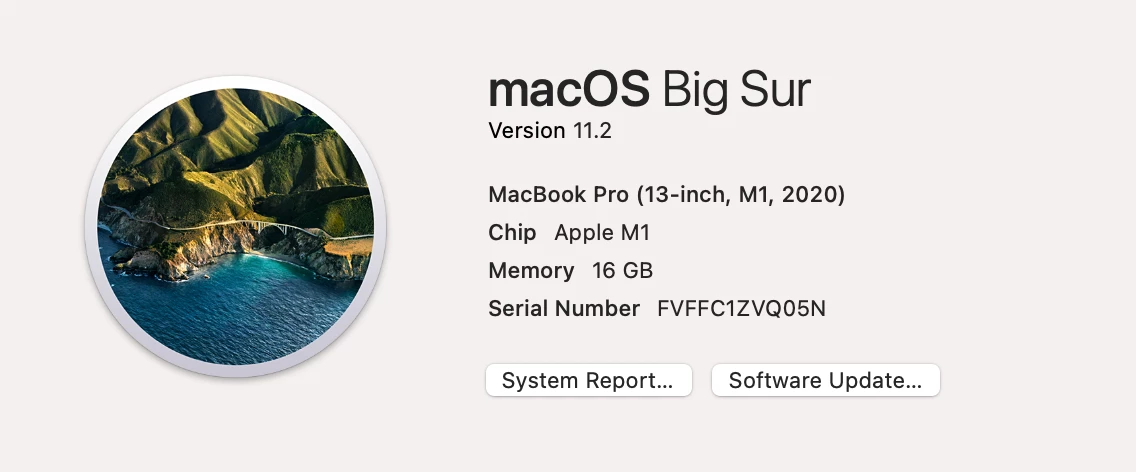
 

This topic has been closed for replies.

1 reply

Akash Sharma
Legend
June 15, 2021

Hi there,


Sorry that Photoshop is freezing on your computer running the macOS BigSur 11.2 . That shouldn't be happening, let us make it right.


Which version of Photoshop are you using and are you using a Mac with the M1 processor?


Since the app is freezing at launch, please checkout the steps mentioned in this article https://helpx.adobe.com/photoshop/kb/freeze-on-launch.html and see if that helps.


If that does not help, could you please try deselecting "Use Graphics Processor" located in Photoshop's Preferences > Performance, then relaunch Photoshop and let us know if it helps?
 
You may also try the steps mentioned here and see how it goes: 

Troubleshoot Photoshop graphics processor (GPU) and graphics driver issues


Thanks,

Akash