jjmaia
Inspiring
January 7, 2021
Question

Photoshop on Windows : Could not Complete your request due to a program error

  • January 7, 2021
  • 1 reply
  • 802 views

Having this error while using the spot healing brush?

Thank you
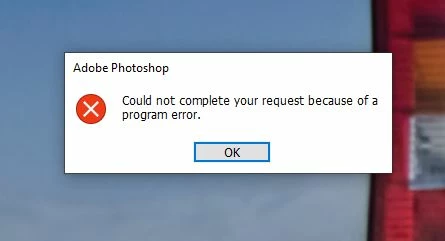


{Thread title edited by moderator}

This topic has been closed for replies.

1 reply

nikunj.m
Community Manager
Community Manager
January 7, 2021

Hi,


We're sorry about the trouble with Photoshop. Would you mind sharing the version of Photoshop you're using along with your computer operating system? You can try resetting the Spot healing tool using the steps suggested here: https://helpx.adobe.com/photoshop/kb/basic-troubleshooting.html#tool


If you're using the latest version of Photoshop (22.1), our product team is working on a fix for the program error. Meanwhile, you can try the steps suggested here: https://adobe.ly/2JZDqZB


If the issue persists, please roll back to the previous version of Photoshop using the steps suggested here: https://adobe.ly/2wH0JjE

Please uninstall the latest version of Photoshop first & select the option to Keep Preferences prior to installing the previous version.


Regards,

Nikunj

jjmaia
jjmaiaAuthor
Inspiring
January 7, 2021

Hi @nikunj.m 


PS version is the latest., on W10 latest build.

The issue is not while saving files.


Honestely having to unstill and install again is a pain in the ass, any ETA for the update?

Thank you.