Question
Photoshop - Opacity doesn't work
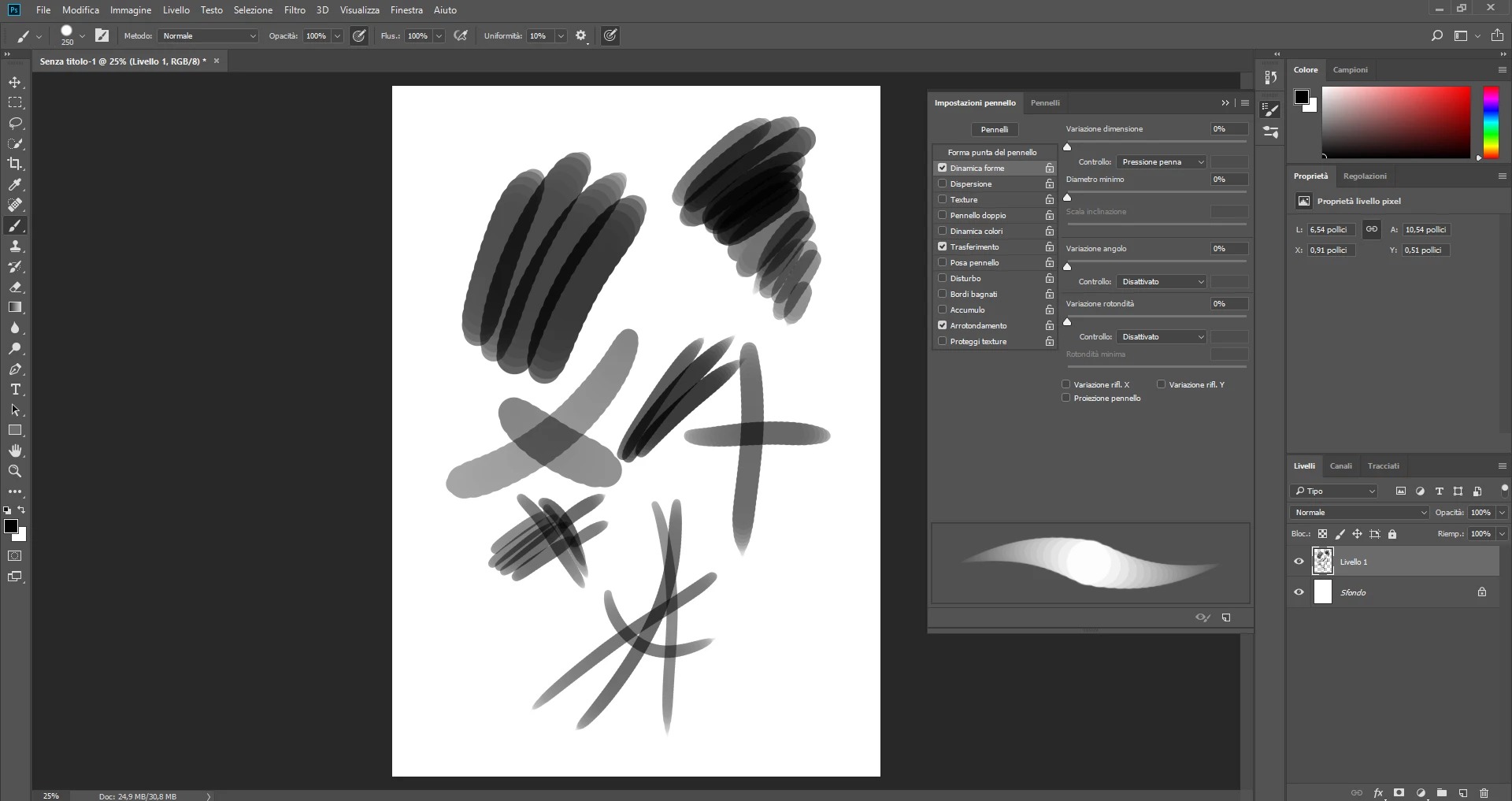
Hi, I just installed Photoshop CC 2018 on my new laptop and the brush opacity doesn't work properly. I'm a concept artist, so I use it mainly for painting.
Brushes looks good as always on the brush presents. I have tried reinstalling my tablet drivers, reinstalling PS, restart wacom professional service, reset tool and reset preferences but i can't get it to work!
The opacity should help to fade the brushstrokes when i change it, but all that happens is an overlap of the lines like it set on multiply
But that's not the case! It's weird!
Paint skin or anything became impossible!
Please, help me to save my work!
I use a Wacom Cintiq 13HD tablet and Windows 10
 AdChoices