omara39318359
Participant
October 22, 2018
Question

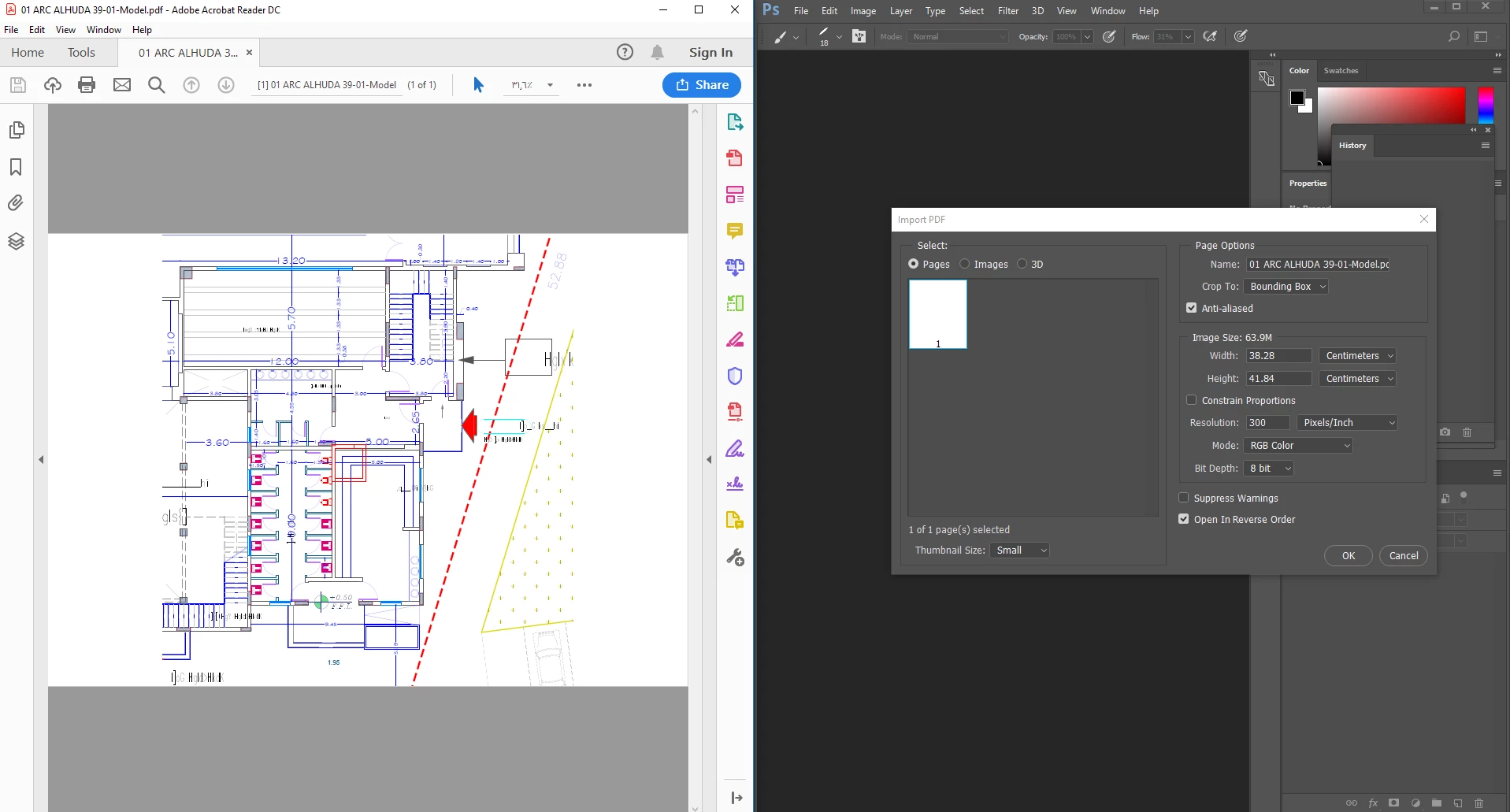
Photoshop open blank page when I import PDF file

  • October 22, 2018
  • 2 replies
  • 5202 views

Hello there

I am an architect, and I am using CAD to draw my drawings. I used to convert CAD file to PDF and import it into photoshop to color it and edit it. I have a new computer and when I want to open PDF files in photoshop they appear to me as a blank page, but when I print it or open it in adobe reader it shows clearly without any problems. I am looking for a solution to this problem and I found nothing

    This topic has been closed for replies.

    2 replies

    omara39318359
    Participant
    October 22, 2018

    Sorry for my poor language.
    but I didn't something in photoshop. I try to open my PDF file on another computer and its open it without any problem.
    maybe the reason is the update I will update the programme.
    I upload the file on Mediafire in the link below

    https://www.mediafire.com/file/kpeqndk5tm7do47/01_ARC_ALHUDA_39-01-Model.pdf/file

    c.pfaffenbichler
    Community Expert
    Community Expert
    October 22, 2018

    Photoshop converts the pdf as expected here.

    Please try resetting the Preferences.

    Does turning off »Use Graphics Processor« in the Performance Preferences (Photoshop > Preferences > Performance > Graphic Processor Settings) and restarting Photoshop have any bearing on the issue?

    Participant
    May 9, 2023

    I have the same issue, and it still happens when I try placing the file. I opened many pdfs without this issue, then suddenly it happens to all pdfs. 

    c.pfaffenbichler
    Community Expert
    Community Expert
    October 22, 2018

    Please read this (in particular the section titled "Supply pertinent information for quicker answers"):

    https://forums.adobe.com/docs/DOC-7044

    Could you provide one of the pdfs?

    When you place (File > Place …) the pdf is it also »empty«?

    What have you done for general trouble-shooting so far?

    Restoring Preferences after making sure all customized presets like Actions, Patterns, Brushes etc. have been saved might be a good starting point:

    https://helpx.adobe.com/photoshop/kb/basic-trouble-shooting-steps.html