
Participant
September 30, 2021
Question

Photoshop pen tool error

  • September 30, 2021
  • 3 replies
  • 774 views

Hey everyone.


To try and fix this issue I have:

Un-installed and re-installed photoshop

Tried an earlier version

Reset my tools

Accessing pen tool settings (It's all grayed out)


This issue randomly started up for me and I was wondering if anyone had a fix. I try drawing a path with the pen tool but it doesn't trace like it typically should. Instead I get this grayed out, very buggy version (Pictured below). If anyone has a fix or any idea of what I can do please let me know.


Thanks. 
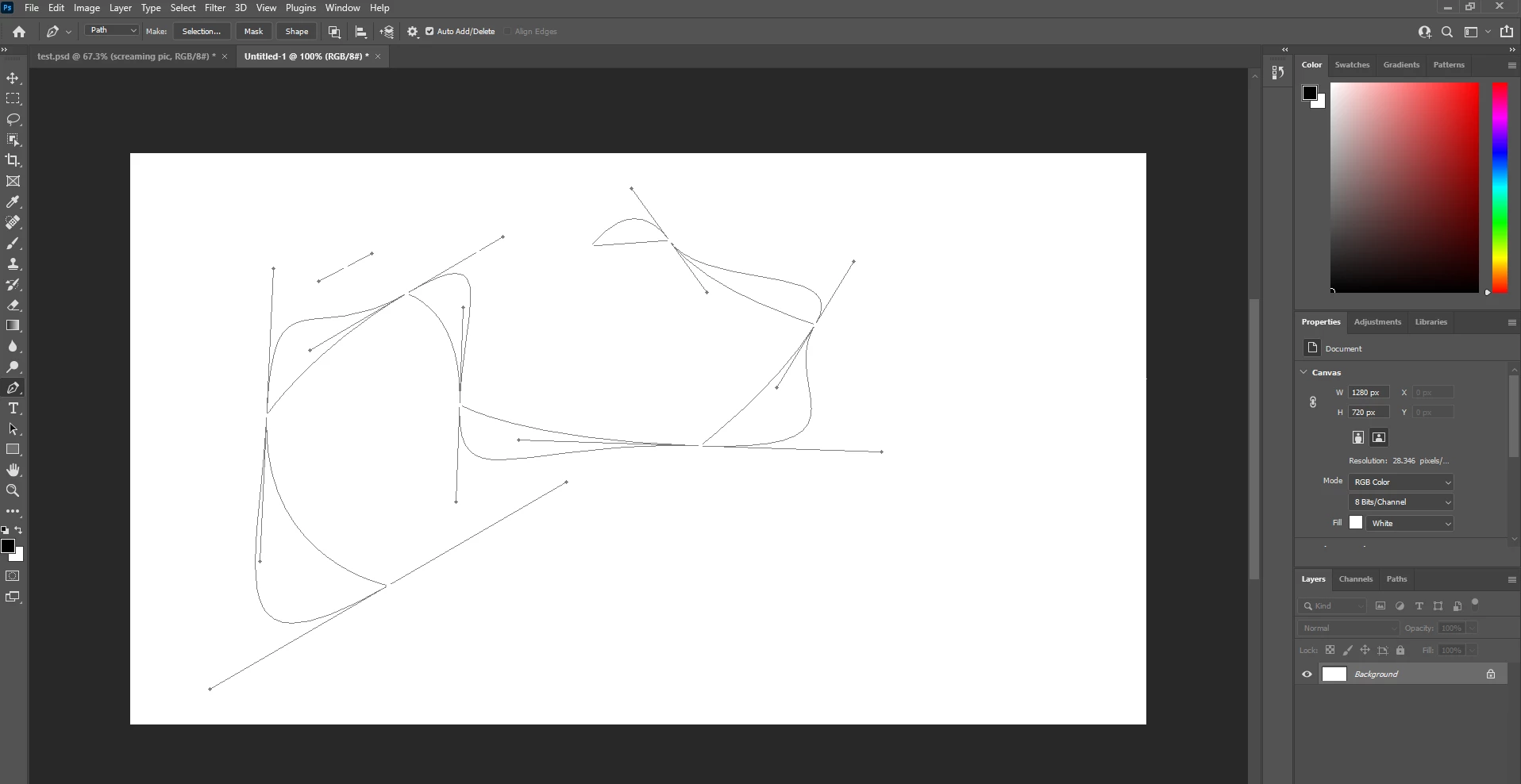
 

This topic has been closed for replies.

3 replies

mglush
Community Expert
Community Expert
September 30, 2021

Can you explain more...what do you mean by trace? Which pen are you using? The Freeform Pen, Regular Pen tool or Curvature Pen tool? Are you creating a path or a shape? If you could give us a little more informaiton, it would help alot.


Thanks,

Michelle

Bojan Živković11378569
Community Expert
Community Expert
September 30, 2021

Perhaps you can try with Preference reset https://helpx.adobe.com/photoshop/using/preferences.html

mglush
Community Expert
Community Expert
September 30, 2021

Hi!

What version o f Photoshop are you using? And, what computer operating system are you working  in--Mac or Windows?


Participant
September 30, 2021

Hello!


I am working in version 22.5.1 and I am on a windows desktop.