Participant
October 17, 2022
Question

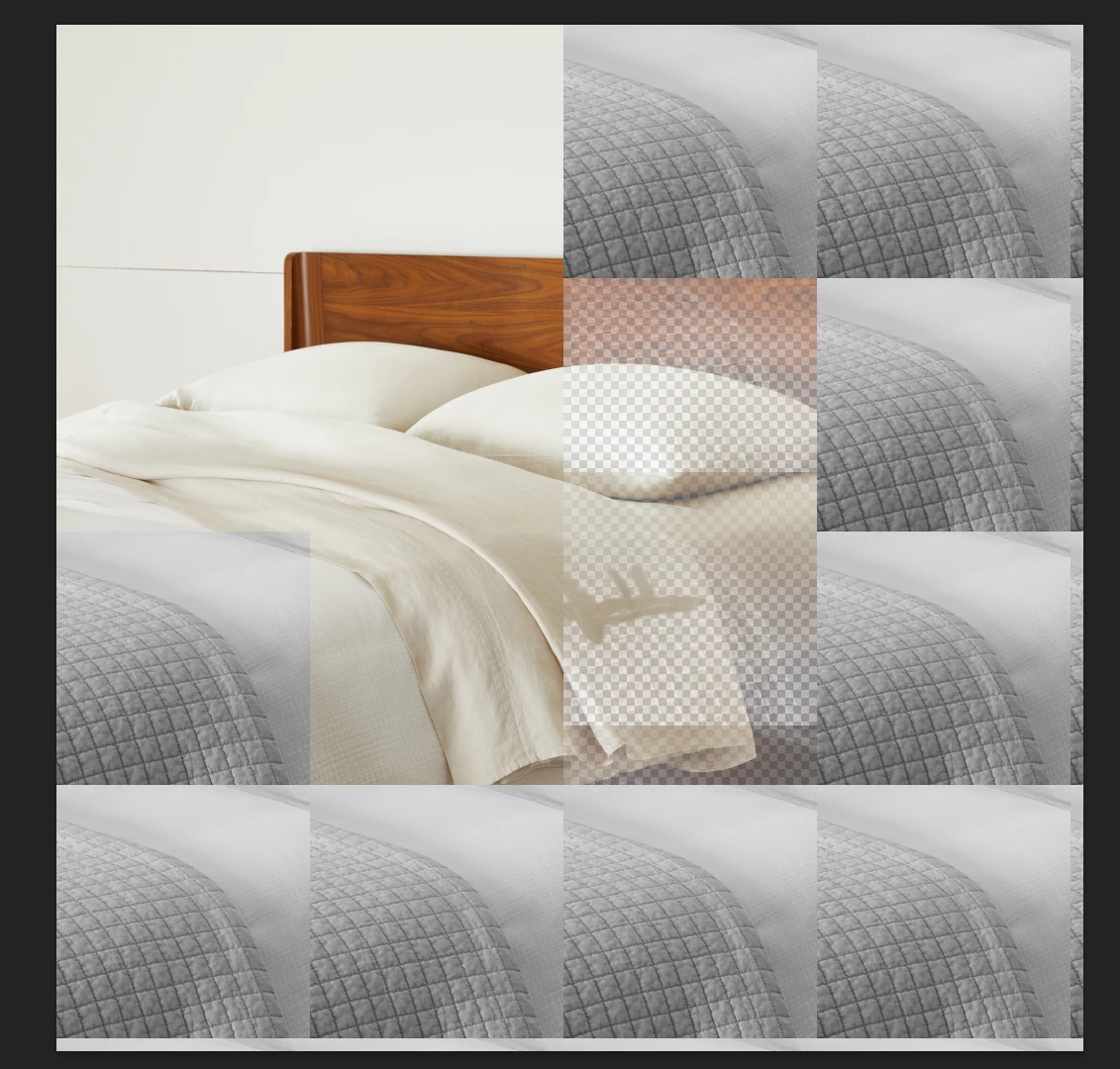
Photoshop pixelated

  • October 17, 2022
  • 7 replies
  • 318 views

Hello, My name is Wonbin. I am a retoucher. I have been having this issues.
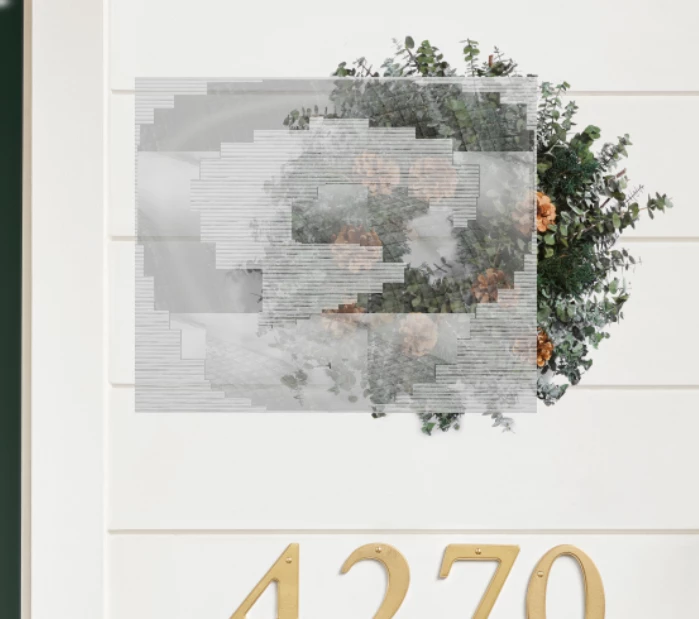
 

Do you guys know why? I cannot find an answer from my crew. 


This topic has been closed for replies.

7 replies

Participant
October 18, 2022

BTW Thank you for your help! 

Jqqerry
Inspiring
October 18, 2022

And most importantly, if something unusual happens (as you do), roll back to the previous version immediately. Whether you change the option or initialize it, 23.5 is not suitable for your workflow at this time. Install the previous version first because the problem will continue to occur in the future.

Jqqerry
Inspiring
October 18, 2022

Unfortunately, you will not be able to recover the image that has already been damaged. The 23.4 version of Photoshop 2022 had the most aggressive bugs and it actually destroyed the image as you go through.


https://community.adobe.com/t5/photoshop-ecosystem-bugs/p-strange-color-box-with-data-loss/idi-p/13003352


Another form of damage, but at the time it was a bug due to GPU-related options.


What you need to check is...

1. Go to Preference - tech preview - Deactive Native Canvas, And Restart.

2. Make Sure 23.5's problem only? or other version is fine for you?

3. The 23.4 bug I reported occurred when moving the selection area, using free transform, or using adjustment layer. You will need a process of reproducing the problem you are experiencing.

Participant
October 18, 2022

it is 23.5.0.

Yes the file is totally damged. I cannot recover it. I just re-do my work. it has already been 4 times.. 


Jqqerry
Inspiring
October 18, 2022

What is your Photoshop Version?
And If you turn off Navtive Canvas, Does the problem persist?

Participant
October 18, 2022

When I restart my computer, the files are still damaged like that. I have been asking IT and other retouchers. No one has the same experience at all. Also I haven't had images like that for more than 10 years. Do I need a new computer? 


Legend
October 17, 2022

If you close and open the file, are the artifacts still there? or does the document look normal when you reopen it?


Let's make sure we're in a default state and there are no stale settings somewhere:
Restore your preferences using this manual method:
https://helpx.adobe.com/photoshop/using/preferences.html#Manually
Does it work correctly?
If that doesn't solve it, you can quit Photoshop and put the Settings folder back.