
Participant
August 22, 2018
Answered

Photoshop pop-up dialog boxes
  • August 22, 2018
  • 1 reply
  • 370 views

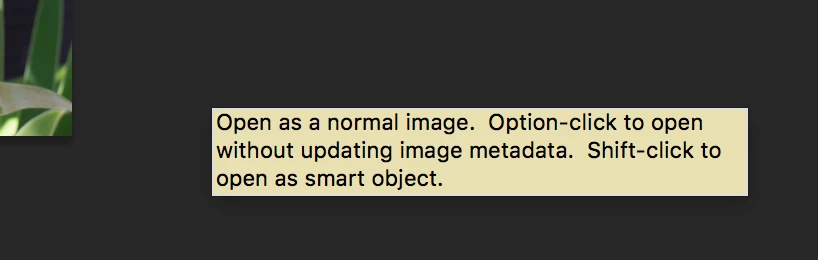
Two or three different dialog boxes like the above appear on my workspace during editing in Photoshop (working in macOS). The dialog boxes will not move and will not disappear during my session -- only when I close the app. Does anyone know how to prevent or get rid of these?

This topic has been closed for replies.
Correct answer gener7

They look like "pop up" Tool Tips and should go away. If you do not need those reminders, the simplest thing would be to go into Preferences and uncheck the Show Tool Tips option.

Let me know if that works for you.

1 reply

gener7
Community Expert
gener7Community ExpertCorrect answer
Community Expert
August 23, 2018

They look like "pop up" Tool Tips and should go away. If you do not need those reminders, the simplest thing would be to go into Preferences and uncheck the Show Tool Tips option.

Let me know if that works for you.

Participant
September 24, 2018

Thanks, Pete. The action you suggested seems to have done the trick.

Mark