
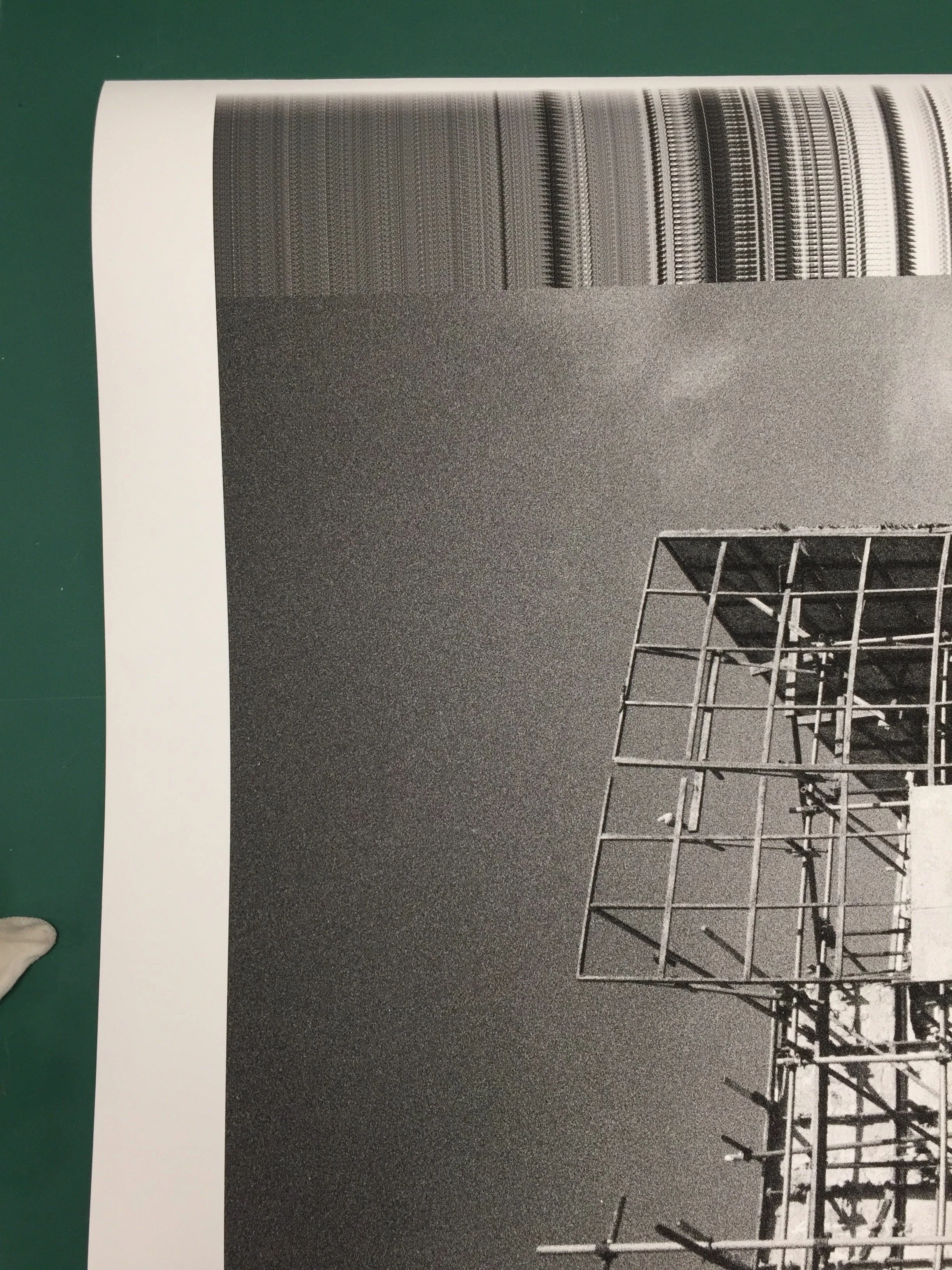
Photoshop prints the broken image with strips with epson
I am printing the BW image with Photoshop but it comes out broken, and I have no idea why. I know that I can print with the other program but it wont print same quality as photoshop. And I wasted quite alot of expensive paper so it makes me upset..
In detail, the image size is 70x100cm and the printer is Epson surecolor P8000.
The file is grayscale 16bit, about 900MB file size.
I used paper profile and it printed well about up to 50cm then rest become array of strips, so I have to cancel it. I tried to reboot my mac and photoshop preference reset as well but no luck. What I have noticed it is not a file problem because I have the other picture to print which is almost same condition, this problem has occured too. When I used the other print RIP program(Shiraz focus) it printed well with same files. Thus I assume it wasn't file problem.
I reckoned if this RIP program conflicts with Photoshop printing option, so I did quit all others but same, no luck.
I know the file condition (16bit printing, finest detail, 900mb size) burdens photoshop alot but I have an experience with up to 2Gb colour files, up to 200cm size. So I have no idea what is the problem.
Is there anyone who had same issue? Or any idea that I can try would be appreciate
+ additional question : While I was researching about this issue, I read many people suggests that do print out PDF file and check them if they are fine. My case it is fine. But I was wondering if it is recommendable even usual situation I do export my image as PDF then print out by preview? I always thought it is better do flatten whole image(TIFF) and print directly from photoshop. And it gives better options as well. Please correct me if I have wrong idea. Thanks.
 AdChoices